
The 6 Best AI Tools for Customer Support Teams
So the other day, I decided to audit our sites for SEO. You know… to at least understand what our SEO efforts look like and see if there are any areas for improvement.
So I logged into the SEO tool we’re using and added the first project (website) successfully. But then I couldn’t add the remaining projects, which was weird because we’re paying for up to 5 projects.
Now, it was a weekend and I needed help urgently, so I decided: “You know what… I bet these guys have an AI agent.”
So I asked the AI chatbot about the issue and… let’s just say it didn’t go well.
I got so frustrated and just said to the AI agent: “Please just connect me to a human agent.”
For a big company, I still don’t understand how they could get it wrong. I mean, as someone who’s always paying for different software services and trying out tools, I’ve seen great AI customer support tools.
Now, I’m a loyal customer and therefore have some level of tolerance for issues like this. But that’s not the case for most of your customers.
One wrong experience and they’re gone.
That’s why you need the best AI tools for customer support teams in 2025. But which ones are these, and how do you even choose the right ones?
Let’s get started!
Key Takeaways
- Groove is the best AI-powered helpdesk for customer support teams that need a simple, powerful platform for human collaboration and scalable, personal support.
- Helply is the best AI agent for customer support teams that need to automate frontline conversations with a self-learning AI that can resolve over 70% of common tickets instantly.
- InstantDocs is the best knowledge base for customer support teams that need to create professional help guides and video tutorials effortlessly, building the foundation for great self-service.
Factors to Consider When Choosing an AI Tool for Customer Support
When picking the right the best AI for customer support tools you need something that actually works for your team and your customers.
So, how do you separate the good from the "please just connect me to a human" bad?
Here’s what you need to look out for:
1. Ease of Use
Look, your support team is on the front lines, dealing with problems all day. The last thing they need is a tool that requires some coding knowledge or a 20-page manual to operate.
If the platform is clunky, confusing, or just plain ugly, they won't use it.
The best tools are intuitive from day one. It should feel like your team has been using it for years, even if they just logged in for the first time.
2. Speed to Value
You're getting a tool to solve a problem now, not six months from now after a marathon setup process.
How quickly can you get it running and, more importantly, how fast will you see a real impact?
You want a tool that delivers quick wins, whether that’s instantly resolving common questions or cutting down your response times.
If a vendor says it'll take a few weeks to "get things optimized," that's a red flag.
3. Vendor Reputation
Who are you about to get into business with?
Before you sign anything, do a little digging.
What are other people like you saying on review sites like G2 or Capterra?
Are their customers happy and bragging about the results, or are they screaming into the void on social media?
You want a vendor who has a reputation for actually supporting their own customers.
4. User Experience (UX)
This is a huge one, and it goes two ways.
First, think about your customer.
Is the AI chatbot helpful and natural to talk to, or is it a robotic nightmare?
And second, think about your team.
Is the dashboard clean and easy to navigate?
Does it make their job easier or just add another complicated screen to stare at?
A bad UX on either side defeats the entire purpose of getting the tool in the first place.
5. Seamless Integrations
Your new AI tool has to work well with the software you already depend on, like your CRM, helpdesk, e-commerce platform, or even Slack.
If it doesn’t integrate smoothly, you’re just creating more work for your team who will be stuck manually copying and pasting information between systems.
So look for simple, plug-and-play integrations that make your whole tech stack smarter, not harder to manage.
6. Safety and Privacy
You’re handling sensitive customer data, and a breach is the kind of PR nightmare that can sink a company.
You have to be 100% confident that the AI vendor takes security and data privacy as seriously as you do.
Are they compliant with major regulations like GDPR and CCPA?
You want to make sure they have a serious commitment to keeping your data and your customers' data safe.
7. Commercial Clarity
Nobody likes hidden fees and surprise charges on their invoice.
Is the pricing model simple and straightforward?
Or is it a confusing maze of usage tiers, add-ons, and "platform fees" that will bite you later?
A vendor with clear, transparent pricing is usually a vendor who is confident in the value they're providing.
If you need a spreadsheet to figure out what you'll be paying each month, walk away.
8. Scalability
The solution that fits your 100-customer business today should also work when you have 10,000.
Can the tool grow with you?
Can it handle more inquiries, more agents, and more complex problems as your business expands?
You don’t want to go through this whole stressful vetting process again in a year. So think long-term and pick a tool that’s ready to scale when you are.
Top 6 AI Tools for Customer Support Teams
Okay, now for the good stuff. So, which tools are actually worth your time and money?
I’ve waded through the marketing fluff to find the platforms that are genuinely making a difference.
I’ve broken them down into a few categories, so it’s easy to digest.
Category #1: Helpdesk Software
This category is for the all-in-one platforms. They're built to be the central hub for your entire customer support operation, combining your inbox, ticketing, and reporting in one place.
1. Groove: The #1 Helpdesk Software
Groove is the best customer support helpdesk for growing businesses that want the power of an advanced platform without the bloat and complexity.
Groove's whole philosophy is "everything you need, nothing you don't," combining a simple, intuitive design with powerful AI and automation features.
Key Features:
Let's break down what it actually does:
Shared Inbox & Ticket Management
This is the core of Groove. It pulls all your customer conversations, from emails, social media DMs, and on-site chats, into one clean inbox.
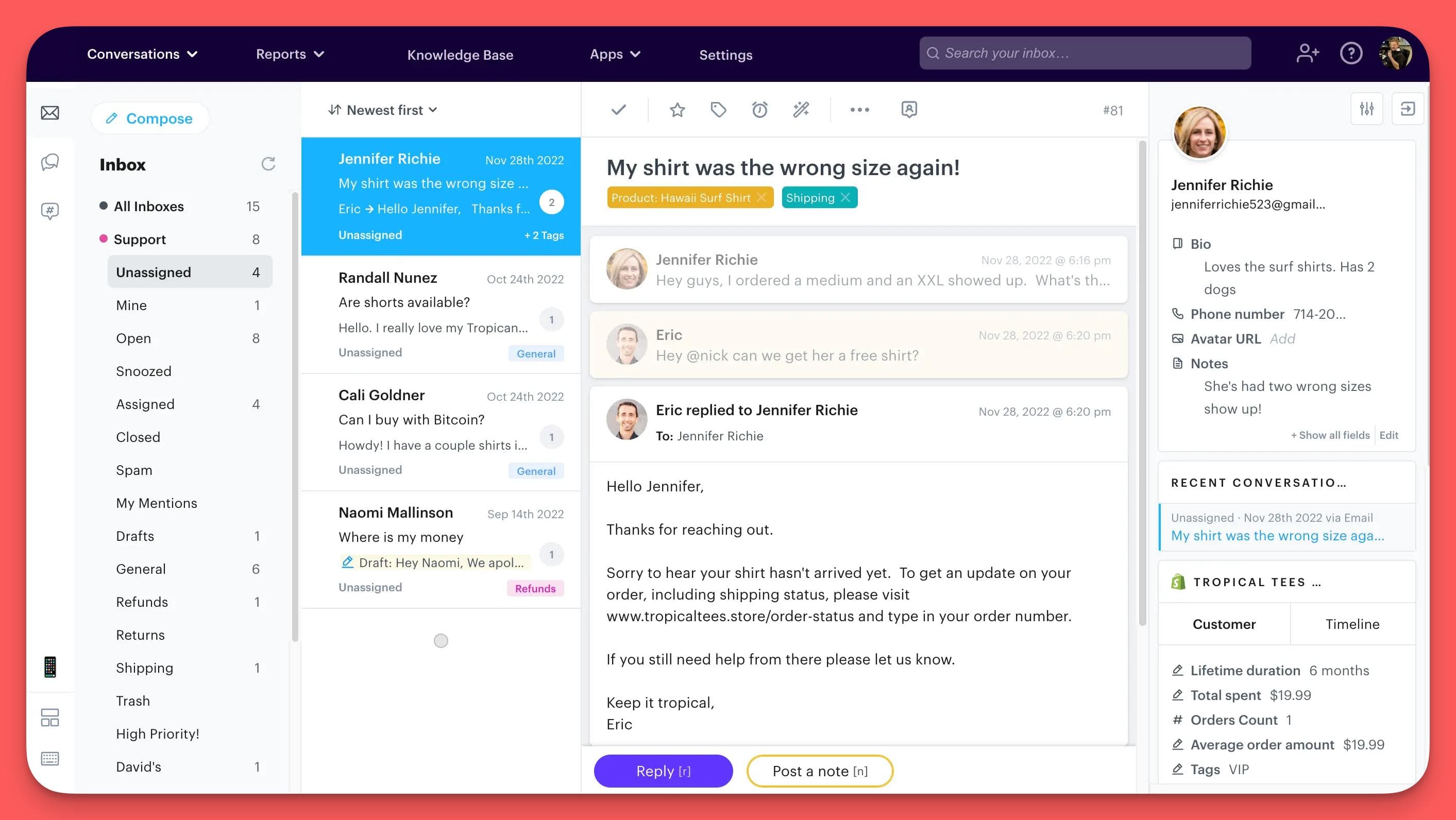
It feels a lot like Gmail, so your team can pick it up fast.
Collaboration is built right in, with features like;
- Collision detection (so you don't have two people replying to the same ticket),
- Internal notes for context
- Easy ticket assignments
Automation
This is where you start saving serious time.
You can create simple "if this, then that" rules to automatically tag, prioritize, and assign incoming tickets to the right person or team.
Groove also has canned replies for answering common questions in one click and "smart folders" to keep your inbox organized automatically.
AI-Powered Tools
Groove has some genuinely useful AI built in. The AI Summarize feature can read a long, messy ticket history and give you a quick summary so you can get up to speed instantly.
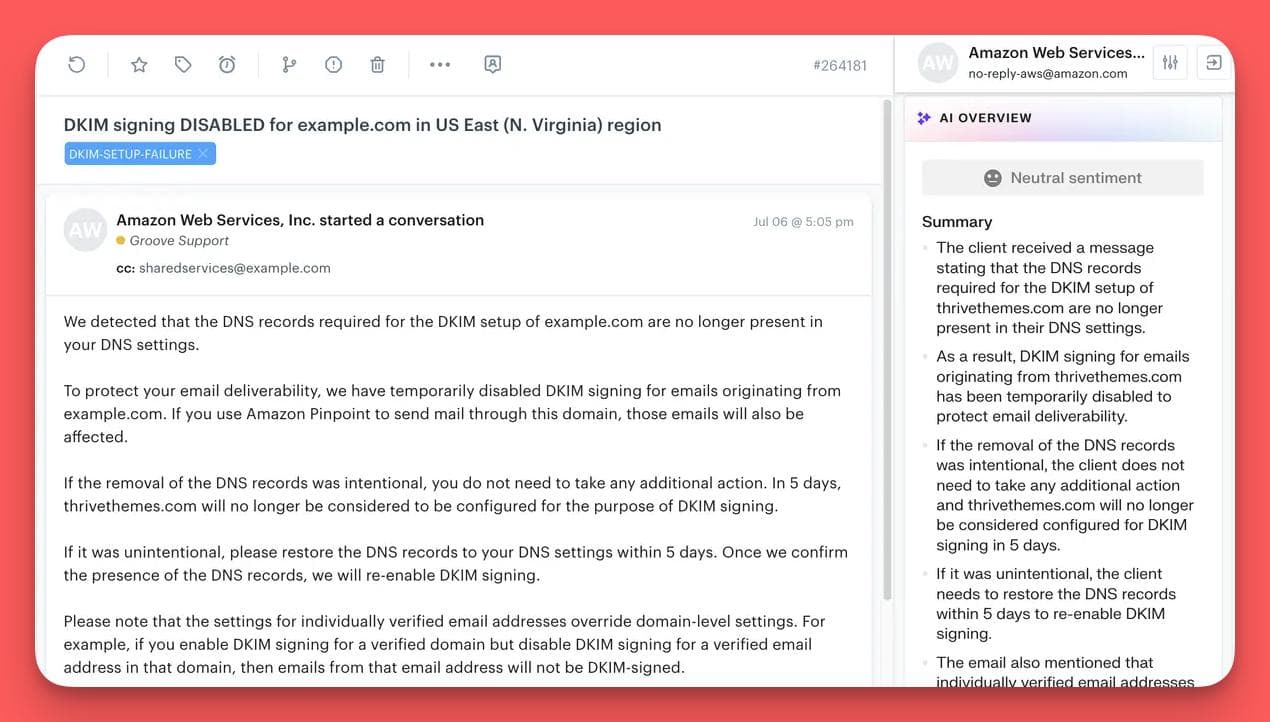
It also has Sentiment Analysis to automatically detect if a customer is happy, frustrated, or angry, helping you prioritize urgent issues.
Finally, the AI Writing Assistant helps your team write clearer, on-brand responses faster.
Integrations
It connects with the tools you're probably already using.
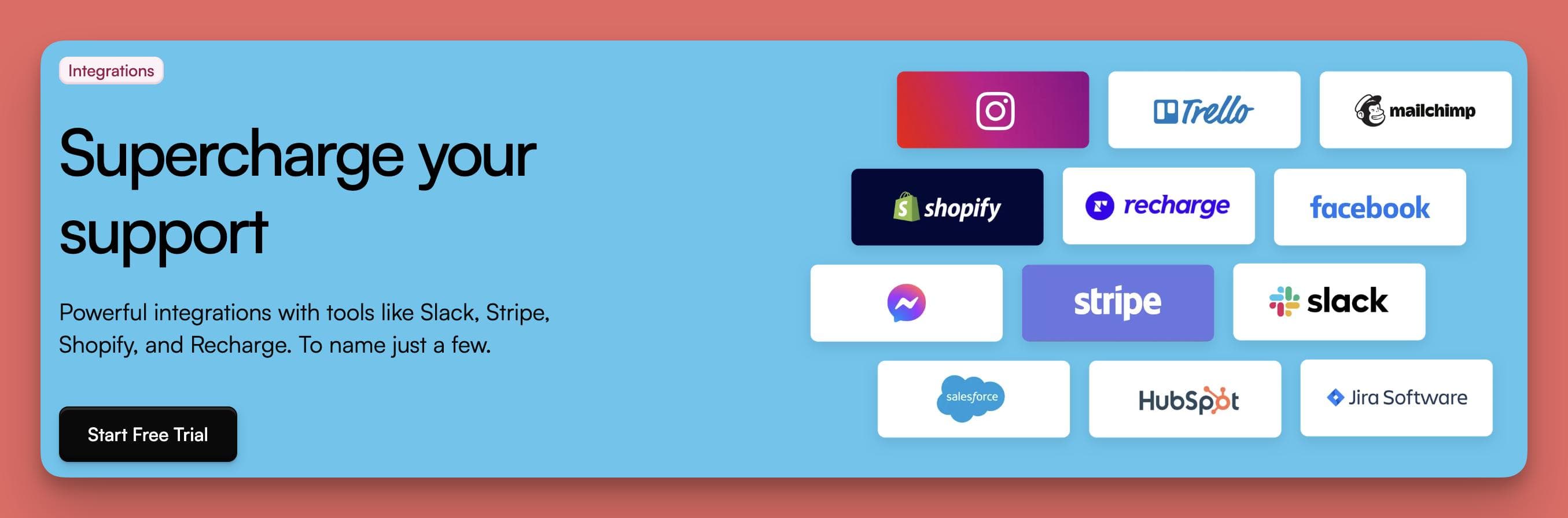
There are deep integrations for e-commerce (Shopify, Recharge), payments (Stripe), team chat (Slack), and CRMs (Hubspot, Salesforce), plus thousands more through Zapier.
Pros:
- Incredibly easy to learn and use. The "just like Gmail" feel is real, which means less time training your team and more time helping customers.
- Excellent for team collaboration. Features like collision detection, internal notes, and assignments are simple but solve major headaches for growing teams.
- Smart, practical AI. The AI features are powerful time-savers, handling tasks like summarizing tickets and analyzing sentiment so your team can focus on the customer.
Con
- Intentionally avoids feature-bloat. Groove is built to be powerful without being overwhelming. Teams that prefer a "kitchen-sink" approach with every possible feature, even those they rarely use, will find that Groove focuses on providing a clean, fast, and efficient user experience instead.
Who it's for:
Groove is perfect for small to medium-sized businesses that have outgrown a shared email account and need a professional tool without the enterprise-level complexity.
If you want a platform that your team can learn in an afternoon and that helps you collaborate better, Groove should be at the top of your list.
2. Help Scout
Help Scout is a complete customer communication platform.
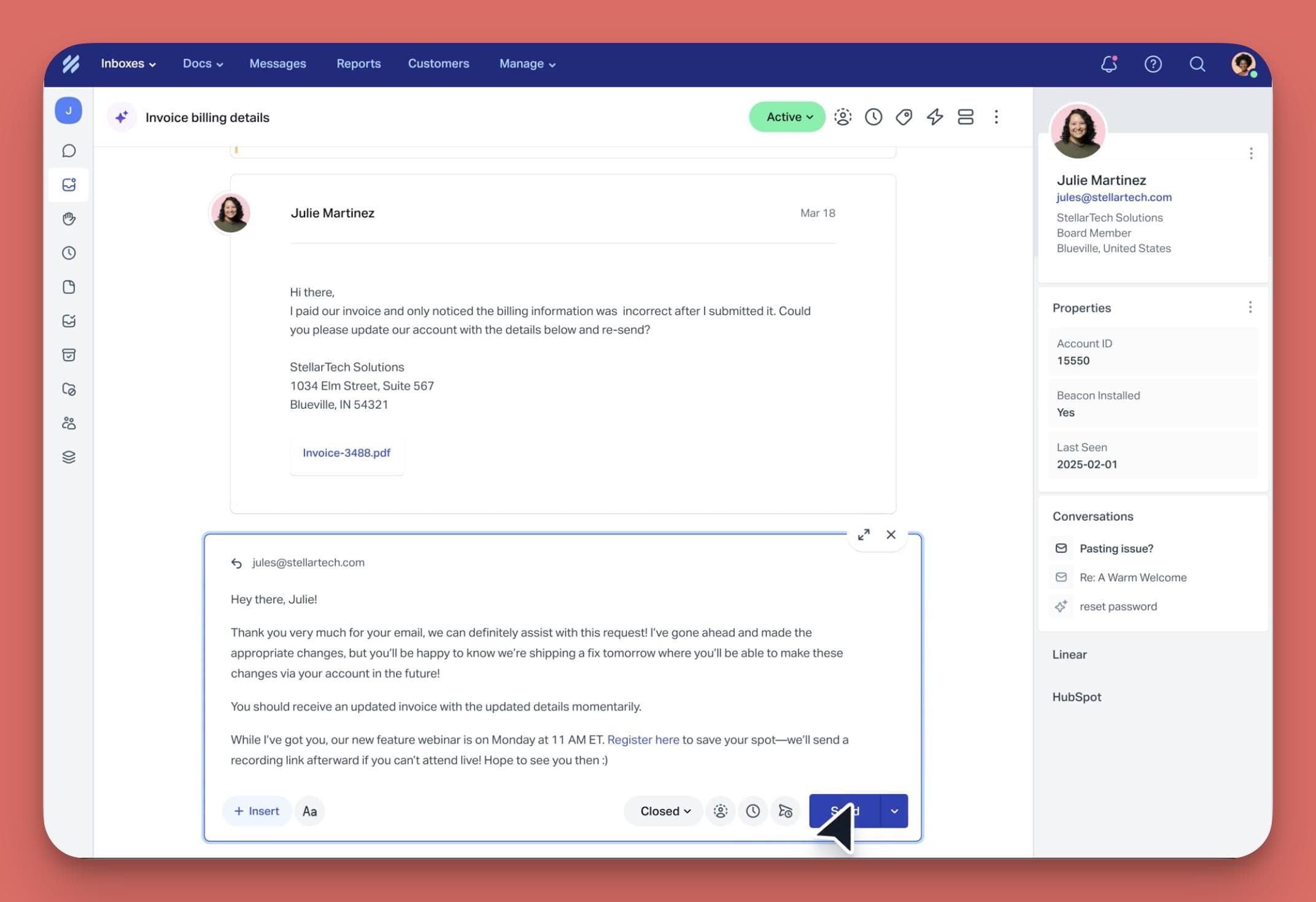
While it has a powerful shared inbox at its core, it goes further by bundling in a sophisticated AI chatbot and proactive messaging tools.
It’s designed for teams that want to provide a highly personal, human-centric support experience while using automation and AI to handle the repetitive stuff.
Key Features
Help Scout packs a lot under the hood. Here are the highlights:
Collaborative Inbox
Similar to other helpdesks, it organizes all your customer conversations in one place.
What stands out is its focus on teamwork, offering unlimited seats on some plans. This means you can loop in people from marketing, engineering, or sales without paying for extra licenses.
It includes all the essentials like internal notes, assignments, and AI-powered summaries and reply drafts to speed things up.
AI Answers
This is their AI chatbot, and it's pretty slick. You can feed it your knowledge base articles, blog posts, and even whole sections of your website to train it.
It can answer customer questions instantly in over 50 languages and can be customized to match your brand's tone (from "super professional" to "friendly and laid back").
Plus, you can review its conversations and give it feedback to make it smarter over time.
Proactive Messaging
Help Scout lets you send proactive messages to customers on your website or in your app.
You can use banners and pop-ups for announcements, onboarding new users, or even running NPS surveys.
You can also target these messages to specific users based on their behavior, like how many times they've visited a page.
Detailed Reporting & Integrations
It comes with a robust analytics suite to track everything from team response times to your busiest hours and customer satisfaction scores.
Help Scout also has a massive library of over 100 integrations, connecting seamlessly with tools like Shopify, Salesforce, Jira, Slack, and many more.
Pros
- "Unlimited Seats" is a game-changer. On their higher-tier plans, you can give everyone in your company access without a per-user fee, which is amazing for all-hands collaboration.
- Goes beyond reactive support. The built-in proactive messaging and advanced AI chatbot make it a more comprehensive platform for customer engagement, not just for solving problems.
- Excellent customer context. The sidebar in the inbox pulls in rich data from other apps, so your team has a full picture of the customer they're talking to without switching tabs.
Cons
- Lacks native phone support, advanced chat tools, time tracking, and chatbots or integrated knowledge bases
- Poor email management and ticketing, including occasional bugs, delays in email processing, and inefficiencies in handling high volumes of tickets
- Steep learning curve for new users, making it less intuitive for teams without prior experience.
- Limited reporting and analytics capabilities, so you won't be able to assess agent productivity or gain deep insights.
Who It's For
Help Scout is a great fit for businesses that are ready to invest in a complete customer communication platform, not just a simple helpdesk.
Category #2: AI Agents for Customer Support
These are powerful, intelligent assistants designed to handle entire conversations on their own.
They connect to your knowledge base and other systems to give real, helpful answers.
Also, they're smart enough to know exactly when it's time to hand a conversation over to a human agent.
3. Helply: The #1 AI Agent Agent for Customer Support
Helply is a dedicated, intelligent AI agent that you add to your existing helpdesk.
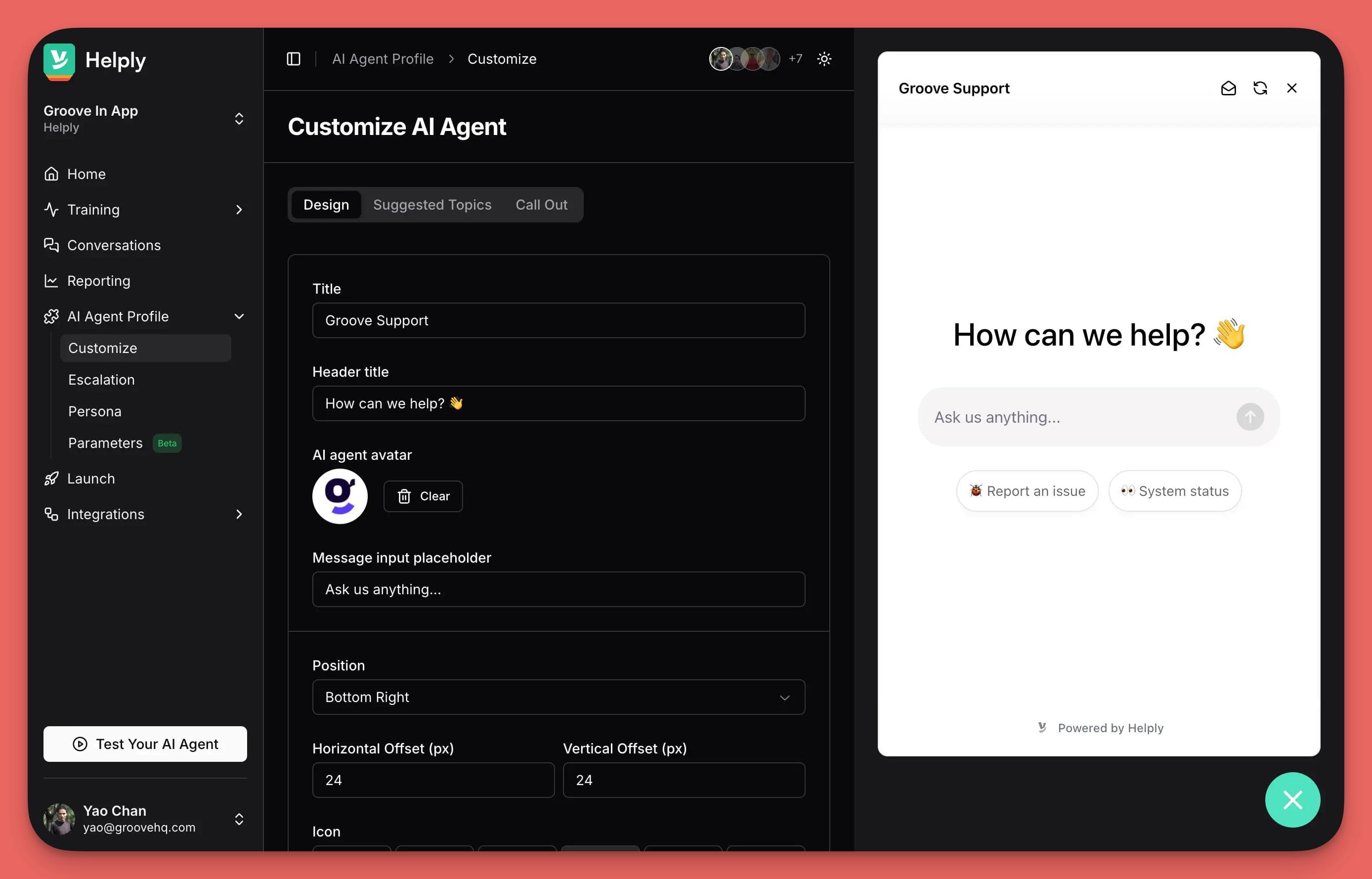
It's your best support agent, supercharged—one that works 24/7, learns from every conversation, and can automate over 70% of your Tier 1 support tickets.
Helply is designed to be a no-code, "set it and forget it" layer that starts resolving customer issues in minutes, without needing constant maintenance or "prompt engineering."
Key Features
Helply is built around a core of continuous, automated improvement.
Here’s how it works:
Self-Learning AI Agent
Helply trains itself by reading your existing knowledge base and, most importantly, your team's past support tickets.
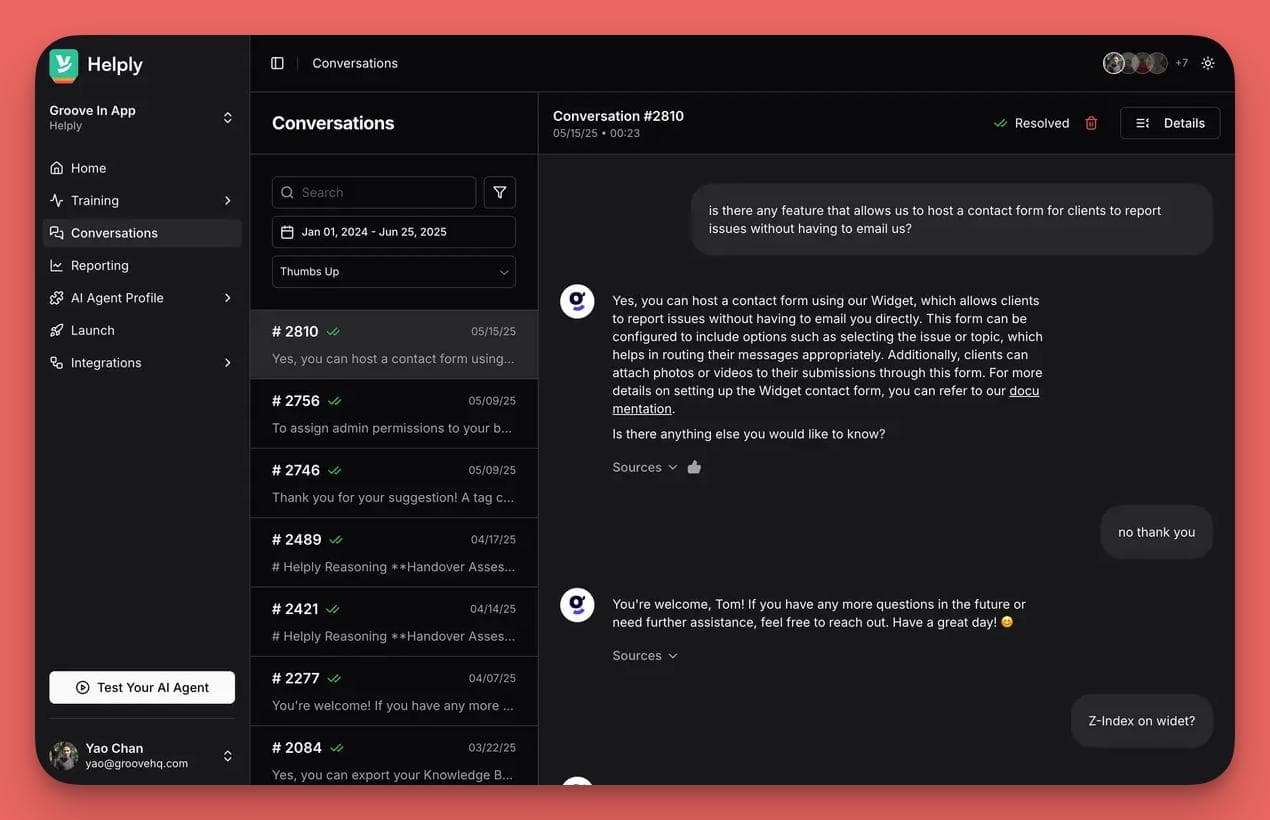
This means it learns the nuance of how your customers actually talk and the solutions your best agents have already provided.
It comes out of the box with customizable tones and personas and supports over 40 languages.
Knowledge Bridge
This is Helply's standout feature. It doesn't just use your help docs; it actively works to improve them.
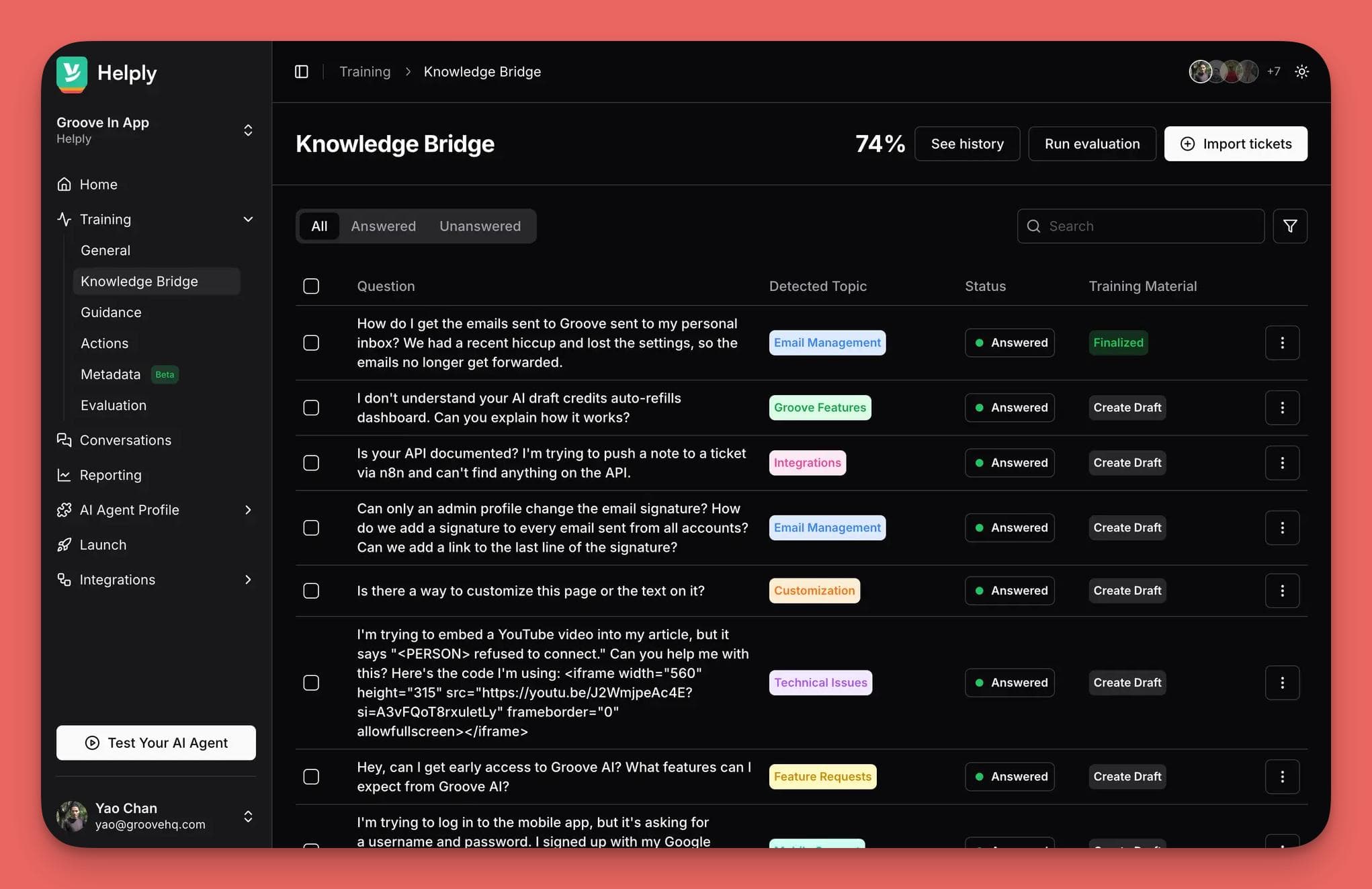
The AI constantly compares incoming support tickets to your existing articles.
And when it finds a gap—a common question that isn't answered in your knowledge base—it flags it and can even auto-generate a draft article to fill that gap.
It creates a powerful feedback loop where your AI gets smarter and your documentation gets better automatically.
AI Actions
This elevates Helply from a simple Q&A bot to a true problem-solver. You can empower the agent to perform real tasks within a conversation.
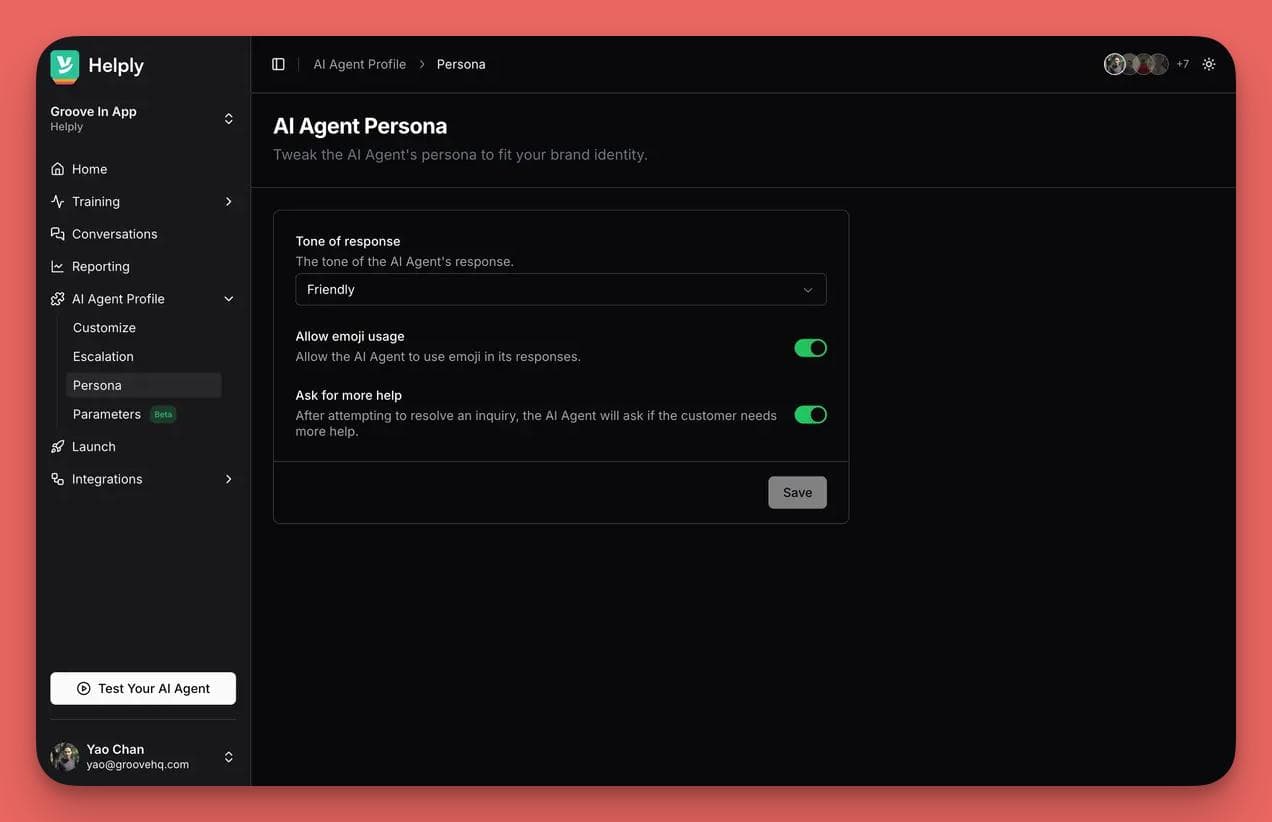
For example, it can look up an order status, update account information, or trigger a workflow in another system via an API call.
This means the AI can actually resolve a customer's issue from start to finish without needing to escalate.
Seamless Integration
Helply is designed to be a simple add-on to your current workflow.
It integrates directly with popular helpdesks like Groove, Zendesk, Freshdesk, and Help Scout.
So you don't need to switch platforms or disrupt your team.
Pros
- Truly Self-Learning and Self-Improving. The ability to learn from past tickets and proactively identify and fill knowledge gaps is a massive advantage. It means the AI gets smarter and more effective every single day without manual effort.
- Moves Beyond Answers to Actions. With AI Actions, the agent can resolve complex, multi-step issues on its own, dramatically increasing the number of tickets it can handle without human intervention.
- Incredibly Fast to Set Up. Because it learns from your existing data, you can get a powerful, fully-trained AI agent up and running in minutes, not months.
Con
Focused Purely on AI Automation.
Helply is a dedicated AI agent, not an all-in-one helpdesk.
It's built to plug into and supercharge your existing support platform (like Groove, Zendesk, etc.). Helply is the specialized AI component designed to work alongside your human agents and ticketing system.
Who it's for
Helply is the perfect solution for any support team that's feeling overwhelmed by repetitive questions and wants to automate a significant portion of its ticket volume.
If you already have a helpdesk you like but need to add a powerful, intelligent, and self-sufficient AI layer on top of it, Helply is built for you.
It's especially valuable for teams that want an AI that not only resolves tickets but also helps them build a better, more complete knowledge base over time.
4. Fin AI Agent
Fin AI is Intercom’s AI agent, and it's built for teams that crave data, control, and deep customization.
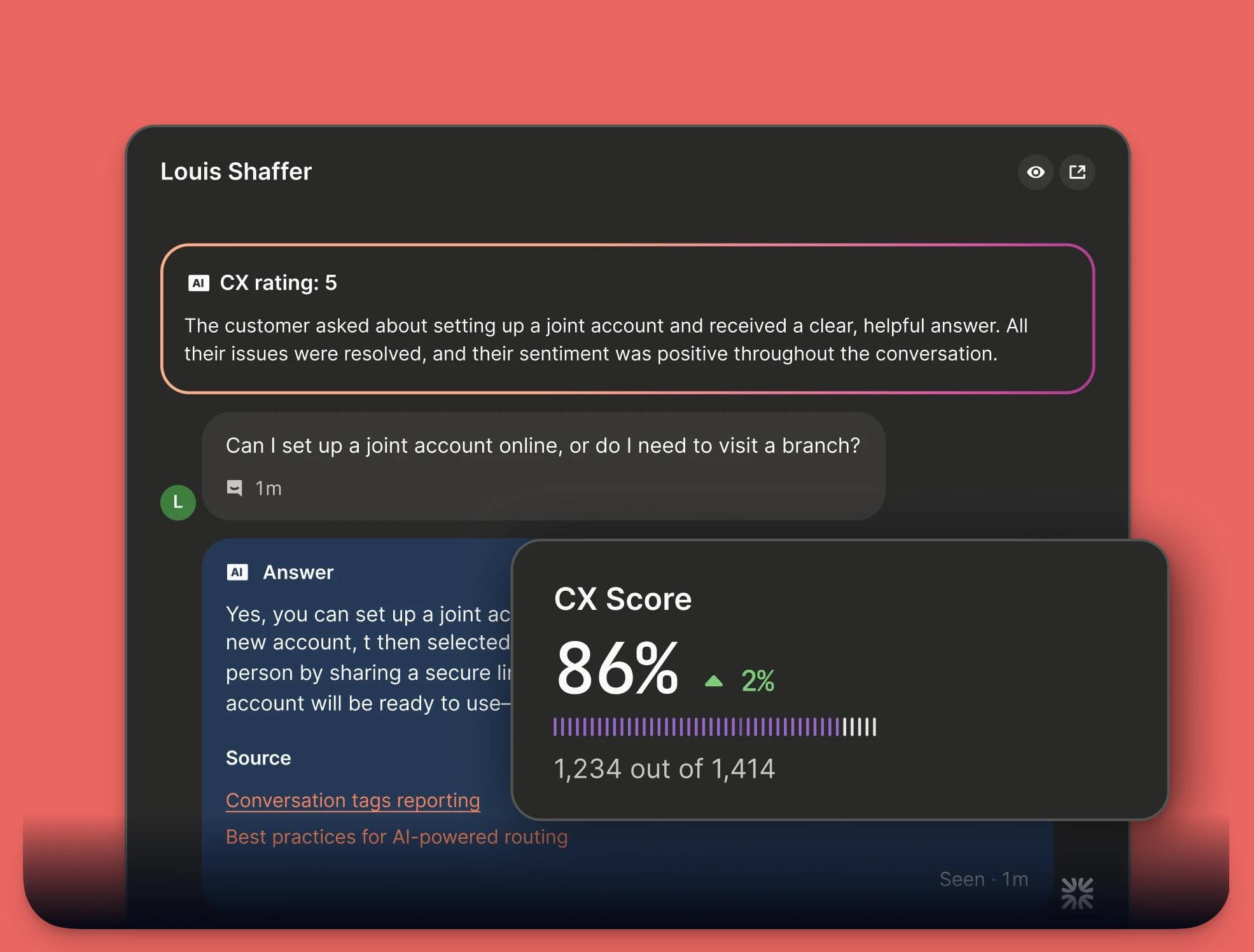
It's a powerful and highly configurable bot designed to integrate into complex support operations.
While it also automates customer conversations, its main focus is on providing granular control over its behavior and offering incredibly detailed analytics on its own performance.
Key Features
Fin is packed with advanced features for teams that want to fine-tune their AI operations.
Advanced Configuration and Personalization
Fin learns from your help center, documents, and even PDFs, but the real power is in the customization.
You can configure its exact tone, escalation policies, and communication style.
It can also pull in data from external systems like Stripe and Shopify to give personalized answers.
Fin AI can even interpret images like screenshots or invoices using a feature called Fin Vision.
Deep Performance Analytics
It offers a suite of AI-powered reporting tools, including a "Topics Explorer" to spot trends in customer questions.
It also provides AI-generated suggestions to improve your help articles and even has its own metric, the CX Score, to measure support quality without needing customer surveys.
Agent Copilot
Fin AI also acts as an assistant for your human agents.
The "Copilot" feature works inside the support inbox, providing real-time suggestions, advice, and information to your team. Thus helping them resolve the tougher cases faster and more consistently.
Multichannel Deployment
You can deploy Fin pretty much anywhere your customers are. It supports live chat, email, voice, social media (Facebook, Instagram, WhatsApp), and more. Thus allowing you to maintain a consistent AI presence across all your channels.
Pros
- Granular Control and Customization. For teams that want to control every detail of their AI's personality and behavior, Fin offers a massive toolbox of settings and configurations.
- Best-in-class Analytics. The reporting suite is incredibly robust, giving data-driven teams everything they need to monitor, analyze, and continuously optimize their AI's performance.
- Powerful, Unique Features. Capabilities like reading images (Fin Vision) and assisting human agents (Copilot) show that it's a truly advanced and versatile AI tool.
Cons
- High and complex pricing, charged per resolved conversation (e.g., $0.99 per resolution with minimums), which can vary monthly and increase as the AI improves, making costs unpredictable.
- Difficult setup process, often requiring significant time and effort to configure properly.
- Heavy reliance on high-quality documentation; poor or incomplete content leads to ineffective performance and potential hallucinations (inaccurate answers).
- Struggles with unique, complex, or out-of-scope queries, as it cannot perform certain actions and may not provide answers if content doesn't match.
- Usage limits and notifications that can cap resolutions, requiring backup workflows when exceeded.
- Inadequate reporting, poor integration with some tools, and limited content flexibility, which can be drawbacks for advanced needs.
Who it's for
Fin is built for larger or more technically advanced support teams that want a powerful, enterprise-grade AI agent.
Category #3: Knowledge Base management
Your knowledge base as the single source of truth for your entire company. It’s the brain of your support operation.
If that brain is messy, outdated, or full of gaps, then both your human agents and your new AI are going to give lousy answers.
The tools in this category are built specifically to solve that problem.
5. InstantDocs: The #1 AI Knowledge Base Management Software
InstantDocs is an AI-powered platform designed to completely reinvent how support content is created and managed.
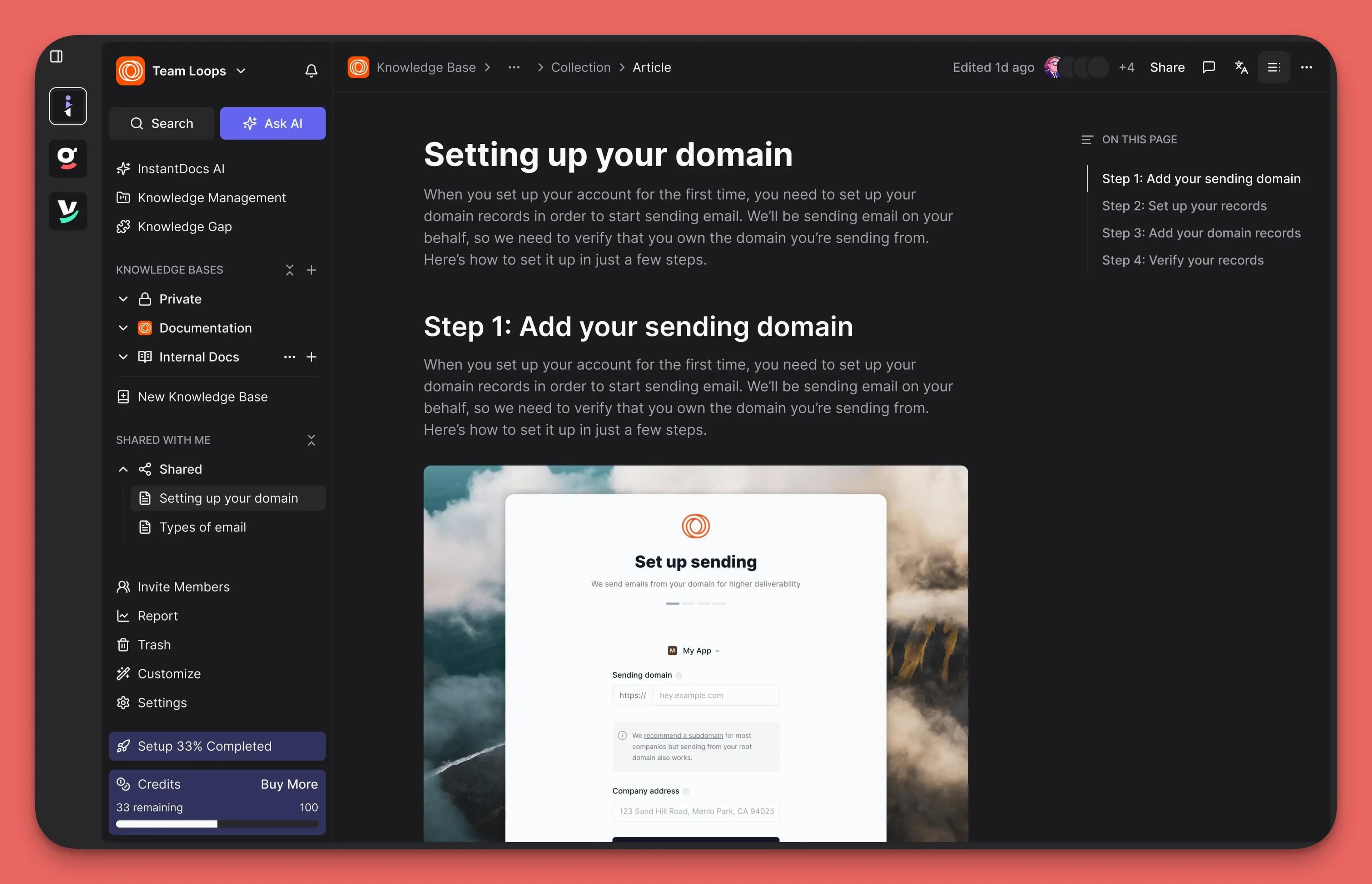
It goes far beyond a traditional knowledge base by providing tools that automate the most tedious parts of the process.
You can use it to create beautiful step-by-step guides, professional video tutorials, and a modern, searchable help center—all in a fraction of the time it would normally take.
Key Features
InstantDocs is built around making content creation fast, easy, and even a little bit fun.
AI-Powered Guide Creation
Instead of manually taking screenshots, you can use the InstantDocs Chrome Extension to simply record your screen as you walk through a process.
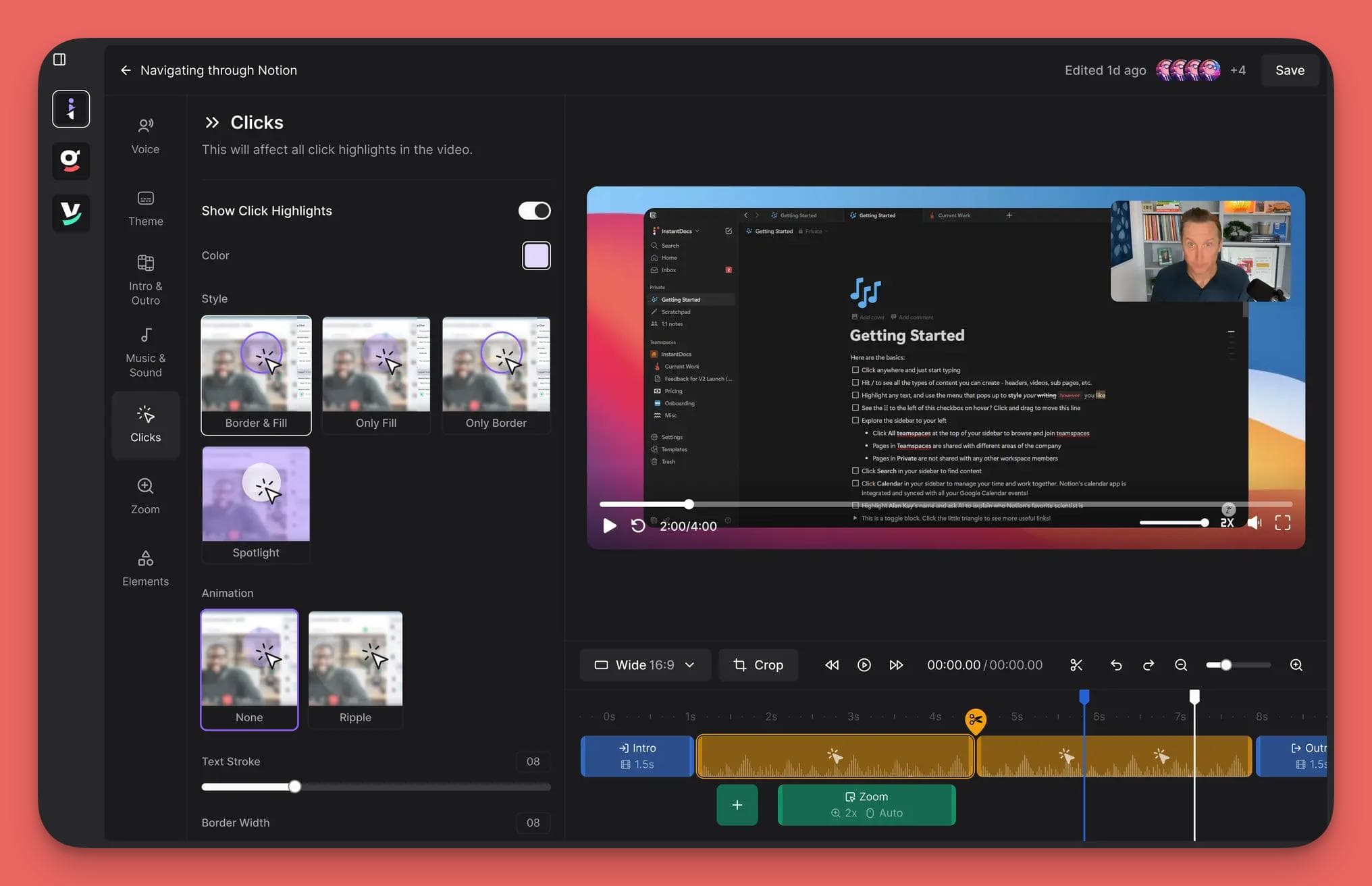
It automatically captures your clicks and actions and turns them into a polished, step-by-step guide with cropped images and text.
You can also import support tickets from Groove or Zendesk and have the AI transform them into ready-to-publish help articles.
Instant AI Video Tutorials
Creating video tutorials is notoriously difficult, but InstantDocs makes it simple.
You just need to record your screen, and the tool automatically adds professional zooms, pans, and transitions.
The real game-changer is the AI voiceover feature, which generates a natural-sounding narration from your text.
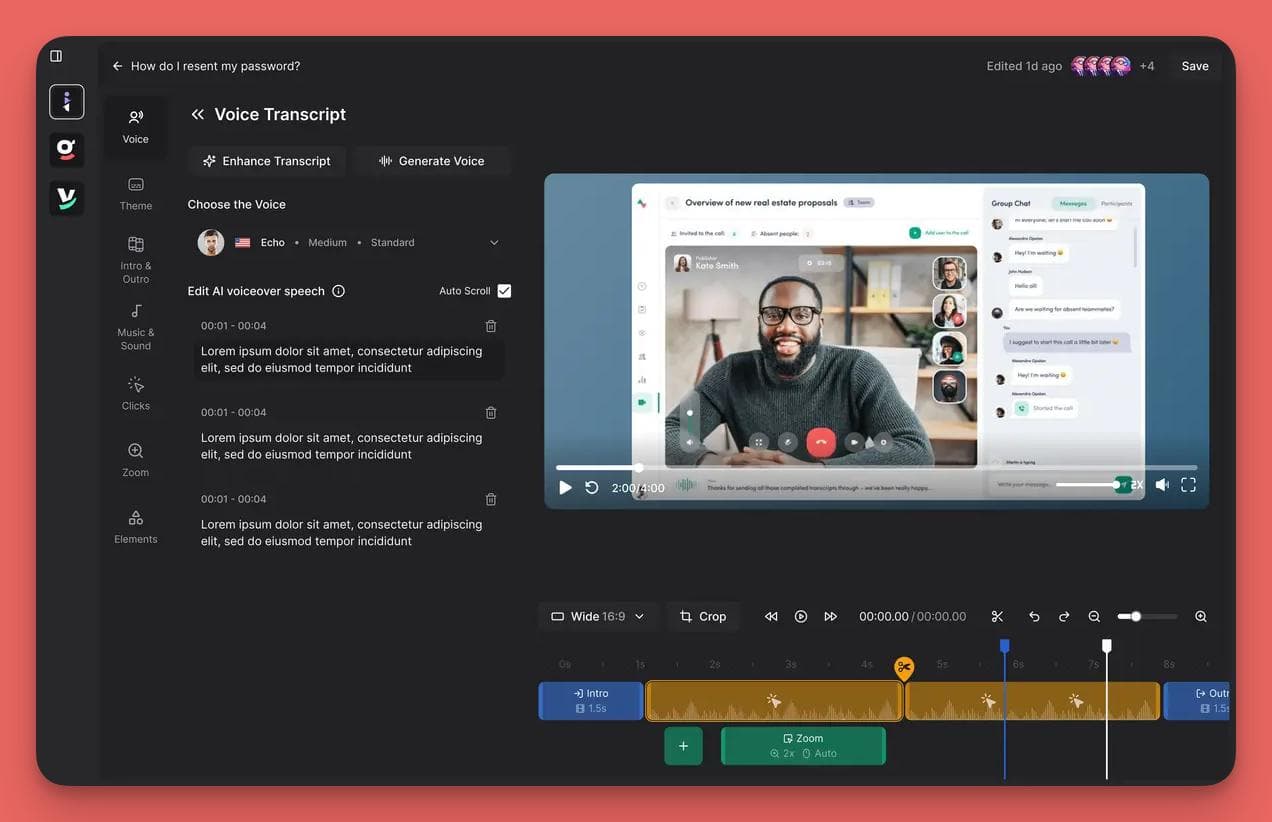
You can even use custom voices (via an Eleven Labs integration), eliminating the need for microphones, quiet rooms, and endless re-recording.
A Modern, Fast Knowledge Base
All this great content lives in a beautifully designed help center.
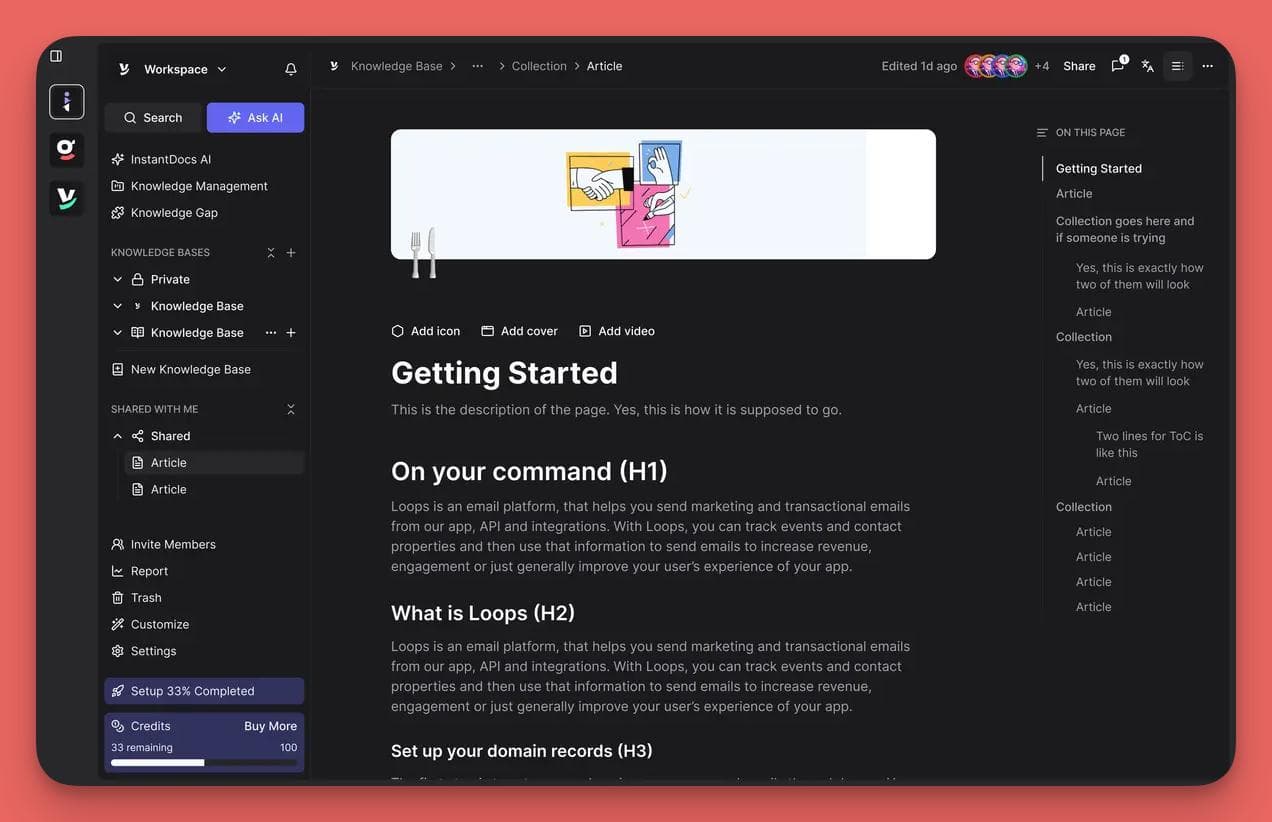
The knowledge base is built around a powerful, AI-driven search that understands what customers are looking for, not just the keywords they type.
It's fully customizable with no code required. You can;
- Match your brand
- Switch between light and dark modes
- Organize your content with simple drag-and-drop collections
It also has robust access controls, so you can keep content internal or make it public.
Seamless Integrations
InstantDocs is designed to be the "single source of truth" that powers your other tools.
It integrates directly with major helpdesks like Groove, Intercom, Zendesk, and Help Scout. Thus allowing you to publish and sync your articles across your entire support stack.
Pros
- Massively Accelerates Content Creation. The screen recording and ticket-to-guide features automate the most time-consuming parts of writing documentation, turning hours of work into minutes.
- Makes Professional Video Accessible to Anyone. The combination of auto-editing and AI voiceovers removes the huge technical and financial barriers to creating high-quality video tutorials.
- Beautiful, Modern Design Out of the Box. You can launch a help center that looks and feels incredibly professional without needing to hire a designer or developer.
Con
A Specialist in Content, Not Conversation. InstantDocs is laser-focused on being the best platform for creating and managing support content (guides, videos, articles).
While it integrates deeply with helpdesks and bots, it isn't a conversational tool itself.
It's the "brain" that powers those other systems, not the "mouth" that talks to customers.
Who It's For
InstantDocs is for any team that knows their documentation is critical but finds the process of creating it slow and painful.
It’s a perfect fit for software and product-led companies that need to produce a lot of visual guides and walkthroughs.
If you want to build a world-class help center filled with both written and video content but don't have a dedicated content or video production team, this is the tool for you.
6. Document360
Document360 is a powerful, feature-rich knowledge base platform built for large teams and complex technical documentation.
It's a more traditional, enterprise-grade solution that gives managers granular control over the entire content lifecycle, from creation and review to publishing and versioning.
It's designed to be a highly structured and secure home for vast amounts of information.
Key Features
Document360 is packed with features designed for power users and technical writers. They include:
Advanced Content Management & Workflow
You can manage the entire lifecycle of an article with states like "draft," "in review," and "published."
It allows you to build custom workflows, assigning review tasks to different team members with due dates.
It also includes robust version control with a "difference viewer" to easily see changes between article versions.
Powerful Editors for Technical Writers
The platform offers both a What-You-See-Is-What-You-Get (WYSIWYG) editor and a powerful Markdown editor.
This makes it a favorite among developers and technical writers for its speed and simplicity.
Document360 has excellent support for sharing code snippets, creating callout boxes for warnings or tips, and building complex tables.
Enterprise-Grade Security & Permissions
You can create highly specific team roles and permissions, controlling who can write, edit, or even view specific categories of articles.
It also supports advanced features like IP restrictions, single sign-on (SSO) with providers like Okta, and detailed audit trails.
Deep Customization and Analytics
You can fully brand your help center with custom logos, colors, and even custom CSS/JavaScript for advanced styling.
The analytics dashboard provides deep insights into what users are searching for, which articles are performing well, and even tracks broken links within your content.
Pros
- Perfectly Suited for Technical Documentation. With its strong Markdown editor, code block support, and version control, it's an ideal choice for software companies managing API or product documentation.
- Granular Workflow and Access Control. The platform gives managers precise, top-down control over the content creation process, making it great for large, structured teams with strict review cycles.
- Robust Security Features. The enterprise-level security makes it a safe and compliant choice for large organizations that handle sensitive information.
Cons
- Limited features for large-scale use, including search limitations in extensive knowledge bases
- Lack of advanced customization like adding custom code or hiding elements (e.g., sidebar or version selector) on specific pages.
- Poor user interface elements, such as a subpar text editor and inadequate media handling, making content creation frustrating.
- Poor search functionality that could potentially lead to challenges in finding information quickly.
- Limited integrations with other tools, which can hinder seamless workflows.
- Complicated cancellation process, often requiring a Zoom meeting, and a pricing structure that may not suit all budgets.
- Potential data quality issues, like errors or duplicates, and challenges in making content easily accessible or embeddable across platforms.
Who It's For
Document360 is built for medium-to-large enterprises, especially software companies that need to manage complex technical documentation.
Get Started With Groove Today!
You've seen some of the best tools on the market, from all-in-one helpdesks to specialized AI and knowledge base platforms. But to provide great and scalable support, you need to build a system where every piece works together in perfect harmony.
That’s precisely why we built the ultimate customer support stack. It’s a simple but incredibly powerful combination designed to solve the entire problem, from start to finish:
InstantDocs. You start by effortlessly creating a perfect, AI-ready knowledge base with stunning guides and videos. This becomes the "brain" for your entire operation.
Helply. Next, you layer on a self-learning AI agent that connects to that brain. It automatically resolves over 70% of your customer questions 24/7, providing instant, accurate answers.
Groove. For the complex issues that need a human touch, your team collaborates in a powerful, intuitive helpdesk. Helply hands off the conversation with full context, so your team can solve the toughest problems without missing a beat.
No more frustrated customers. No more overwhelmed agents. Just a smooth, efficient system that delivers the right answer, every single time.
It’s the support experience you’ve always wanted to provide, finally made simple.
Ready to stop losing customers to bad support?
Frequently Asked Questions (FAQs)
What is the best AI for customer support?
Groove is the best helpdesk for a human team that needs a simple, collaborative inbox.
Helply is the best AI agent for automating frontline support and resolving Tier 1 tickets instantly.
InstantDocs is the best AI knowledge base management tool for creating your knowledge base content from a single video recording.
How do you use AI for customer support?
You can use AI for customer support by automating answers to common questions with an AI agent like Helply. You can also use AI for customer support to find gaps in your knowledge base and assist human agents with writing suggestions.
Can I use ChatGPT for customer service?
No. You can’t use ChatGPT for customer support because it’s not a specialized customer service tool. You can use dedicated AI agents like Helply which have the ability to learn directly from your support tickets to help with over 70% of Tier 1 customer queries.
Which AI tool is best suited for text-based customer support?
Helply is the best suited AI tool for text-based customer support. It is purpose-built to understand and resolve customer issues through conversational AI.
5 Help Scout Alternatives: Why Growing Support Teams Switch to Groove
Groove Fixes What Teams Don't Like About Help Scout: Flat Pricing, Built-In AI, and Native SLA Management. See the Full Comparison.
How Helply's Hallucination-Proof AI Eliminates the #1 Fear of AI Customer Support
Customer Support Automation That Hits 65% AI Resolution, Guaranteed. Helply's Action-Based AI, Safe Escalations, and Optimization.
