
A Complete Guide To Choosing the Best Customer Service Email Tool for Your Small Business

Customers are a lot more likely to become repeat buyers when they experience outstanding service. However, it’s challenging to provide that level of service when managing emails through basic platforms like Gmail and Outlook.
Overstuffed and unconnected inboxes, missed messages, and a lack of organization leads to frustrated customers and overwhelmed support teams. That’s where a dedicated customer service email tool comes in handy. It can streamline your support process, improve response times, and help you build stronger customer relationships.
Are you ready to ditch the chaos and find a solution that fits your needs and budget? If so, let’s get to it!
Key Features To Look For in a Customer Service Email Tool
There are hundreds of email tools available for managing customer service needs. This makes it difficult to decide which is ideal for your small business.
Before you even start looking, it’s smart to have a plan and set of requirements in mind. So to simplify your decision, we’ll break down the essential features that will empower your team and offer great customer experiences.
User-Friendly Interface
The heart of excellent customer service is a happy and efficient team. A user-friendly interface ensures that both your agents and buyers have a smooth experience.
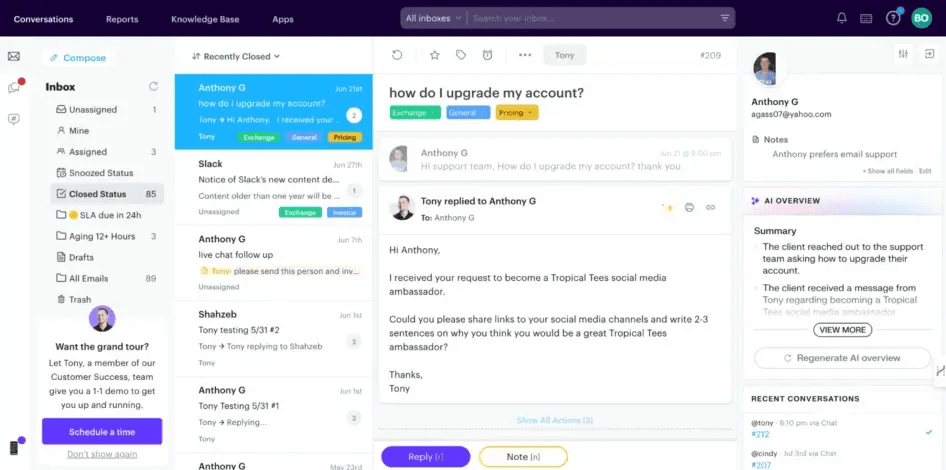
When evaluating a customer service email tool, you’ll want to look for features like:
- Clean, organized inbox: Easily manage conversations with a clear view of tickets, customer information, and team activity.
- Intuitive navigation: Spend less time searching and more time helping with easy-to-understand menus and controls.
- Drag-and-drop functionality: Simplify email management, from organizing tickets to collaborating with team members.
- Customizable layouts: Tailor the platform to match individual agent preferences for maximum efficiency.
Automation and AI Capabilities
It’s hard to provide excellent support when you’re too busy with rote work. To avoid that, you can automate the routine and empower your team to focus on building customer relationships.
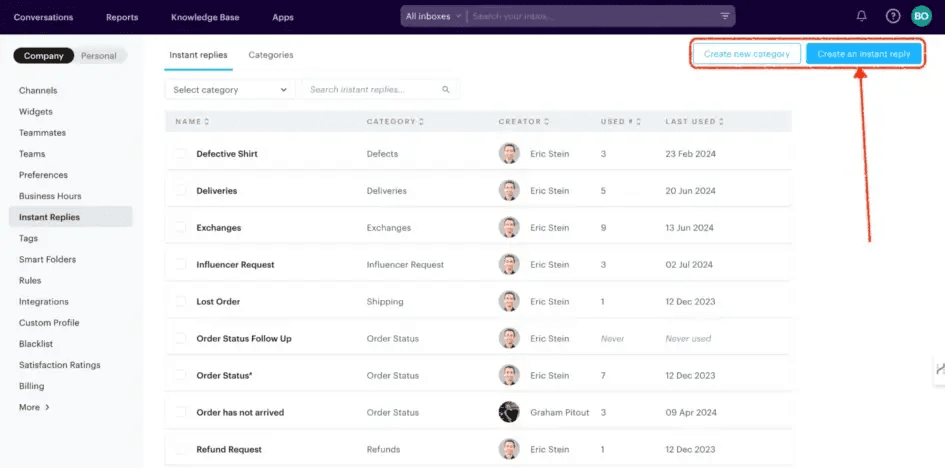
Tools that assist in this will offer:
- Automated responses: Provide instant acknowledgment of customer inquiries with pre-written responses, or use AI-powered smart replies for more personalized interactions.
- Chatbots: Offer 24/7 support and answer common questions automatically. This frees up your team to focus on challenging issues.
- Ticket routing & workflow automation: Ensure that inquiries are automatically directed to the right team members or departments, and automate tasks like prioritization and escalation based on pre-defined rules.
- Predictive analysis & personalization: Leverage AI to analyze customer data, understand their needs, and provide agents with the insights required to deliver personalized and effective support.
Customizability and Flexibility
Every business is unique, and so is every support team. Plus, you may already have workflows in place that you don’t want to adjust around a new tool.
Your customer service email tool should have features that provide flexibility and control, such as:
- Customizable email templates and macros: Maintain brand consistency and save time with pre-written responses for common customer inquiries.
- Configurable ticket fields and metadata: Organize your customer information the way you want to, so it’s easy to track conversations, issues, and resolutions.
- Workflow automation rules and triggers: Design automated processes that match your specific support style.
- Branded customer portals and self-service: Give your customers the power to find answers, track orders, and manage their support tickets on their own time.
Scalability
As your business grows, your customer service solution should be able to grow seamlessly alongside it. You don’t want to end up in a situation where the platform that worked with five employees doesn’t work well for a team of twenty.
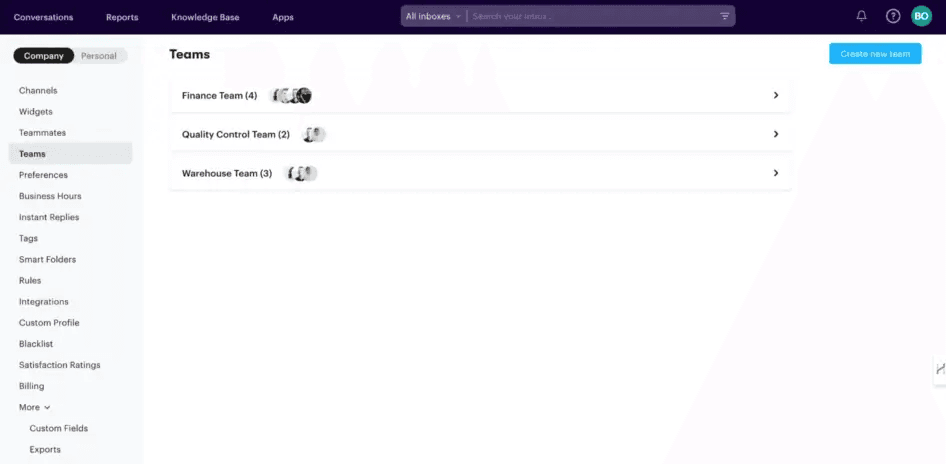
Some essential features for ensuring scalability include:
- Options for handling increased ticket volume: The platform should be equipped to manage a growing number of customer inquiries without sacrificing speed or performance.
- Support for a growing team: Adding new agents and managing permissions should be a straightforward process.
- Proven track record: Look for case studies or testimonials from businesses that have successfully scaled their operations using the platform you’re considering.
Integration Capabilities
For a truly streamlined workflow, you may need a customer service email tool that integrates with your existing business applications. Unlike a traditional email platform, a more robust solution should be able to connect up with other popular services.
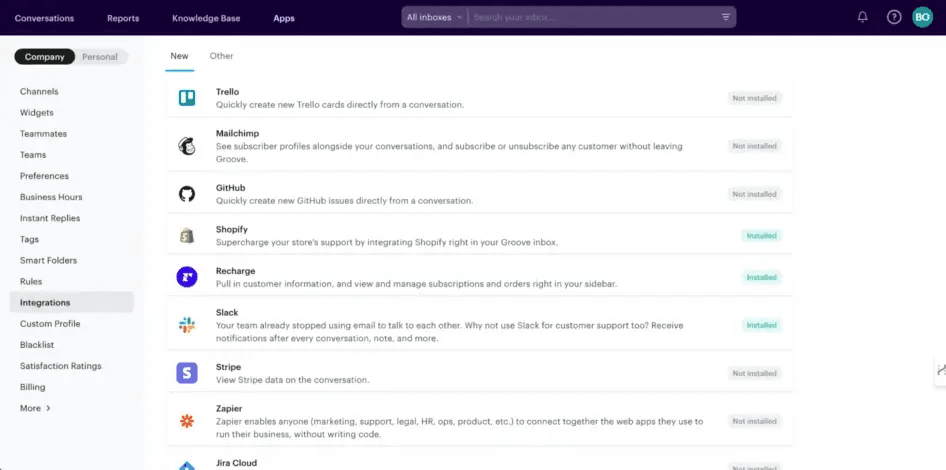
While your needs may vary, you can start by looking for seamless integration with:
- CRM software: Get a 360-degree view of your customers by connecting your support platform with your CRM.
- Social media platforms: Manage customer inquiries from various social media channels within a single platform, for a centralized approach to social customer service.
- E-commerce systems: Provide faster and more personalized support by accessing customer order information, purchase history, and other relevant data directly within support tickets.
Security and Compliance
Protecting your customer data is vital. Buyers may provide all kinds of sensitive information in emails and support conversations. That trust needs to be taken seriously, as data breaches are especially fatal for businesses in any niche.
Therefore, the platform you choose should prioritize security and compliance. You can look for features like:
- Data encryption: Ensure that all data is encrypted, both in transit and at rest.
- Robust access controls: Manage user permissions effectively, granting appropriate levels of access to protect customer data.
- Data backup & disaster recovery: Leverage comprehensive data backup and disaster recovery plans to prevent data loss and ensure business continuity.
- Compliance with industry regulations (e.g., GDPR, HIPAA): Select a solution that complies with industry-specific regulations that apply to your business, in order to protect customer privacy and avoid potential penalties.
How To Choose the Best Customer Service Email Tool For Your Needs (4 Tips)
Of course, finding the right customer service email tool is about more than just ticking off features. The solution you choose will have a significant impact on the efficiency of your customer service operations. So let’s look at a few other key considerations.
1. Check For User Experience and Interface
As we mentioned earlier, you’ll need an interface that is easy to use for both your customers and support staff. An intuitive design boosts productivity and lowers the learning curve.
Of course, any business can claim that its products are user-friendly. It’s hard to judge this element from screenshots, feature lists, and even reviews.
Instead, if at all possible, get some hands-on experience with your top options. Look for companies that provide demos, free trials, or limited free plans, and give their products a try.
It’s a good idea to get your support team onboard as well. If they’re able to figure out how to perform their basic tasks with a minimum of fuss, that’s a good sign that the email platform you’re looking at will slot in seamlessly to your operations.
2. Look at Case Studies and Real-World Examples
Reviews and customer testimonials can be a powerful resource when considering a new customer service email tool. These allow you to hear directly from users about the benefits they’ve experienced.

If you can find them, in-depth case studies are especially useful. They can showcase how each organization successfully used a customer service email tool to improve its operations (or failed to do so).
These real-world examples help you understand the potential impact of a tool on your own company. Check to see if the platform has helped other, similar businesses in the following concrete ways:
- Improved response times
- Increased efficiency
- Enhanced customer relationships
3. Do a Cost-Benefit Analysis
As much as we might wish otherwise, cost matters. It’s important to consider the overall price of each tool, and weigh it against the potential benefits. This means examining the pricing models, potential hidden costs, and value derived from premium features.
Pricing Models
A customer service email tool can have various pricing models, such as:
- Subscription based
- Cost per user
- Tiered pricing, with more features on higher plans
- Some combination of the above
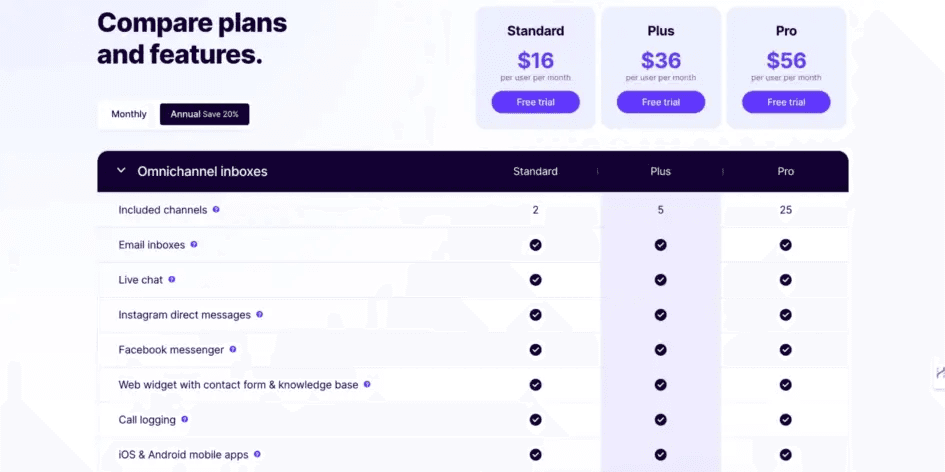
When choosing a tool for your small business, it’s crucial to focus on scalability. You can start with a low-cost plan that meets your current needs. But make sure there’s flexibility to easily add more users and features as your business grows.
Hidden Costs
In addition to the base subscription or license fees, don’t forget to consider any ‘hidden costs’ associated with:
- Implementation
- Training
- Upgrades
- Ongoing support
- Price hikes after the initial period ends
Factoring in these expenses can help you develop a more accurate understanding of the total cost of ownership.
We’d recommend looking for a customer service email tool that offers transparent pricing, straightforward implementation, and readily-available support resources. This can help you minimize unexpected expenses.
Value Derived from Premium Features
While you can find a customer service email tool that offers basic functionality at a lower cost, investing in premium features might provide significant benefits. On the other hand, some platforms may incorporate lots of features you don’t actually need, inflating the price at no extra value.
One size never fits all. So carefully evaluate the value any advanced features can bring to your small business, and focus on the ones that provide measurable benefits.
4. Future-Proof Your Choice of Customer Service Email Tool
Finally, it’s important to consider a platform’s ability to adapt to evolving trends and technologies in customer service. Any tool you invest in should grow and evolve with your business, so your investment remains relevant and valuable in the long run.

A quality customer service email tool should have the flexibility and roadmap to incorporate advancements in areas like:
- Artificial intelligence (AI)
- Machine learning
- Chatbots
We suggest checking out each company’s blog or social profiles to see what new features are being worked on, and how regularly updates are released.
Last but not least, you’ll want to assess the quality of customer support and availability of resources (such as documentation, training, and community forums). You’ll want the necessary support to maximize the tool’s capabilities as your business grows.
6 Popular Customer Service Email Tools Compared
Now that you know what to look for, it’s time to start checking out your options! Let’s take a closer look at six popular customer service email tools and what they have to offer.
#1: Groove – Simple Yet Powerful Customer Service for Small Businesses
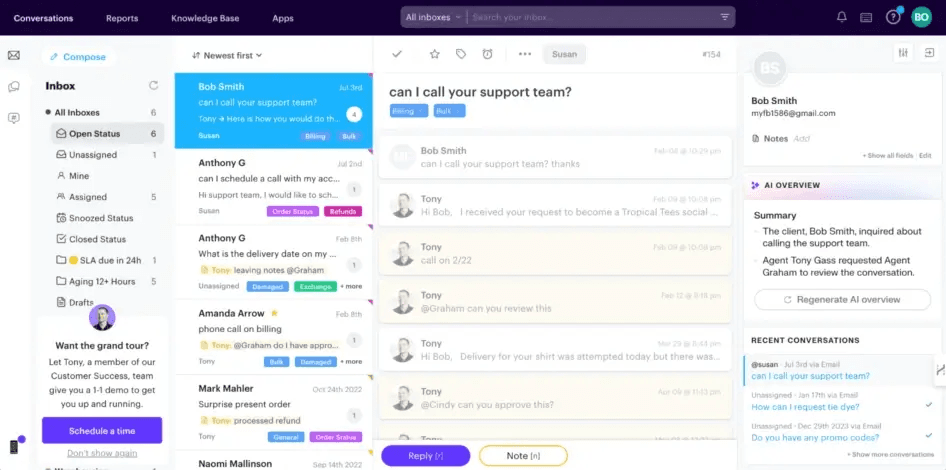
First up, we have our own customer support dashboard – Groove. It’s a unified email platform designed specifically for the needs of small online businesses.
If you’re currently managing customer emails through Gmail or Outlook and finding it increasingly chaotic, Groove offers a streamlined, intuitive solution that feels instantly familiar. At the same time, it offers a curated selection of targeted features that support teams need.
Here’s why Groove might be the customer service email tool you’ve been looking for:
- Easy to learn, easy to use. The clean, Gmail-like interface is simple to navigate, and you can be up and running within minutes. So you don’t need extensive training or technical know-how.
- A layer on top of your inbox. Groove integrates directly with your existing support email addresses (Gmail or Outlook). You won’t disrupt your customers’ experience.
- Essential features for small teams. Groove offers all the core features you need to manage customer emails effectively. You can ensure that inquiries are directed to the right people, categorize and organize conversations for easy tracking, and watch the progress of each inquiry to ensure that nothing falls through the cracks.
- Unified inbox view. Manage all your customer conversations from a single, streamlined inbox. Plus, easily switch between individual inboxes for focused work.
- Custom folder views. Organize your support emails to match your existing workflow and prioritization system.
- Key integrations. Connect Groove with other tools you already use, like Shopify, Jira, and Mailchimp.
- Affordable and scalable. Groove offers flexible pricing plans designed to grow with your business. You can start with a basic plan and easily upgrade as your team and support volume expand.
- Reliable and bug-free. Groove is built with a focus on stability and reliability. So your customer service platform will always be there when you need it.
Who Is Groove For?
Groove is a good choice for small businesses that:
- Are currently using Gmail or Outlook to manage customer emails, and finding it increasingly difficult to stay organized and efficient.
- Manage support across multiple channels (email, chat, social media) and need a centralized platform to handle it all.
- Want an easy-to-use platform that doesn’t require extensive training or technical expertise to set up and use.
- Are looking for an affordable solution that offers essential customer service features without the complexity that comes with larger, enterprise-level platforms (but is still scalable).
#2: Zoho Desk
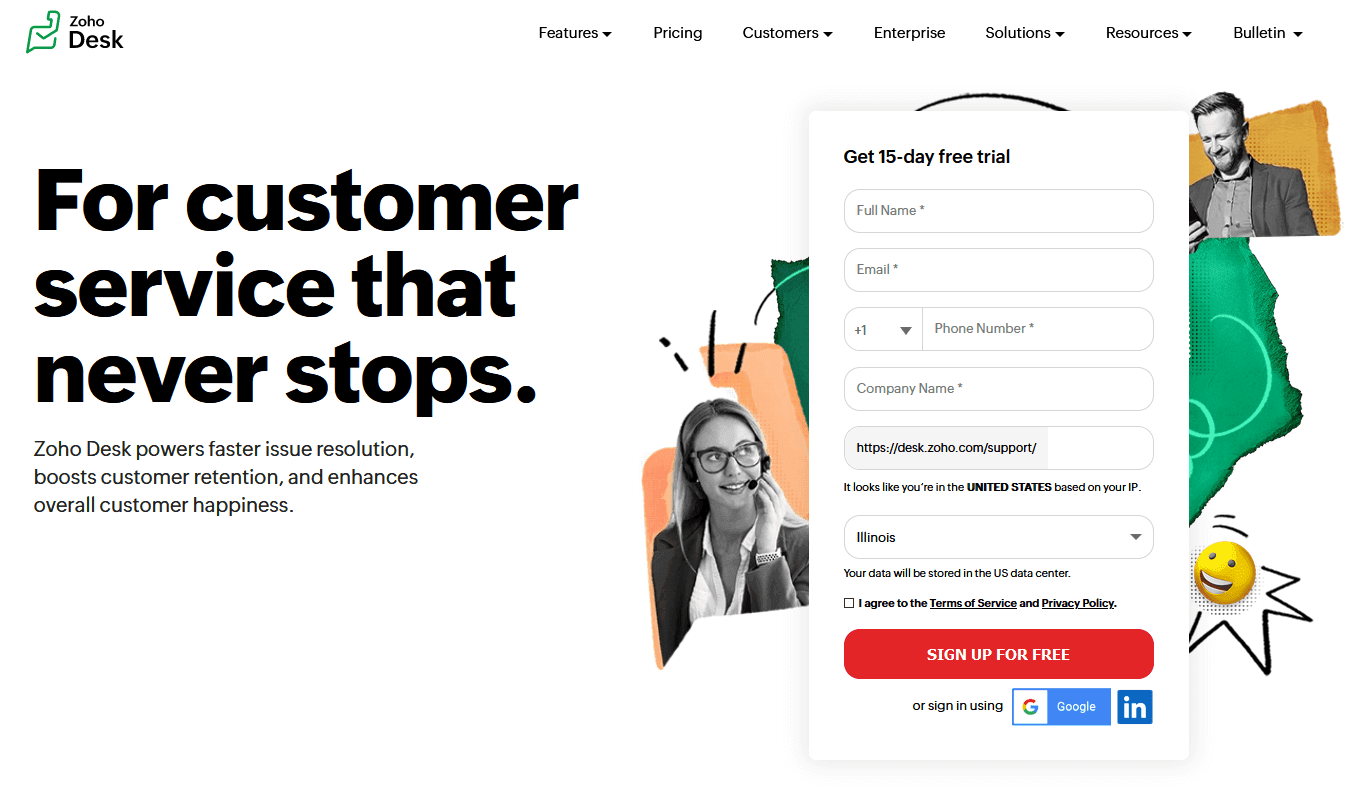
Zoho Desk is a comprehensive customer support platform with an email management solution at its core. It’s a popular tool, especially among firms that have already invested in the Zoho ecosystem.
Here’s a closer look at what Zoho Desk offers:
- Multichannel support. Manage customer interactions across various channels, including email, chat, social media, and phone.
- Automation and efficiency. Streamline your support workflow with automated ticket assignment, escalation rules, and pre-written responses for common inquiries.
- Self-service options. Customers can find answers on their own with a built-in knowledge base and a customizable self-service portal.
- Integration with Zoho Suite. Seamlessly connect Zoho Desk with other Zoho products, such as CRM and project management tools.
Who Is Zoho Desk For?
You may find this option useful if:
- You’re already familiar with and using other Zoho products.
- You have complex workflows, and require a highly-customizable solution with advanced automation features.
On the other hand, for smaller businesses or those new to help desk solutions, the learning curve can be steep. Zoho Desk’s extensive feature set might feel overwhelming if you’re transitioning from a simpler email client. And while Zoho Desk has a clean interface, navigating its many features and customization options can take some time to master.
#3: Zendesk

Zendesk is arguably the most recognizable name in customer service software. It’s a popular choice for large enterprises and teams with challenging support needs.
Here are some of Zendesk’s strengths:
- Plenty of features for varying business needs. Zendesk offers a comprehensive set of tools. These include ticket management and automation as well as reporting, analytics, and a self-service knowledge base.
- Powerful integrations. You can connect Zendesk with plenty of third-party applications to create a customer service ecosystem.
- Built for scale. Zendesk is designed to handle massive support volumes.
- Reliability. The Zendesk name carries weight in the industry, and the platform is known for its reliability and security.
Who Is Zendesk For?
Zendesk may be for you if:
- You’re a large enterprise or a rapidly-growing business, with complex support workflows and a high volume of inquiries.
- You require advanced reporting and analytics capabilities to track key metrics and identify areas for improvement.
- Integration with a wide range of third-party tools is essential to your workflow.
Zendesk probably isn’t for smaller businesses or those seeking simplicity. It can be overkill for smaller teams, with features that get in the way of straightforward support needs. Also note that setup and configuration can be a challenge, and the pricing plans are geared toward larger businesses.
#4: Freshdesk
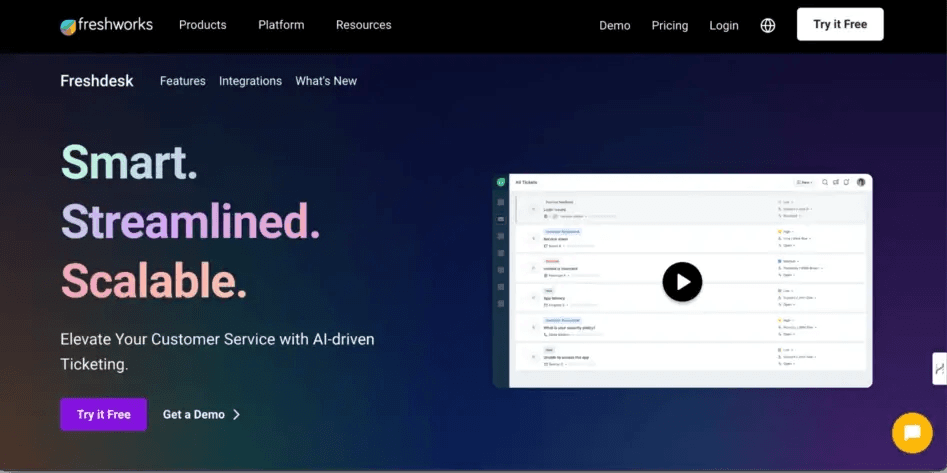
Freshdesk is designed to help businesses of all sizes deliver quality support. It offers a solid set of features and a user-friendly interface, although it might not be the most intuitive option for teams transitioning from traditional email clients.
Some key features Freshdesk offers include:
- Shared inbox with ticket management. Manage all customer conversations from a central inbox, and easily convert emails into trackable support tickets.
- Automated ticket assignment and escalation. Streamline your workflow by automatically assigning tickets to the right agents and escalating urgent issues.
- Canned responses and email templates. Save time and maintain consistency with pre-written responses for common inquiries.
- Reporting and analytics. Gain valuable insights into team performance and customer satisfaction with built-in reporting tools.
- Integration with third-party apps. Connect Freshdesk with other business applications you use to further streamline your workflow.
Who Is Freshdesk For?
Freshdesk is useful for businesses that handle support requests from various channels, and require a lot of customization and automation.
However, if your team is accustomed to the simplicity of Gmail or Outlook, Freshdesk’s interface might require some adjustment. More importantly, many users have reported issues with support and resources from the company, so you may be on your own for setup and troubleshooting.
#5: Hiver
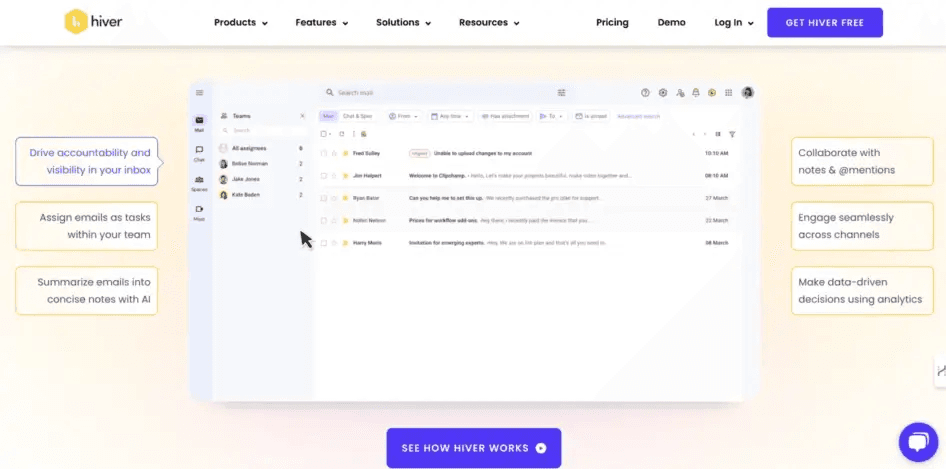
Hiver is a unique email management solution that integrates directly with Gmail. Thus, it offers a familiar and efficient way to handle customer inquiries.
This customer service email tool comes with the following features:
- Shared inbox and team collaboration (within Gmail). Manage all your customer conversations directly within Gmail. It has features designed to facilitate team collaboration, like shared labels and notes.
- Automated workflows and canned responses. Streamline repetitive tasks and save time with pre-written responses for common inquiries.
- Real-time collision detection. Avoid duplicate replies and internal confusion with features that alert agents if another team member is already working on a response.
- Reporting and customer satisfaction tracking. Monitor team performance, track customer satisfaction, and identify areas for improvement.
- Integration with productivity tools. Connect Hiver with other tools you use, such as Slack and Zapier.
Who Is Hiver For?
Hiver is handy for teams that live in Gmail. If your team relies heavily on Gmail and you’re hesitant to introduce a completely new platform, Hiver offers a way to enhance your customer service workflow without leaving your inbox.
However, Hiver focuses solely on email. So if you need to manage support interactions across chat, social media, or other channels, you’ll need a more comprehensive platform. It’s also not compatible with other popular email clients such as Outlook.
#6: Help Scout
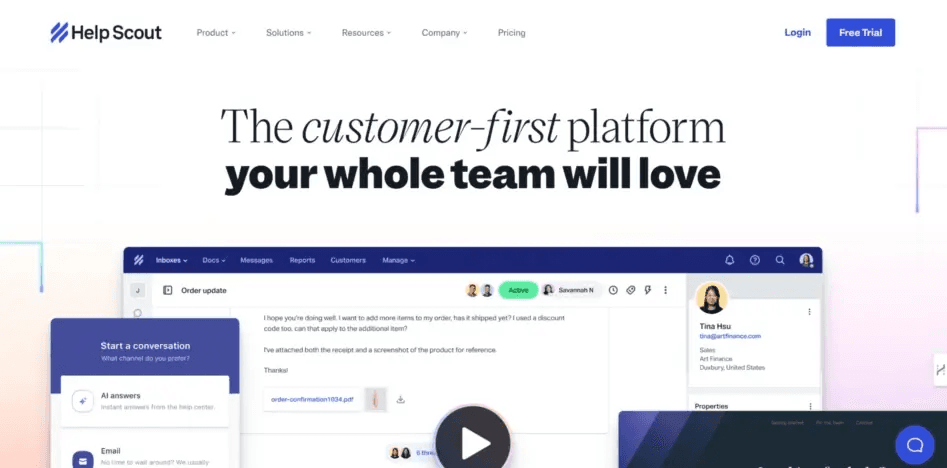
Finally, Help Scout is a well-regarded customer service platform. It’s known for a user-friendly interface, robust collaboration features, and emphasis on personalized experiences.
Some of its key features include:
- Shared inbox with team collaboration. Manage conversations with features like assignments, internal notes, and collision detection.
- Detailed customer profiles and conversation history. Get a 360-degree perspective of your clients and their previous interactions to deliver more personalized service.
- Automated workflows and canned responses. Streamline repetitive tasks, automate responses, and improve team efficiency.
- Knowledge base and self-service portal. Allow clients to find solutions to frequent questions on their own using a personalized knowledge base.
- Integrations with productivity and CRM tools. Connect Help Scout with other tools you use to further enhance your workflow.
Who Is Help Scout For?
Help Scout is worth looking at for growing teams with established customer support processes, that are looking for a platform to help them scale.
It can be a big adjustment, though, since it operates more like a ticketing platform than an email client. So it’s not the best fit if you want something that feels familiar (more like managing support through traditional email clients). It’s also a bit pricier than comparable options.
Setting Your Customer Support Team Up for Success
When evaluating a customer service email tool, there’s a lot to consider. You’ll need to factor in your business’ specific needs, team size, budget, and the level of customization and integration required.
No one platform is best for all needs. However, if you’re a small business looking for an affordable, easy-to-learn upgrade from Gmail or Outlook, Groove just might be for you. You can start using it effectively in minutes, and it provides what you need to manage customer relationships via email assignments, tagging, custom folders, and a unified inbox view.
Plus, if you’re looking to grow, our flexible pricing ensures that you only pay for what you need. Start a Groove free trial today and see the benefits for yourself!
5 Help Scout Alternatives: Why Growing Support Teams Switch to Groove
Groove Fixes What Teams Don't Like About Help Scout: Flat Pricing, Built-In AI, and Native SLA Management. See the Full Comparison.
How Helply's Hallucination-Proof AI Eliminates the #1 Fear of AI Customer Support
Customer Support Automation That Hits 65% AI Resolution, Guaranteed. Helply's Action-Based AI, Safe Escalations, and Optimization.
