
How to Create a Helpful Frequently Asked Questions Section

Every customer is unique, but sometimes there are common denominators. In the case of customer support, they are in the form of questions that everyone asks, or at least a notable majority do.
Even if the information is in onboarding, or seems obvious to the product team it might a perfect case for your FAQ addition.
Understanding the Basics of a FAQ Page
Let’s break down what an FAQ is and why a well-designed FAQ section is your ally in providing clear information.
Definition and Purpose of FAQ
FAQ, standing for Frequently Asked Questions, is a section on your website dedicated to addressing common questions that your customers might have.
It acts as a first line of defense, supplying answers to routine inquiries. This allows visitors to quickly find information without the need to reach out to your support team directly.
Think of it as part of a self-service knowledge base that aims to inform and guide users by providing clarity and saving them time.
Benefits of a Well-Crafted FAQ Section
A well-structured FAQ page does more than just inform;
- Efficiency: A robust FAQ section can significantly reduce the volume of support queries, allowing your team to focus on more complex issues.
- Confidence: By anticipating user’s questions and displaying them prominently, you boost users’ confidence in your service or product.
- SEO Value: When you answer common questions relevant to your industry, search engines might reward your page with higher visibility.
Remember to keep your FAQ section updated with accurate content, prioritizing questions that truly reflect your customer’s needs.
At the same time, it gives you an opportunity to “inject” new features that your product/service has.
Planning Your FAQ Content
When you craft a FAQ section, you want it to be a resource that saves time for both your customers and customer service team.
It’s about striking a balance between being informative and concise.
Identifying Common Customer Queries
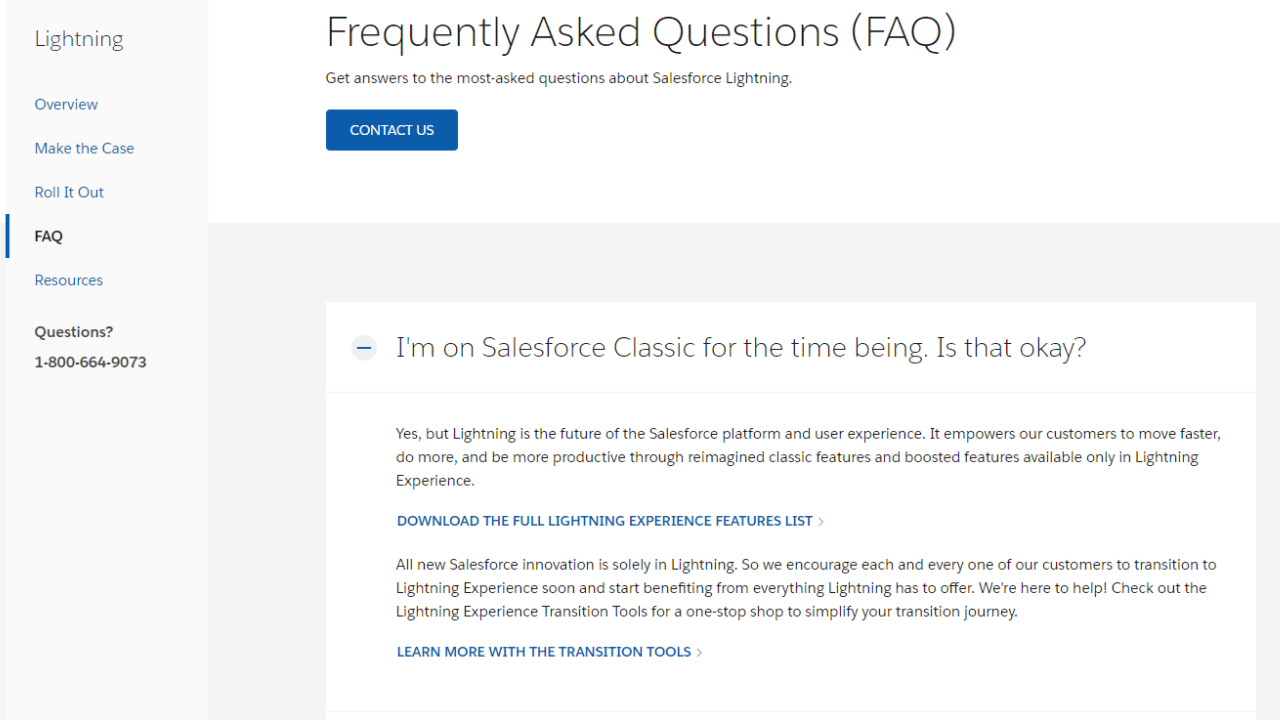
Start by gathering the most common questions your customers ask. You can source these from:
- Customer service logs: Review tickets and chat logs to spot recurring themes.
- Sales team feedback: They’re on the front line, hearing directly from customers about their pain points.
- Social media and reviews: Public feedback often highlights what potential customers are curious about concerning your product.
Make a list of these queries; they form the backbone of your FAQ.
Organizing Questions for Maximum Impact
Now, arrange your questions strategically:
- Group by category: Similar queries should be clustered together, such as pricing, usage, and troubleshooting.
- Ease of navigation: Ensure customers can quickly find what they’re looking for. Consider a searchable format or well-defined sections.
- Prioritize: Put the most common questions at the top.
Designing the FAQ Page Structure
Focus on creating a layout that’s user-friendly with easy navigation and search capabilities to enhance user experience.
Effective FAQ Page Layout
Your FAQ page design should make the information easily accessible.
Start by grouping related questions to keep things organized and to help visitors find what they need quickly.
Consider using expandable sections or accordion-style dropdowns to make your FAQ page less cluttered.
Each question should be easy to spot, so make the text bold or use a different color to ensure they stand out.
Arrange questions in a logical order, perhaps starting with the most common queries at the top.
Here’s an example layout using a table format:
General QuestionsBilling and PaymentsHow do I create an account?How do I update my payment details?Can I change my username?What payment methods do you accept?What is your refund policy?Is it possible to get a receipt?
This type of structure can aid in directing your users right to the segment of questions that best suit their needs.
Integrating Navigation and Search Features
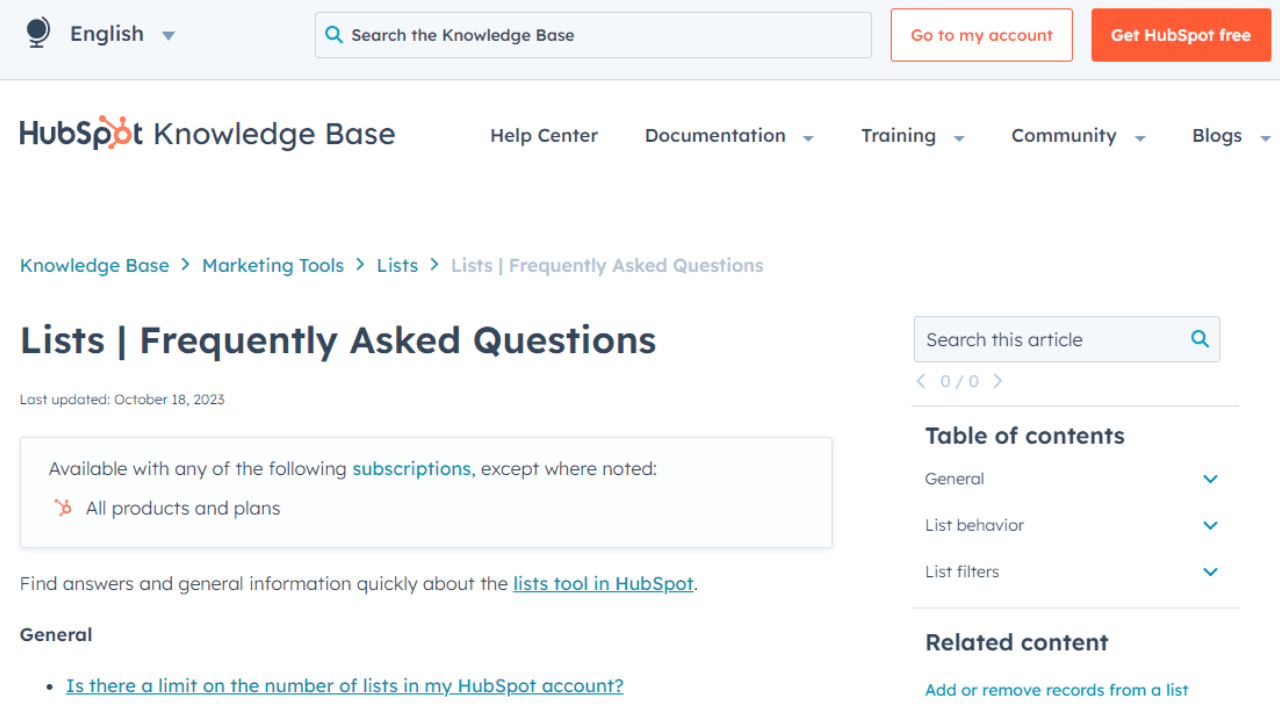
Navigation is key in a FAQ page.
Make sure you integrate a search bar prominently at the top of the page so users can type in keywords and find answers without scrolling.
The search function should be highly visible and intuitive to use. A magnifying glass icon and a clear label like “Search FAQs” is universally understood.
Also, including a navigation sidebar can be a real game-changer.
It allows users to jump to specific categories of FAQs, much like a table of contents. Here’s a quick visual of how that might look in a sidebar:
- Account Management
- Pricing and Plans
- Using The Platform
- Security and Privacy
Don’t forget to ensure that your navigation elements and search bar are responsive, so they adapt to different devices and screen sizes.
This is vital for maintaining a user-friendly experience across desktop, tablet, and mobile.
Writing FAQ Content
When creating a FAQ section, your main goal is to answer questions in a way that’s easy for your users to understand and beneficial for search engine visibility.
Keep your answers clear, concise, and to the point, and incorporate the right SEO practices to improve your organic search ranking.
Crafting Clear and Concise Answers
Start with the user in mind. Write your answers as if you’re having a direct conversation with a curious customer.
You want your responses to be straightforward and easy to digest. To do this:
- Be Direct: Immediately address the question without unnecessary details.
- Keep it Short: Aim for no more than a few sentences per answer. You want to provide a comprehensive explanation that doesn’t overwhelm the reader.
- Break it Down: If a topic is complex, use bullet points or numbered lists to simplify the explanation.
For example:
Q: How long does shipping take?
A: Standard shipping takes 3-5 business days. Express shipping is available for next-day delivery.
Using the Right Keywords for SEO
Leverage keywords that your customers use to find information on Google. This can make your FAQ section a powerful tool for organic search.
By targeting the right terms, your answers can appear directly in search results. Remember to:
- Identify Common Queries: Look for common phrases and questions people ask related to your business.
- Use Keywords Naturally: Incorporate the keywords in a way that reads naturally. Avoid keyword stuffing.
- Update Regularly: SEO isn’t a one-and-done thing. Regular updates can help maintain your organic search presence.
Utilizing tools like Google’s Keyword Planner can guide you in selecting effective keywords for your FAQ content.
Here’s a simple table to help you pair questions with keywords:
Customer QuestionPotential KeywordsWhat payment methods are accepted?payment methods, payment optionsHow do I track my order?order tracking, track orderAre there any discounts available?discounts, promo codes
Groove Features That Will Help
We offers tools that help your customer service team efficiently manage FAQs and support requests.
With key features designed for integration, analysis, and centralized communications, you can ensure your support system is both effective and user-friendly.
Knowledge Base Integration
- Multichannel Support: Your FAQ hub can be integrated directly with your knowledge base, making it easy to pull in the most up-to-date information.
- Customizable templates: Choose from a variety of templates to match your brand and simplify the setup of your knowledge base.
Analytics and Reporting
- Track performance: Gain insights with Groove’s data-driven analytics to understand how your customers use your knowledge base.
- Detailed reports: Regular reports allow you to see what topics are trending and where you might need to add or update information.
Universal Inbox
- One-stop communication: All customer queries land in one universal inbox. This streamlines your team’s workflow.
- CRM integration: The universal inbox is fully integrated with your CRM. This ensures customer data is always at your team’s fingertips.
You already spend a lot of time and resources to get that customer, so start using Groove today to make sure that they stay!
Incorporating Interactive Elements
Adding interactive features can take your FAQ section to the next level by providing more dynamic ways for users to find the information they need.
Utilizing Multimedia Resources
Incorporate videos and tutorials to answer common questions in a more engaging way than text alone.
For instance, a brief YouTube clip embedded next to a FAQ can demonstrate a solution step-by-step. This is particularly handy for visual learners or complex topics.
- Videos: Showcase quick fixes or product features.
- Tutorials: Guided walk-throughs for more detailed explanations.
Implementing Chatbots and Live Support
By integrating a chatbot, you give users an immediate way to interact and ask questions.
A well-programmed bot can handle a variety of common queries and point to FAQ answers efficiently.
Additionally, if your chatbot encounters a complex question, having an option for live chat can connect users directly with customer support for personalized help.
- Chatbots: Available 24/7 for instant responses.
- Live Chat: Connects for real-time, human-assisted support.
Maintaining and Updating Your FAQ
Your FAQ section is only as good as its most outdated answer.
Think of it as a living document that adapts to new information and customer needs.
Keeping Information Fresh and Relevant
To ensure your FAQ remains up to date, establish a regular review schedule. Make it part of your overall content strategy.
Twice a year, for instance, you should:
- Check each answer for accuracy and update any that have become outdated.
- Review your product or service updates to add new questions.
- Update internal links within your FAQ to ensure they lead to the current content.
Use a simple table to track changes:
Question IDDate ReviewedUpdated (Yes/No)Internal Links Checked (Yes/No)12024-03-02YesYes22024-03-03NoYes…………
Gathering Feedback to Improve the FAQ
Feedback is invaluable to improving the customer experience. Here’s how you can leverage it:
- Invite customers to submit feedback specifically on your FAQ section.
- Monitor customer support tickets to identify recurring issues that are not addressed in the FAQ.
Implement a feedback form linked from your FAQ page with a simple structure:
– How helpful was this FAQ? [Rating scale]
– What information were you looking for that was not available? [Open text field]
– Any other suggestions? [Open text field]
Integrating the FAQ into Your Customer Journey
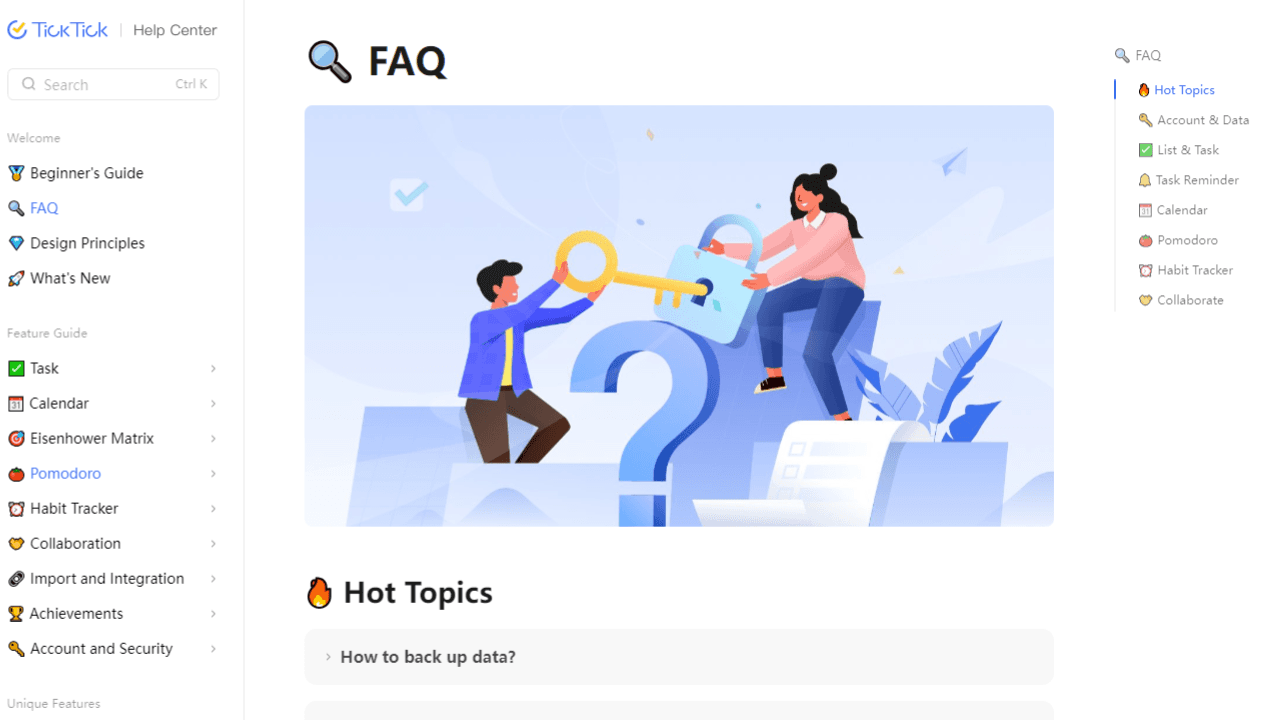
Establishing an effective FAQ section on your website could significantly streamline your customer journey.
By anticipating common inquiries, your FAQ can serve as a first line of support, bridging gaps in understanding and empowering your customers with immediate, self-service solutions.
Aligning the FAQ with Customer Needs
Your challenge is to think like your customers when you craft your FAQ section. You’ll want to:
- Identify key touchpoints: Consider where customers commonly experience uncertainty or roadblocks and place relevant FAQs at these junctures.
- Mirror customer language: Use terms and phrases your customers use to describe their issues to increase relevancy and findability.
Offering Self-Service to Empower Customers
An empowering self-service option like an FAQ can transform your customer experience.
- Make FAQs easy to find: Ensure your FAQ link is visible at multiple stages of the customer journey, like the homepage, product pages, and checkout.
- Update regularly: Keep your FAQ dynamic by updating it based on new trends in customer queries. This way, you stay ahead of the curve and minimize repetitive support requests.
Your aim is to make your customers feel independent and supported. So, construct a help center that’s intuitive, informative, and integrates seamlessly into the customer journey.
Optimizing FAQs for Search Engines
Creating a Frequently Asked Questions (FAQ) section not only helps your audience find quick answers but also can significantly improve your website’s search engine optimization (SEO). Here’s how you can tune your FAQ section to rank better on Google and make the most of search functionality.
Best Practices for SEO
Use Relevant Keywords: Start by identifying keywords that are relevant to your audience’s questions and your business. Then, use these terms strategically in your questions and answers. Remember, the goal is to mimic the language your users might use in search queries.
- Craft Concise Questions and Answers: Google values clarity and conciseness. So, make sure your FAQs are easy to read and straight to the point.
- Structure with HTML Tags: Use <h1>, <h2>, or <h3> tags for your questions to provide a clear structure. Then, use <p> tags for your answers. This helps search engines navigate through your content more efficiently.
- Update Regularly: Google appreciates up-to-date content. So, regularly refresh your FAQ section with the latest information, reflecting any changes in your industry or customer concerns.
- Mobile-Friendly Design: Since users may navigate your site on their phones, ensure your FAQ page is optimized for mobile. This improves your chance of ranking higher in organic search results.
Gaining Visibility Through Featured Snippets
Target Featured Snippets: Aim to get your FAQs into Google’s featured snippets. This coveted spot increases visibility and can direct more organic traffic to your site.
- Answer Length: Keep your answers between 40-60 words, as this is the ideal length for featured snippets.
- Use High-Quality Content: Google favors well-written, trustworthy content. So, maintain high standards for your FAQ answers to stand out as a quality resource.
- Format Answers for Featured Snippets: Structure answers in a list, table, or a short paragraph. This makes it easier for Google to pull the information directly into a snippet.
Leveraging Analytics to Enhance FAQs
Analyzing customer interactions with your FAQ section can lead to valuable insights, helping to create a more effective FAQ page.
Tracking User Interactions
When you’re keeping an eye on user interactions with your FAQs, analytics play a crucial role. This will show you which FAQs are getting the most views. Then, pay attention to the:
- Number of clicks on each question
- Time spent on each answer
- Bounce rate for each FAQ
Google Analytics, which you probably have installed already anyways – can give you a lot of insight on this!
Using Data to Drive FAQ Improvements
Your analytics tell you what’s working and what’s not.
If certain FAQs have high bounce rates, perhaps they’re not clear or detailed enough. Use this as a cue to:
- Rewrite unclear FAQs for better clarity.
- Rearrange the order to prioritize popular questions.
- Enhance search functionality to ensure users can find answers quickly.
Effective FAQ pages are dynamic.
By reviewing customer service data, you can also identify common issues not yet addressed in your FAQs. Add these questions to cover more ground and continually refine your content to maintain successful FAQ pages.
Summary
At first glance this may look overwhelming, but no worries. This is just a list of things to keep in mind while you are building your FAQ section.
When you are just starting out, a simple page with a list of questions and answers will do. Most importantly, it will allow you to get more feedback so you can focus on the right section while at the same time actually helping the customer service to free their hands a bit.
Start simple, no need to build Hubspot-level FAQ right away 🙂
(Also, you can just get Groove and let us give you all the tools that will do the heavy lifting for you!)
5 Help Scout Alternatives: Why Growing Support Teams Switch to Groove
Groove Fixes What Teams Don't Like About Help Scout: Flat Pricing, Built-In AI, and Native SLA Management. See the Full Comparison.
How Helply's Hallucination-Proof AI Eliminates the #1 Fear of AI Customer Support
Customer Support Automation That Hits 65% AI Resolution, Guaranteed. Helply's Action-Based AI, Safe Escalations, and Optimization.
