

“Mobile” continues to be the word of the day/week/month here at Groove.
Specifically, we’ve been working hard to make the Groove mobile experience even better for you. Here are some of the latest updates from the past two weeks:
New Features
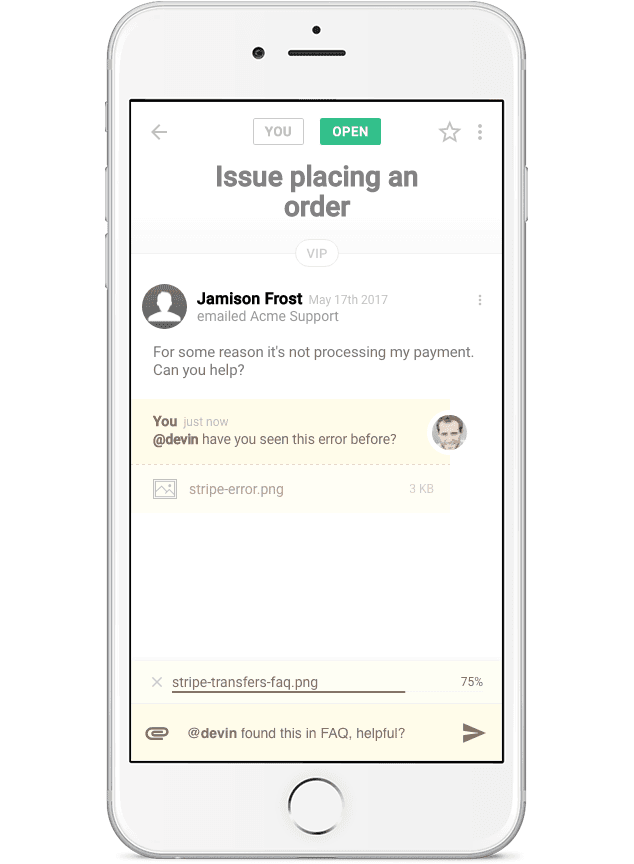
Add attachments to notes
Because sometimes you need to include screenshots, or clever GIFs, when writing a note to your teammates.
Move tickets between inboxes
Did a customer contact sales instead of support? Not a problem! With a tap of the menu, you can move that ticket to the correct inbox without missing a beat.
Access tickets by state
For those situations where you want to quickly see tickets with a certain status, now you can quickly access them from the left navigation menu.
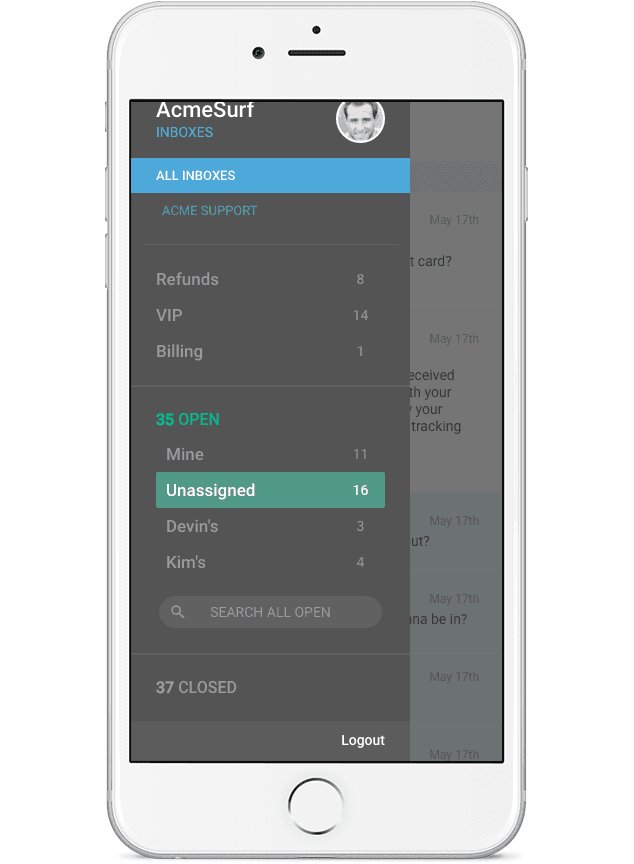
Which tickets are Unassigned? Bam! How about Closed? Pow!

Search Enhancements
We continue to make improvements to search based on the feedback we’ve been receiving. Recent enhancements include:
- Backend fixes for keeping search in sync.
- Reindexing of tickets to fix issues where no search results were being returned.
- Advanced search commands to help filter tickets quickly. For example: “is:open,” “assigned:lesley,” and “tag:sales”
Fixes and Improvements
Our new realtime system is so fast it was beating our servers and causing issues with folder counts. This week we released fix 1 of 3 to address this, with the next two fixes coming in the next two weeks.
We squashed a couple of annoying UI bugs; one where the header flickering when returning to ticket list, and another where the new ticket button was appearing in the middle of the screen after coming back to the list from a search. In short: no more headaches from wonky UI.
We also fixed the reply form on new tickets, so it’s easier to get back into a draft you have in progress if you navigate away from the page.
Last but not least, we made the canned reply categories sticky as you’re scrolling through the list when inserting a reply.
Oooooh.
Have any feedback you’d like to share with us? Hit us up! We are all ears. 🙂
Groove Partners with Import2 for Seamless Help Desk Data Import!
We are thrilled to share some fantastic news with you! Groove has joined forces with Import2 to bring you a seamless and efficient solution for importing data from other help desks. Our partnership with Import2 opens up new possibilities, making it easier than ever to transition your data into Groove. Whether you’re migrating from another […]
Groove 2023 in Review – A Year of Supercharged Support
2023 was a year of exponential growth and innovation for Groove! We poured our hearts (and countless cups of coffee) into crafting new features and optimizations to make your customer support experience smoother, faster, and more delightful than ever. Here’s an overview of the biggest and best changes that transformed Groove this past year. New […]
