

We’ve devoted the last few weeks at Groove to improving what we feel is the most important aspect of Groove: your emails.
We want you to have the most simple and elegant experience as possible when managing your emails with Groove, so we’ve been focusing our time and resources on cleaning up our email.
Parsing problems reveal themselves in the UI two ways, either by sending blank or empty replies in the place of a customer’s response, or producing a seemingly endless thread of response history making emails nearly impossible to read.
This week we’ve tackled some of our biggest parsing bugs to bring a cleaner, simpler email experience to your inbox.
Mozilla Thunderbird Parsing
We’re proud to announce this week that we’ve nipped one of our most notorious bugs, a particularly pesky parsing bug resulting in empty replies coming in from emails sent using the client Mozilla Thunderbird.
You might recognize this bug by responseless emails, seemingly only echoing your most recent reply.
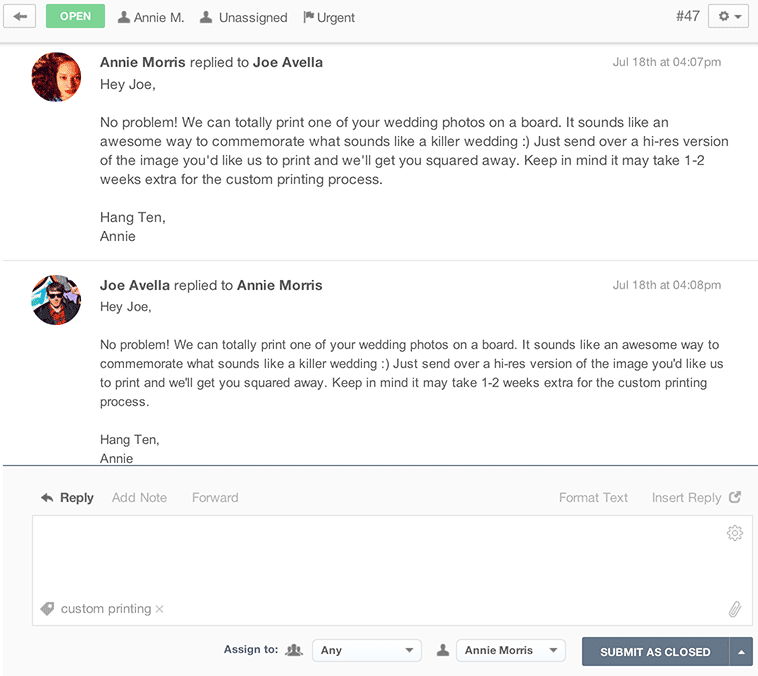
In the past, if plagued with an email affected by the dreaded Thunderbird bug, you could only solve the mystery of the missing reply by digging through your emails at the source for the original email. Thunderbird emails now parse nicely into Groove, so you won’t have to search through your email client for lost customer replies for any more of your Thunderbird using customers.
Parsing Plain Text Emails
You might have noticed you’ll receive an email thread from a certain customer that appears to be nothing more than an infinite thread of comment history, making customer responses very difficult to read or reference.
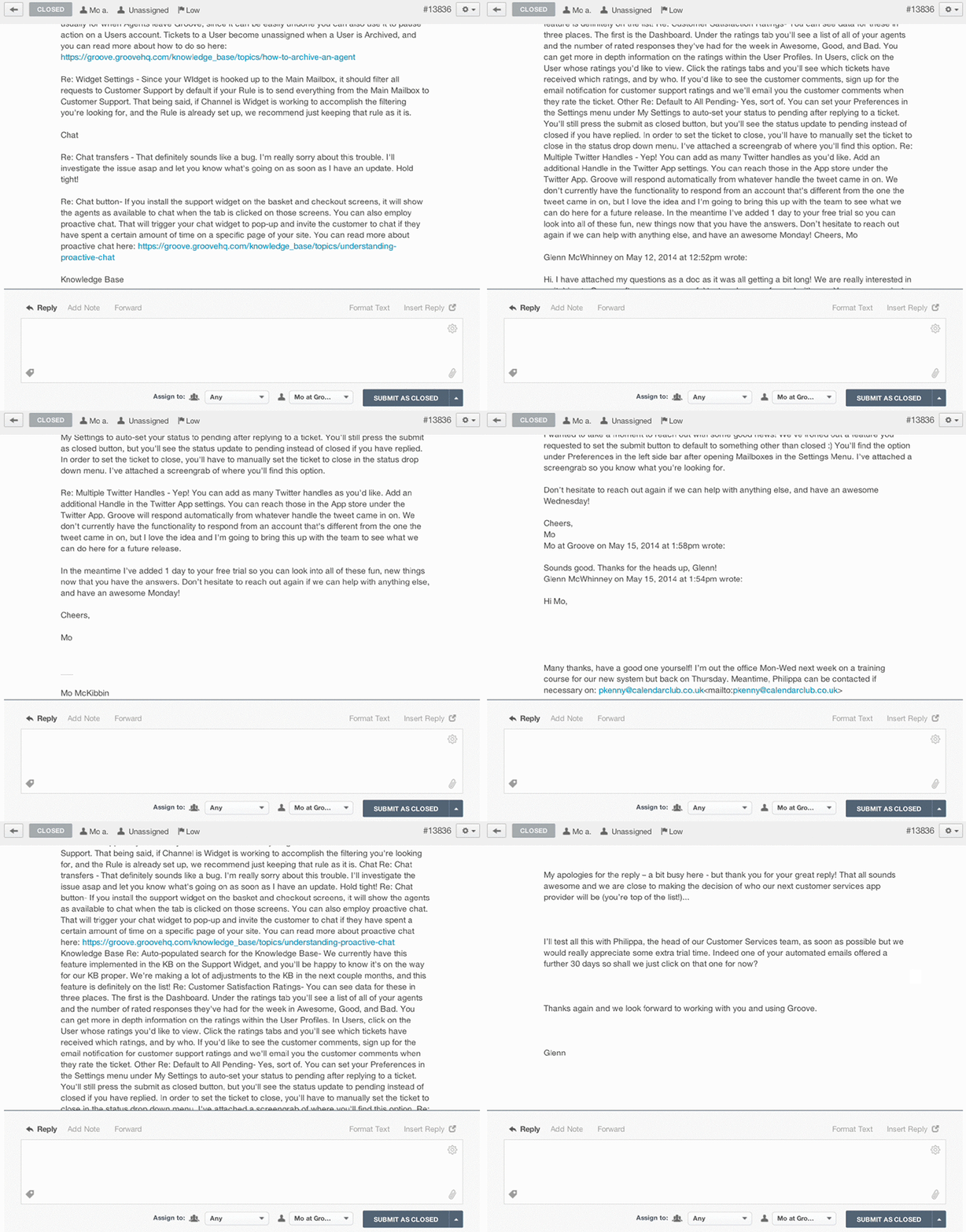
The majority of these parsing issues were caused by a few different versions of Outlook, that we nipped in the bud back in the beginning of June. We noticed a few lingering cases attributed to plain text emails. We’ve recently ironed the bulk of these remaining cases, considerably improving even more of your email readability.
Please Note: We haven’t completely eliminated the parsing cases causing these comment history issues, but you’ll definitely see the # of emails affected by this parsing problem diminish after this update.
Custom Parsing for Yahoo
You also might have noticed a handful of emails trickle in with totally blank replies.
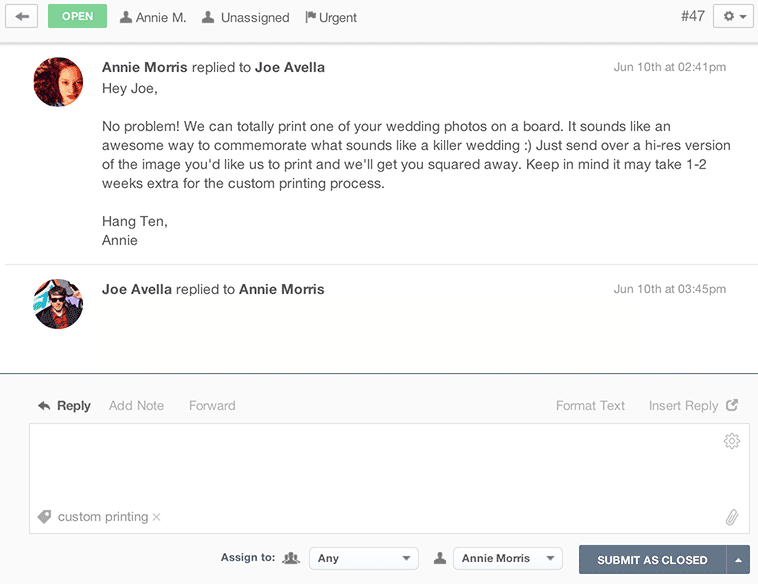
We found a majority of those blank emails were a result of customers replying inline via Yahoo. We built a custom parser specifically for the Yahoo client to eliminate missing messages coming from Yahoo Users.
Better Visibility for CCs and Multiple Emails
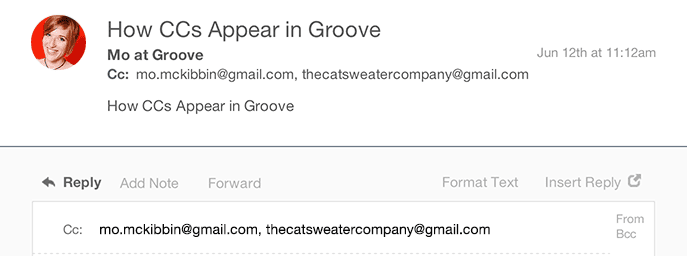
We’ve always listed any CCs on an email right under the customer name and subject headline, but any extra email addresses included in the To: field instead of under CC would not appear in Groove. While your responses wouldn’t go to the unknown email addresses, it still wasn’t clear what parties were included in the initial email thread.
This week we’ve improved the CC functionality. Now any additional addresses included in the To: field will now show up alongside CCed emails, so you can see every email address listed on a ticket thread, and have even more control over who receives your replies.
Groove Partners with Import2 for Seamless Help Desk Data Import!
We are thrilled to share some fantastic news with you! Groove has joined forces with Import2 to bring you a seamless and efficient solution for importing data from other help desks. Our partnership with Import2 opens up new possibilities, making it easier than ever to transition your data into Groove. Whether you’re migrating from another […]
Groove 2023 in Review – A Year of Supercharged Support
2023 was a year of exponential growth and innovation for Groove! We poured our hearts (and countless cups of coffee) into crafting new features and optimizations to make your customer support experience smoother, faster, and more delightful than ever. Here’s an overview of the biggest and best changes that transformed Groove this past year. New […]
