
Product Update: Early Access to Live Chat is Here!

We’re super excited to announce that (finally!) we’ll be introducing Groove’s very own Live chat channel!
Over the last few years, Live chat has become a critical part of managing conversations with your customers in real time on your website or application. We’re excited that you’ll now be able to handle these conversations directly in Groove.
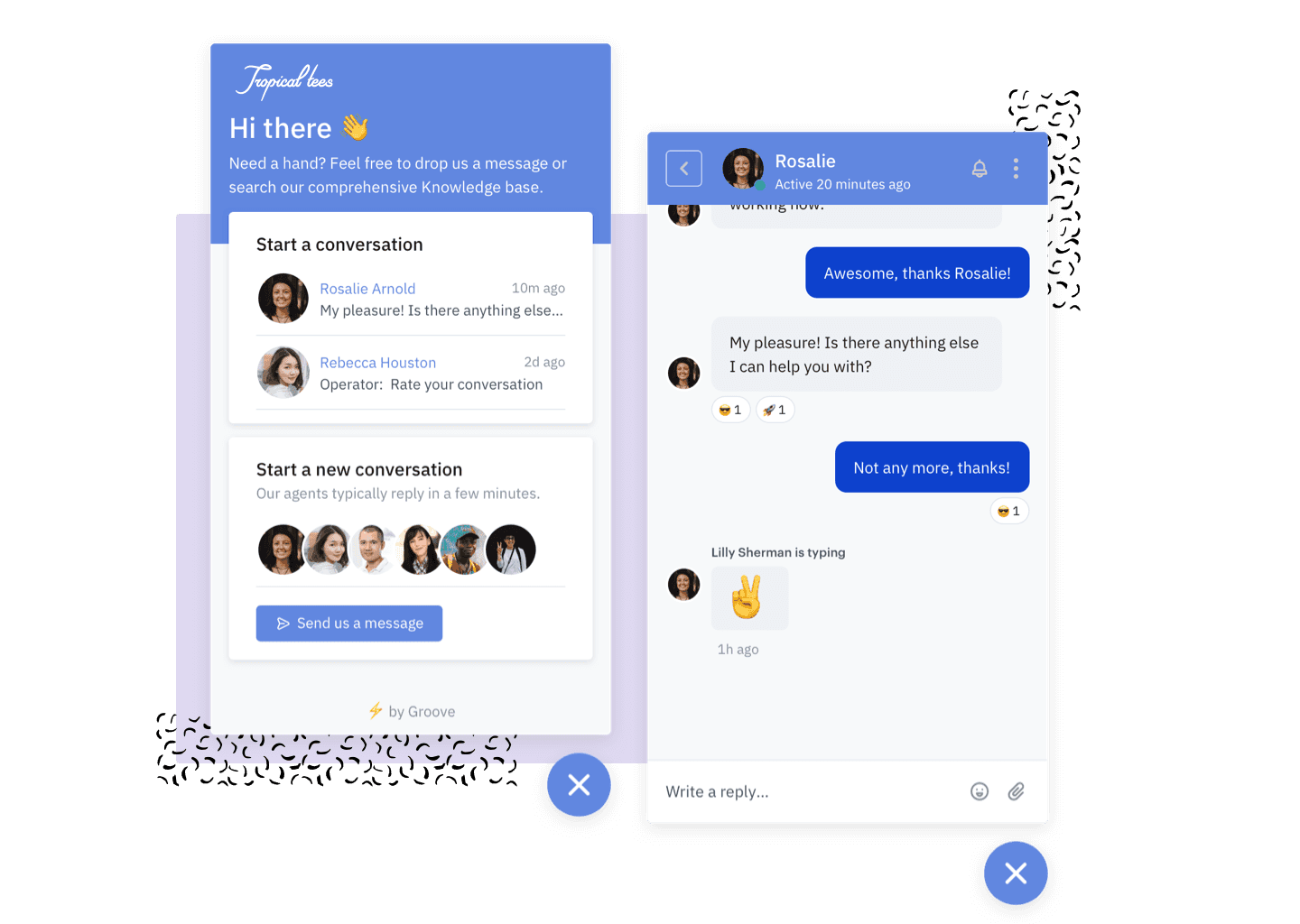
Starting today, you can enable Live chat on any of your new or existing Groove widgets. This will give your users not only access to Live chat, but also a contact form linked directly to your Groove mailbox and knowledge base.
Live chat is completely free during the early access period, with pricing to be announced in June. Turning it on takes just a few minutes, just head on over to our getting started guide to enable live chat on your account today!
What’s included?
New and improved Live chat editor
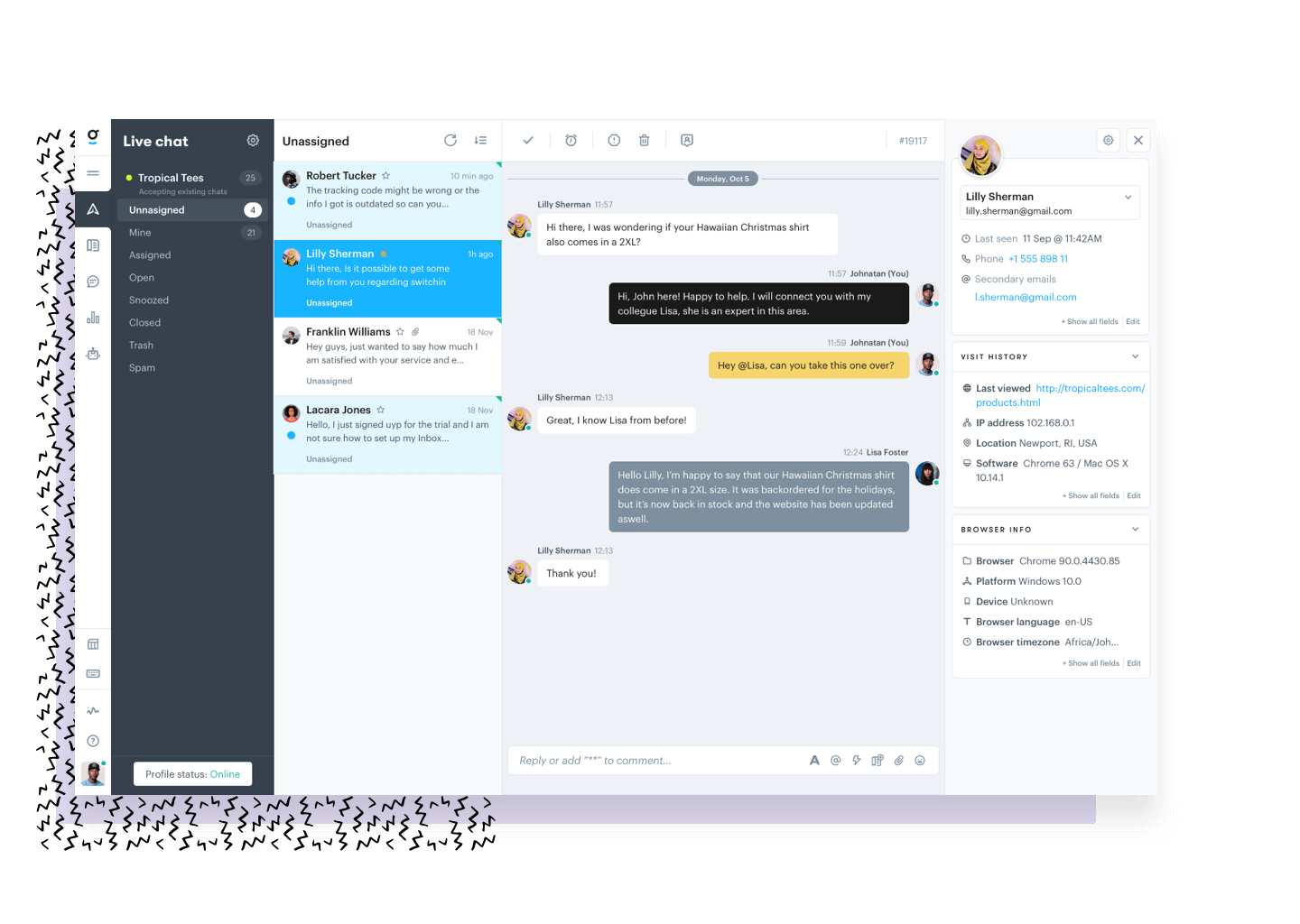
Emails and Live chat are different. While replying to emails as quickly as possible is important, Live chat requires near immediate assistance. That’s why we built a specific editor for your Live chat conversations. It allows you to reply quickly to customers in a familiar-feeling editor, similar to other messaging apps you’re used to.
Internal notes and conversation states
As you may have expected, we carried over some of the same Shared inbox features in Groove that you’re comfortable with to Live chat. You’ll still have the ability to leave internal notes and mark chats as Closed, Open, Snoozed, Trash, and Spam in chat.
Emojis and reactions
Your agents and customers can quickly and easily add emojis to your chats or leave a reaction (like Slack) to a message!
Customized widget styling, sounds, and notifications for unread messages
As Live chat is built in the Groove widget, it includes the ability to completely customize all colors and wording to match your brand, including adding your company logo.
Even better, you can choose which sound to play and what message wording to show in the browser tab to notify your customers that they have a new message from your team.
Email continuation
One of the biggest concerns with Live chat is continuing the conversation if the user goes offline. NOT ANYMORE! With Groove’s Live chat, when a user goes offline and misses a message, we send them an email with all their missed messages. They can continue the conversation either by replying directly to the email or opening up the page with the widget immediately shown.
Longest waiting filter
In addition to filtering by oldest and newest conversations, we’ve included “Longest waiting.” This allows you to order conversations based on customers that have sent a message and been waiting the longest first.
Browsing, visit, and page history for context
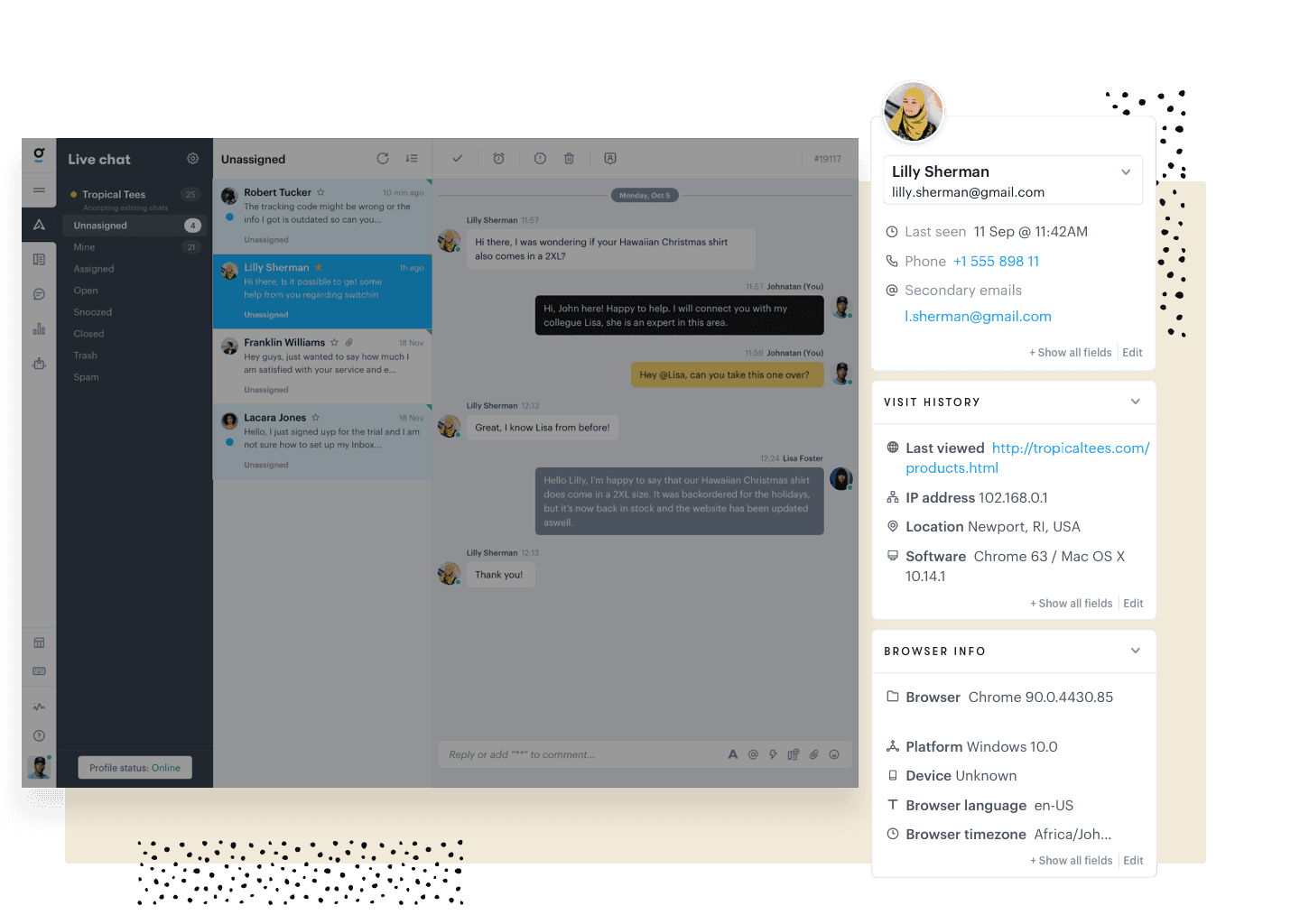
We’ve extended the right hand panel to show you a ton of important, relevant information to better support your customers. This info includes:
- Their current online status
- Current, last, and entry webpage
- Their location and timezone
- The source and medium of their first and current session
BOTS! Customized welcome messaging & email gathering bots
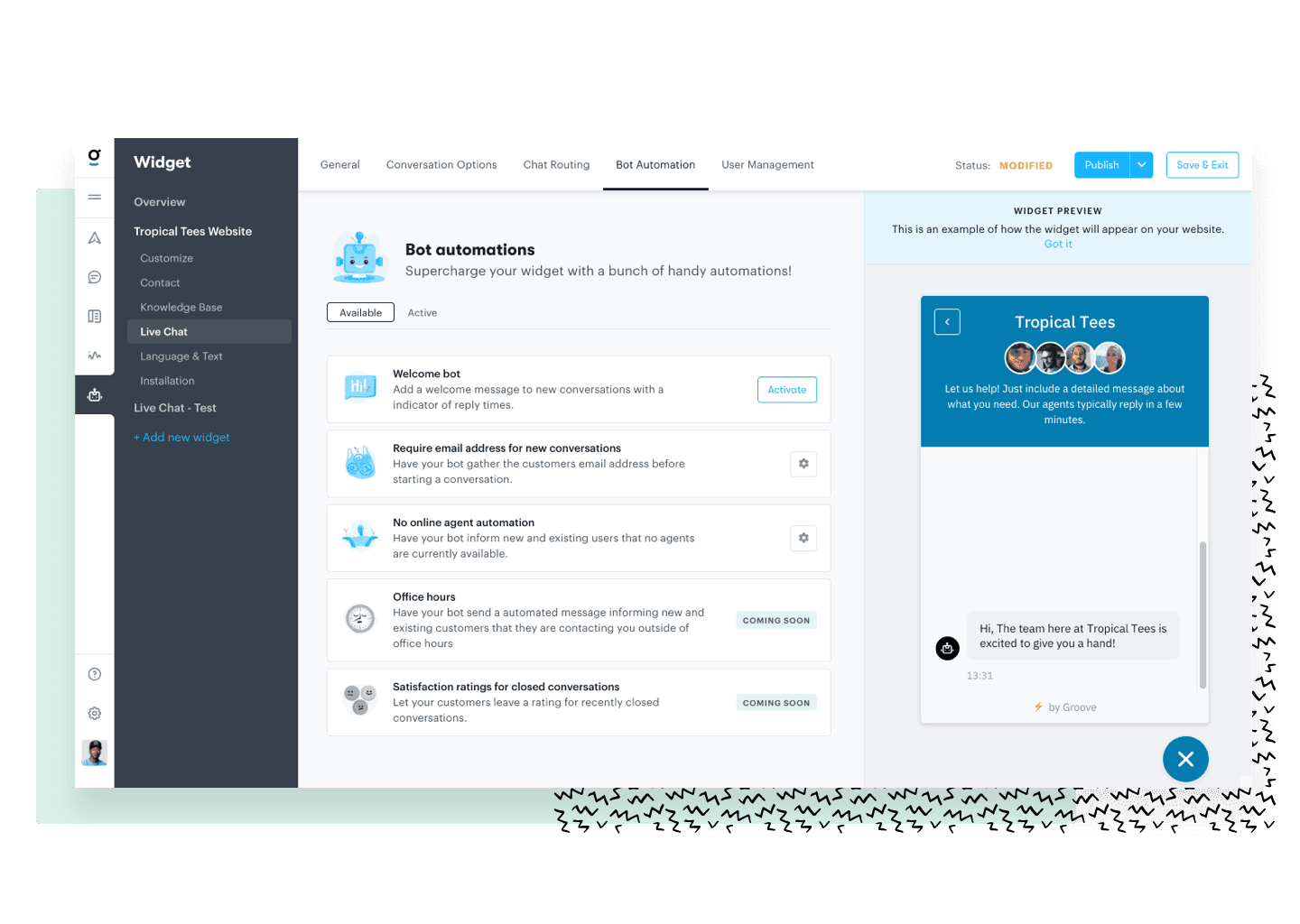
From the beginning, we built in some great bots that are easy to set up. Here’s some of the handy tasks they can do for you:
- Welcome Bot: Set an automated bot greeting for new messages.
- Email gathering bot: Set up a bot to welcome your customers and grab their email address to start a new conversation.
- Offline agent bot: Have your bot let your customers know that no agents are online, grab their message, and inform them that an agent will reply as soon as they come online.
- Office Hours (Coming soon): Have a bot inform your customers that their message is outside of your office hours, grab their message, and inform them that an agent will reply via email when online.
Unattended message & offline agent handling
Never leave a customer unattended and waiting! With the unattended message and offline agent automations, your customers will never be left waiting for a reply.
- Unattended messages: If an agent doesn’t respond to a customer after a certain amount of time, let the unattended message automation mark the conversation as unassigned so it can be picked up by an available agent.
- No online agent handling: If all agents are offline, you can have this handy automation turn off Live chat, display a standard contact form (or knowledge base) on your widget, or have the offline agent bot take over message handling!
Round robin assignment
Supercharge your team’s performance by having the Round Robin automation automatically assign conversations to the available agents.
BUT, that’s not all. You can automatically set a max limit of concurrent conversations that your agents can handle. Then, you can have the “No online” agents automation take over when needed.
Missing inbox features (coming soon)
We didn’t want to waste any time in launching Groove’s new Live chat product to our customers, so we left some of the non-critical items out of the launch.
Here the inbox features that will be added to Live chat soon:
- Custom folders (We have the base folders available)
- Search
- Tagging
- Mentions
- Rules
- Reporting
Groove Partners with Import2 for Seamless Help Desk Data Import!
We are thrilled to share some fantastic news with you! Groove has joined forces with Import2 to bring you a seamless and efficient solution for importing data from other help desks. Our partnership with Import2 opens up new possibilities, making it easier than ever to transition your data into Groove. Whether you’re migrating from another […]
Groove 2023 in Review – A Year of Supercharged Support
2023 was a year of exponential growth and innovation for Groove! We poured our hearts (and countless cups of coffee) into crafting new features and optimizations to make your customer support experience smoother, faster, and more delightful than ever. Here’s an overview of the biggest and best changes that transformed Groove this past year. New […]
