

While our team is chipping away at some of the bigger projects on our roadmap, we’ve also pushed out a couple smaller things that we think you’ll appreciate.
Snooze Folders
Remember that Snooze feature we released last month? One of the first things people asked for was a folder where they could see their snoozed tickets. Well now you can do just that.
To create your Snooze folder you’ll need to add a new folder under Settings > Folders.
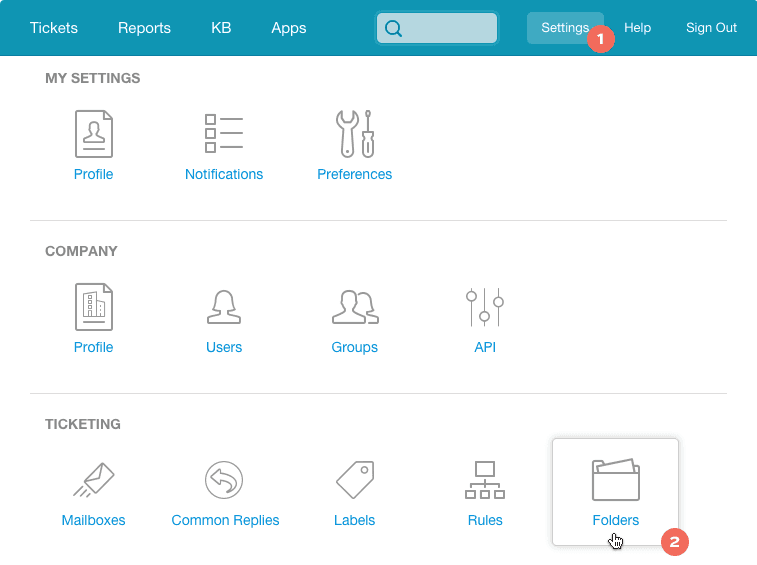
Select “Snooze state” for your folder condition and then select whether you want to show snoozed tickets for Anyone (all agents on your team), Current User (just yours), or individual agents.
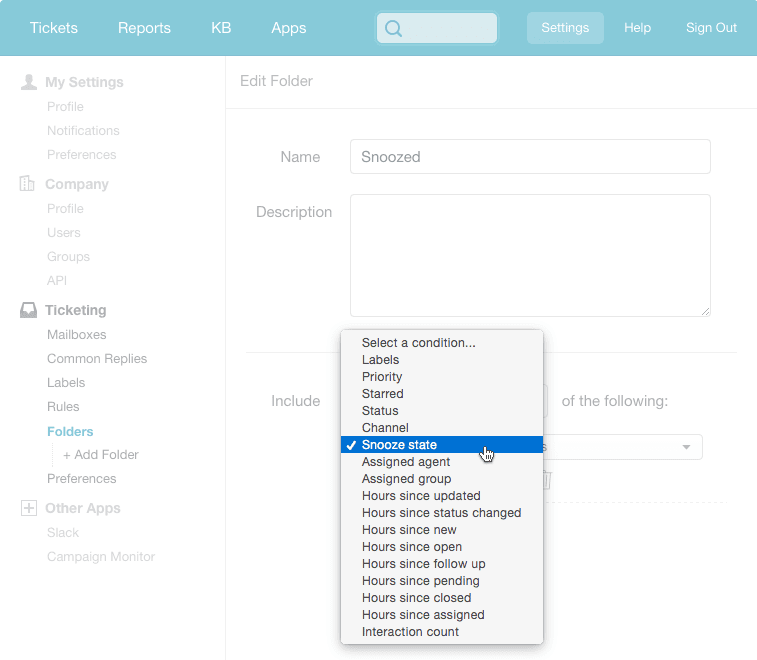
Then save your folder and you’re good to go!
Ticket Priorities Get the Star Treatment
At Groove we strive to keep things simple. With this in mind we decided to take a look at our ticket priorities and ask ourselves:
- “What the heck does ‘medium’ priority even mean?”
- “What’s the difference between ‘high’ and ‘urgent’ priority?”
Our conclusion: either a ticket is a priority, or it’s not. Simple.
We’ve also done away with the flags and priority is now represented by a star on both the ticket page and the ticket list view.

Any further levels of prioritization can be similarly achieved using a combination of labels and folders.
What happens to your existing priorities?
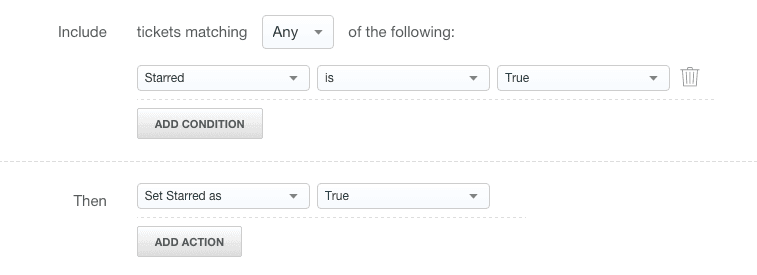
Not to worry. Anything marked medium or higher priority will show up as a star and existing rules and folders will continue to work. Anything starred manually will only show up in folders set to pull in urgent tickets.
We will eventually remove the old legacy priority options, so it’s probably a good idea to review any rules or folders and update to the new “Starred” conditions and actions.
If you have any feedback on these latest updates, please shoot us a message at support [at] groovehq.com. We’d love to hear from you!
Groove Partners with Import2 for Seamless Help Desk Data Import!
We are thrilled to share some fantastic news with you! Groove has joined forces with Import2 to bring you a seamless and efficient solution for importing data from other help desks. Our partnership with Import2 opens up new possibilities, making it easier than ever to transition your data into Groove. Whether you’re migrating from another […]
Groove 2023 in Review – A Year of Supercharged Support
2023 was a year of exponential growth and innovation for Groove! We poured our hearts (and countless cups of coffee) into crafting new features and optimizations to make your customer support experience smoother, faster, and more delightful than ever. Here’s an overview of the biggest and best changes that transformed Groove this past year. New […]
