
How To Provide Better Tech Support for Your Small Business (6 Tips)

We don’t have to tell you how difficult it is to provide consistent, top-shelf technical support to all your customers.
As a startup or small team, it’s often impossible to get to all the emails you receive within a reasonable timeframe. Technical issues that require follow-up with another department fall to the wayside, and are neglected until the customer gets frustrated and looks elsewhere.
Many of your clients have their own businesses, and need your support ASAP. They can’t afford to wait around for help.
With that in mind, let’s explore what makes tech support for small business so demanding, and some effective ways to address those problems.
1. Educate Your Support Team on Your Product (After You Hire the Right Candidates)
The best technical support starts with education.
Not only do your support agents need to be skilled at delivering empathetic customer service. They also need to be adept at navigating your product.
In SaaS, this can get complicated fast. Imagine your customer reaches out about a very specific problem with their shipping software.
The issue is unfamiliar to the support agent, who is unable to provide a quick resolution. Instead, they have to contact UPS for additional information, adding time to the process and annoying the customer.
It’s expected that your support team will sometimes depend on (and communicate with) other departments or businesses to resolve complicated technical issues. But they must still understand how your product works, so they can communicate effectively about it.
Prioritizing Candidates with Relevant Technical Experience
During the hiring process, you may want to field potential candidates based on their experience within your niche. They might not know your software, but that doesn’t mean they don’t possess relevant skills with similar tools.
Sometimes, a technical background is more important to your business than one in customer service. The latter skillset can be easier to learn on the job.
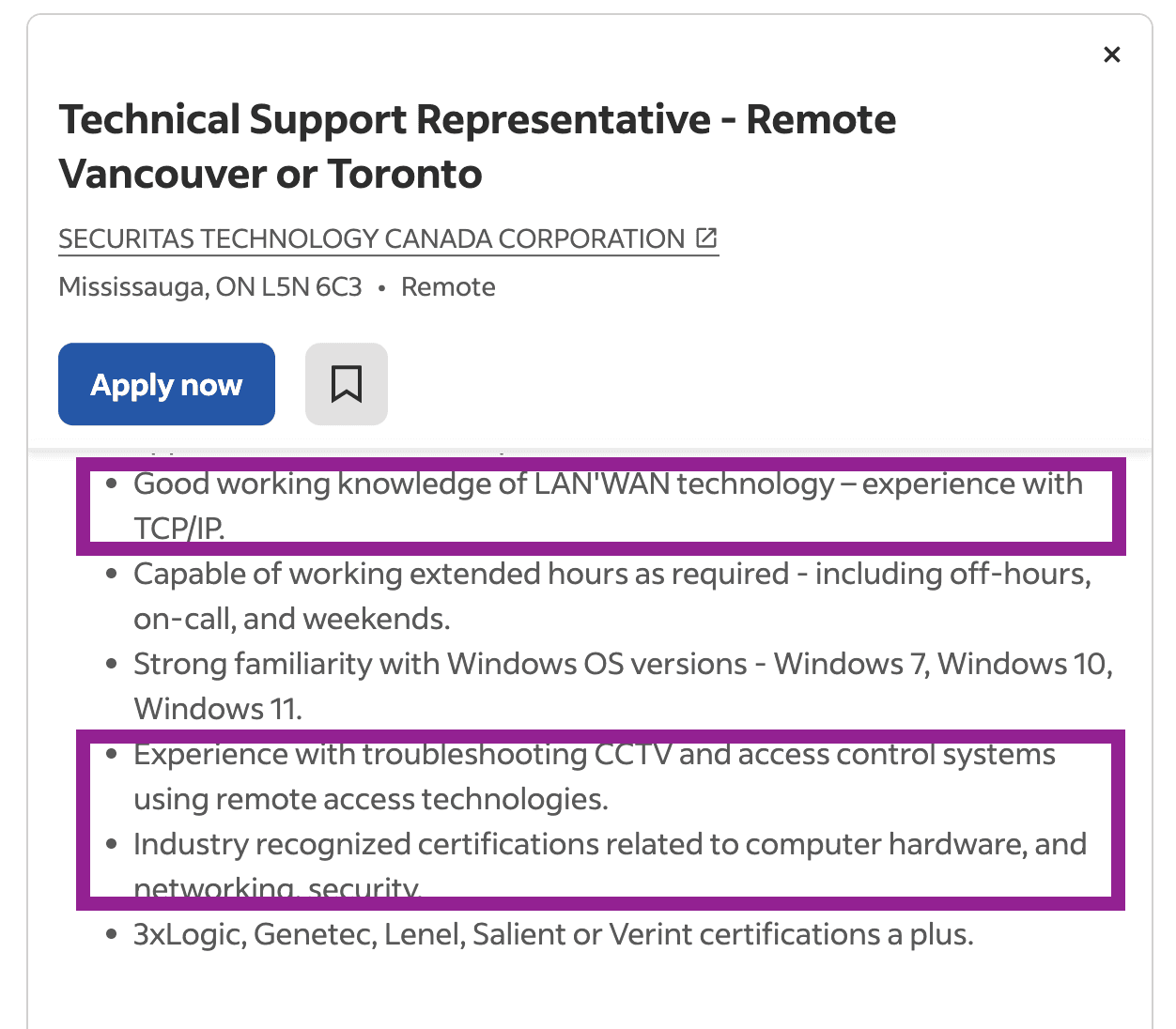
Here are some questions to guide your assessment process:
- Does the candidate understand key terms, integrations, and workflows?
- Can they navigate software systems that are relevant to your business?
- Is a specific certification or educational background required to understand your product and provide effective support?
- Will they need to take on a dual role in a technical department?
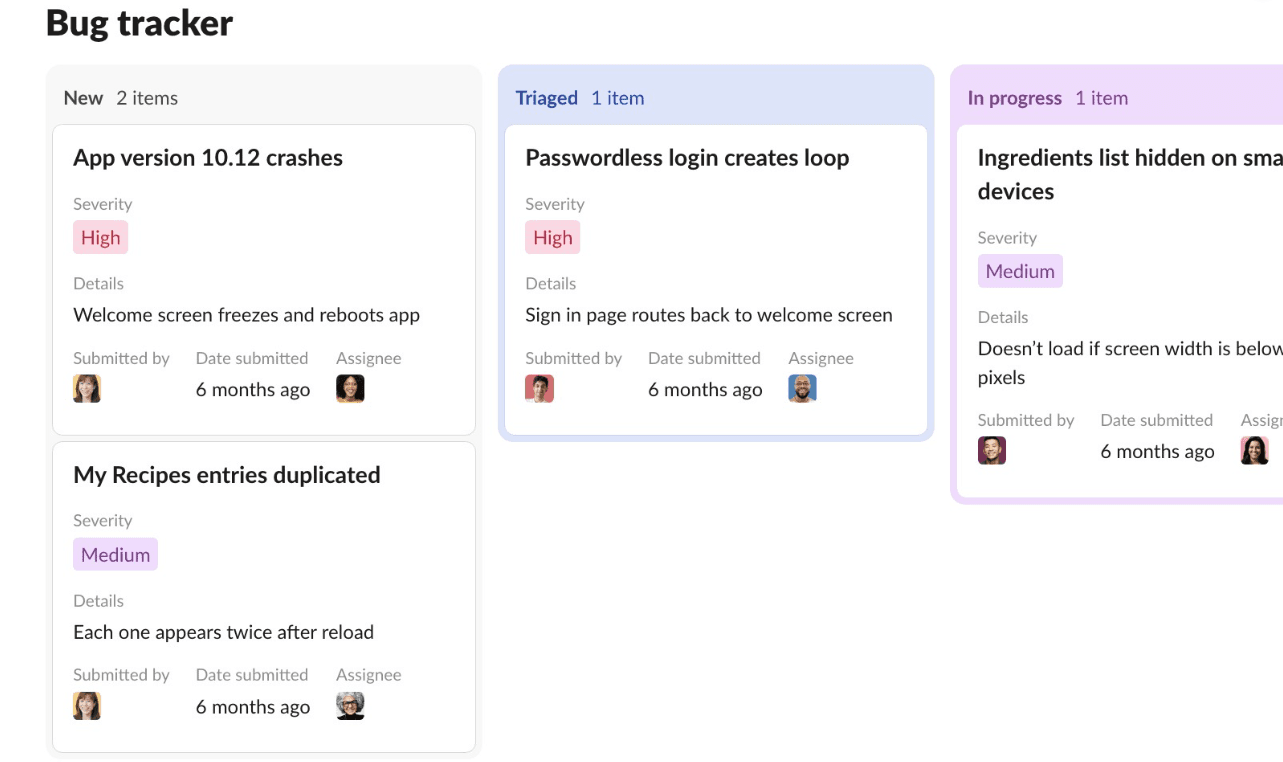
- Are they capable of communicating concerns with developers through tools like Slack, Asana, Monday, or Jira?
Educating Your Support Team
If your business is small, you already have an advantage. Developers and technical departments have a lot of hands-on experience building software from the ground up, and can be directly involved in training your support team.
Beyond hiring the right candidates, you’ll want to:
- Outline procedures or policies related to your products in a customer service training manual.
- When training your employees, account for any product knowledge or technical skills they will need to employ in day-to-day communication.
- Provide team members with access to your product beyond the onboarding process – so they can play with it, experiment, and get a feel for how to best use it.
- Keep your support team updated on new features – internal email updates prior to launches, beta access, and documentation.
- Ensure that they’re primed to help customers achieve success with your product.
An internal knowledge base can help a lot during support employee onboarding. You can use it to house all sorts of resources for your entire team (new and old alike) to access at any time.
2. Enable 24/7 Self-Service for Customers
Self-service resources are the most cost-effective and efficient way to provide tech support for small business customers.
Once you’ve written a ‘how to’ article or troubleshooting guide for your product, it can be accessed 24/7 by both your internal team (as a reference guide) and your customers (so they can self-solve without needing to contact support).
Many basic inquiries can be addressed by creating proactive resources. This gets users the help they need more quickly, and saves support agents time that can be better spent on unique, complex problems.
Plenty of companies in SaaS offer some kind of searchable database, to guide customers through the onboarding process and key features.
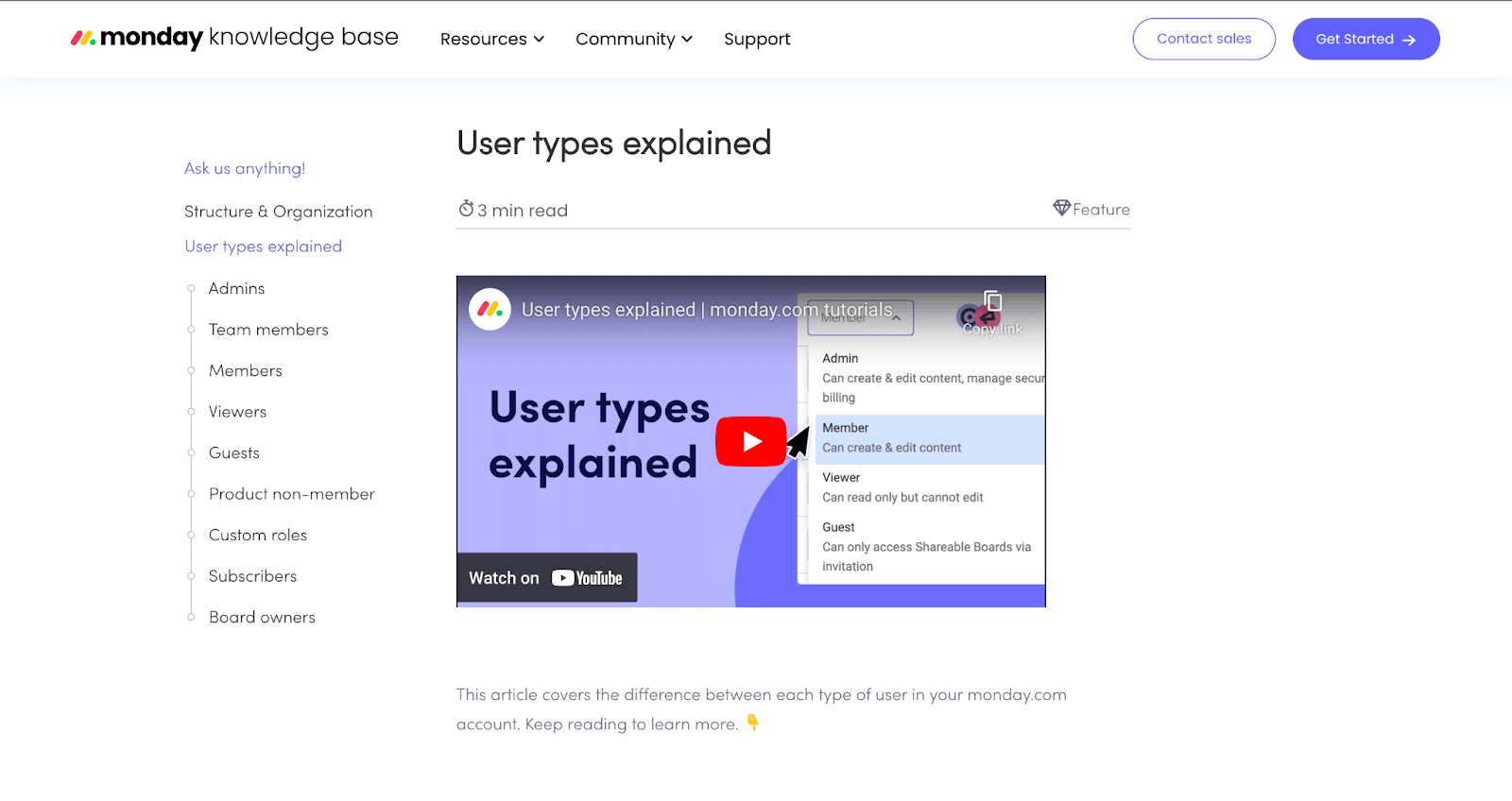
As one example, Monday.com uses its knowledge base to guide customers through workflow and automation features. These are broken down into sub-topics, and explored in depth through more specific articles and video tutorials.
How can your support team build its own self-service database, especially without a web developer or a hefty budget?
Enter Groove – our help desk support tool for small businesses. It’s a purpose-built alternative to traditional email platforms (like Gmail or Outlook), and allows you to effectively manage tech support via email, phone, socials, and live chat.
Creating a Tech Support Knowledge Base with Groove
Beyond standard help desk features, Groove enables support teams to build their own self-service resources. How? Through a customizable knowledge base that can be created directly within the central dashboard:
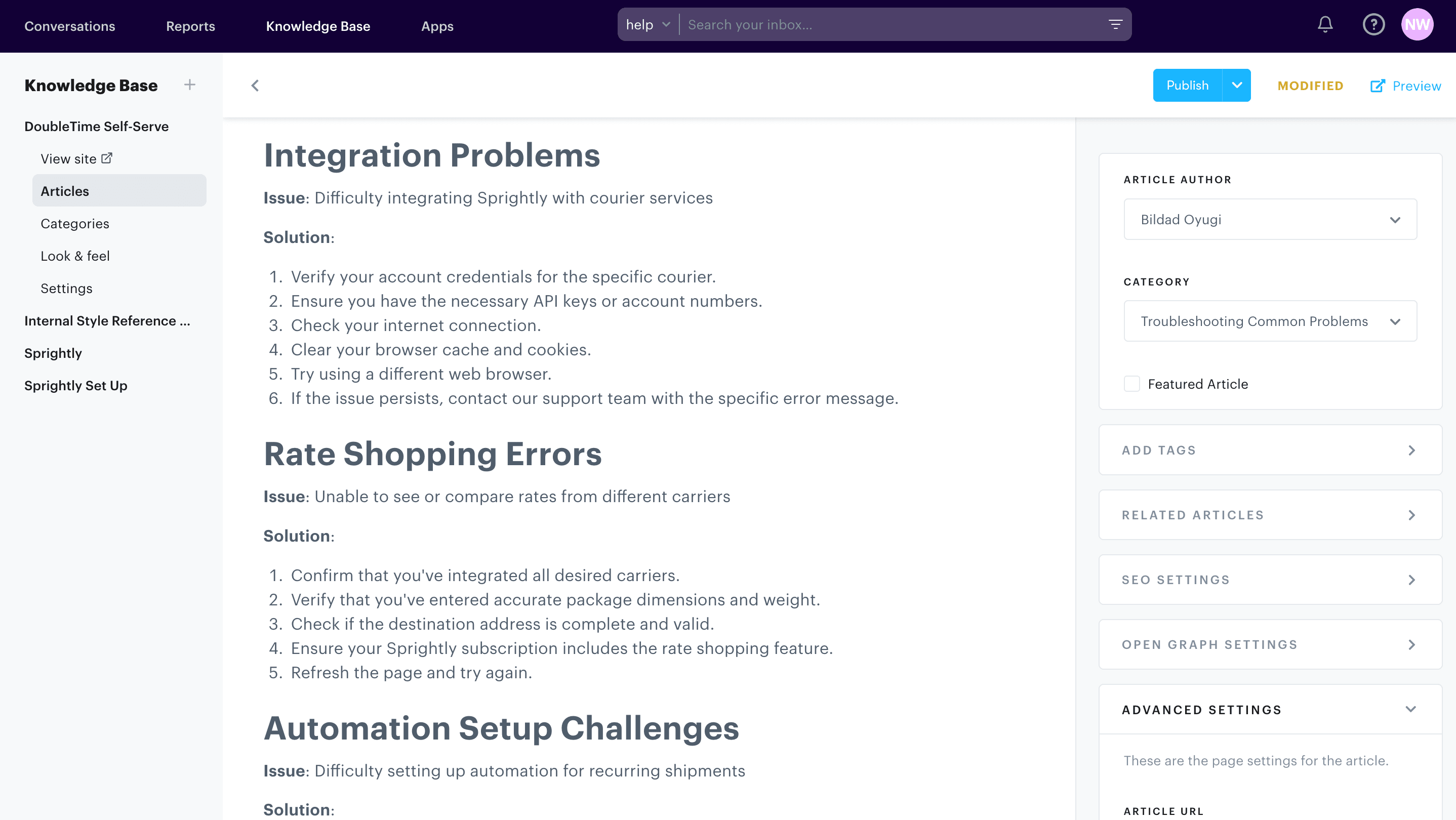
All the technical setup is done for you. All you have to do is create articles that are useful to your customers.
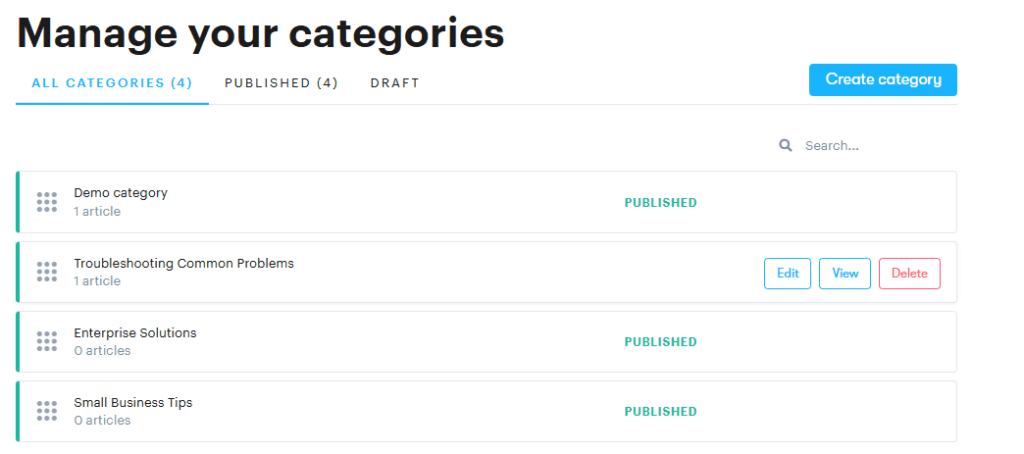
You can set up dedicated categories for each feature or technical topic (onboarding, integrations, account closure, etc.), or that address unique pain points and potential friction in the customer experience.
You can also use custom fields to tag knowledge base articles with the most relevant identifiers. This makes it easier for agents to share the articles when they reply to customers, and for users to find the articles on their own.
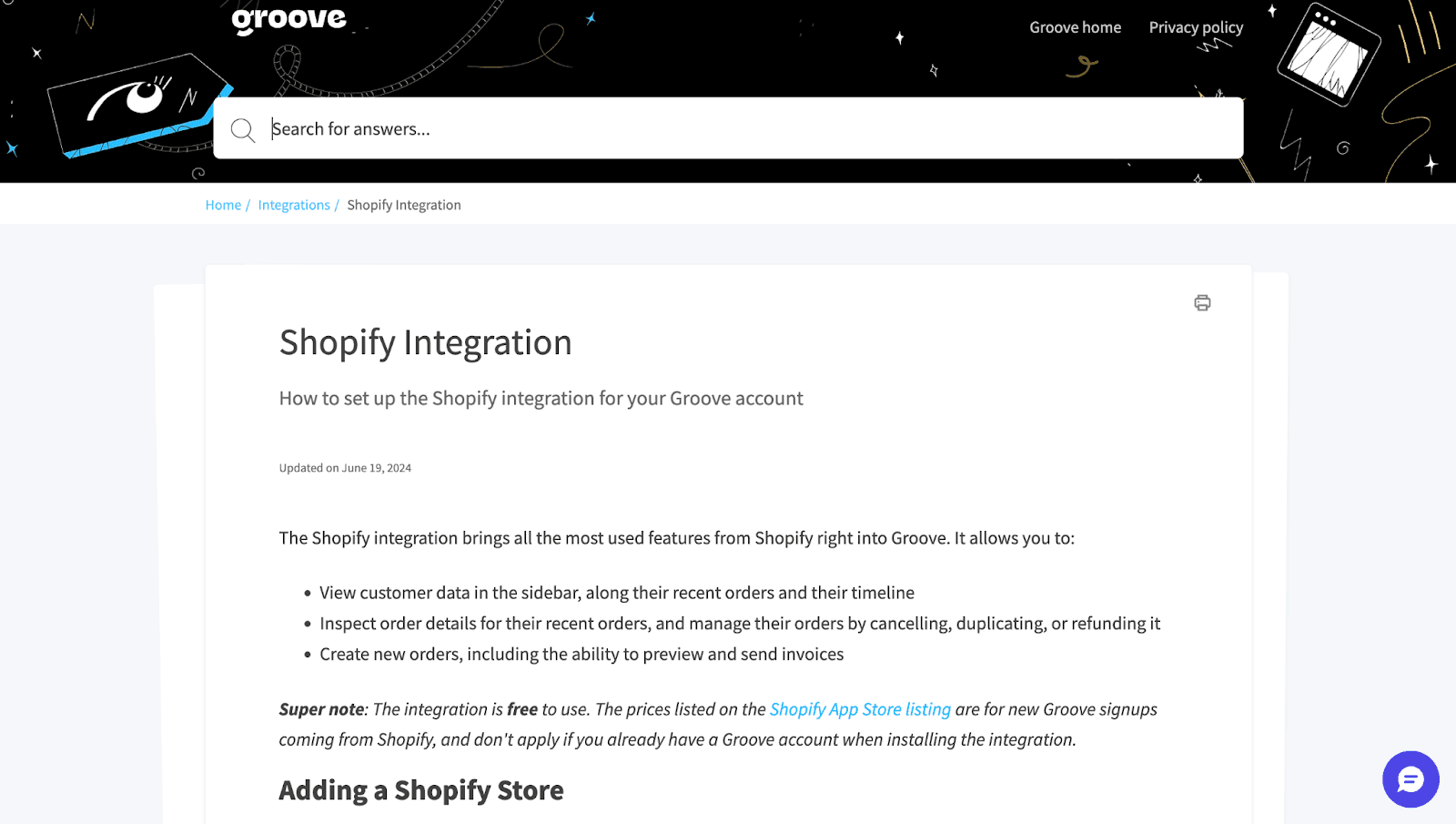
Just remember to make your knowledge base easily accessible. It’s already live by default. So to make it a useful tech support resource for your small business, you just need to place a few strategic links on your website that point users in the right direction.
3. Offer Plenty of Contextual In-App Guidance
Depending on the product you offer, contextual in-app guidance can be a great way to walk customers through tasks and problems, without requiring them to leave the platform.
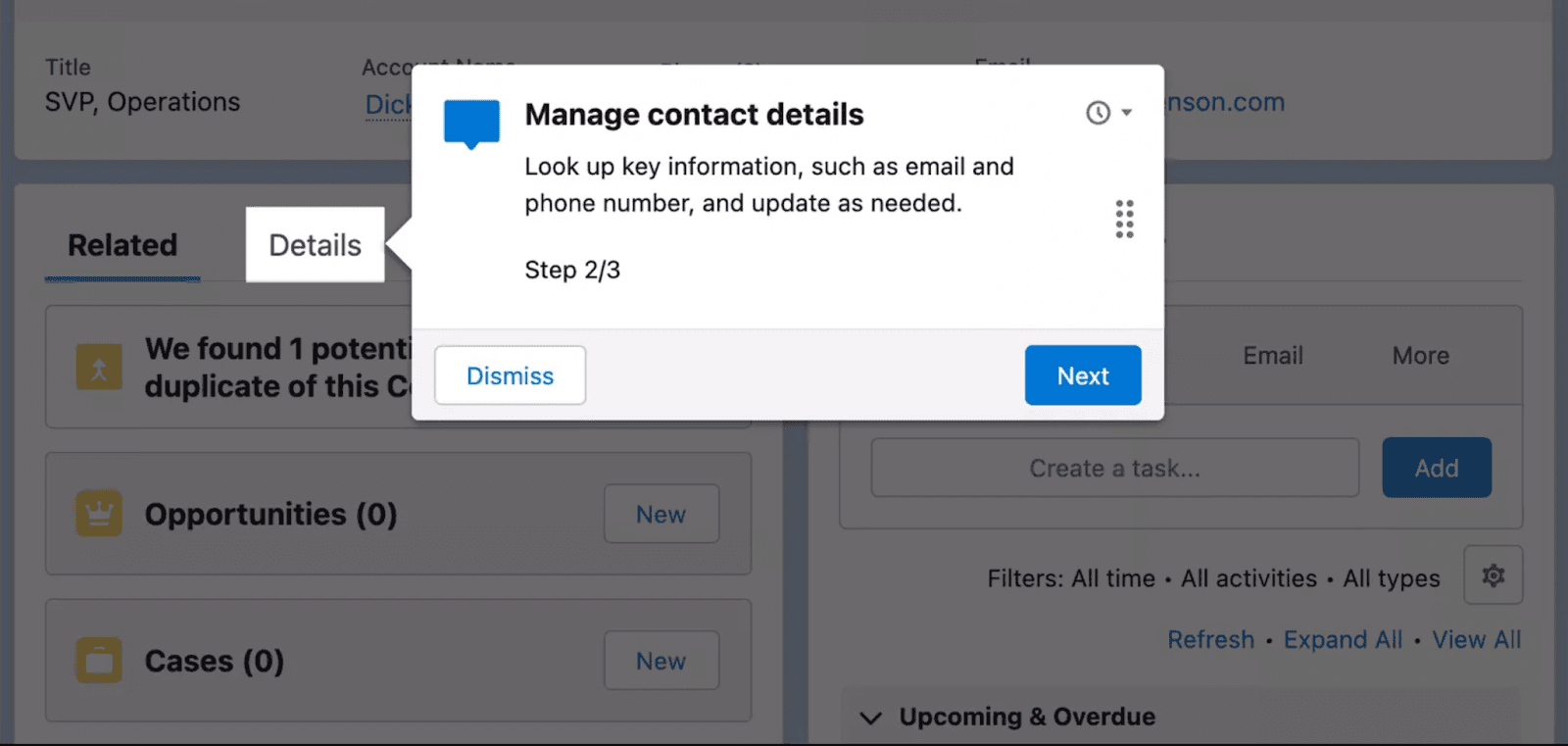
This technique can be leveraged to onboard new users, enhance user adoption, and educate your audience on feature updates.
Your developers are likely best positioned to implement this practically. However, you can also simplify the process via tools like Userpilot, which let you easily streamline the onboarding or feature adoption process.
A few recommendations to keep in mind when building in-app resources:
- Use segmentation. To provide the right kind of technical support, determine which customers should see a prompt, flow, or popup based on their in-app activities (where they click, hover, etc.), and/or their profile (new user, low adoption rate, etc.).
- Create task checklists. Show users their progress as a list of tasks/steps, which are marked off as they progress through onboarding.
- Include generous tooltips. Tooltips act as a prompt linked to a specific UI feature. They can be used to clearly explain what that feature does, in a way that’s accessible but doesn’t clutter up the interface when not being used.
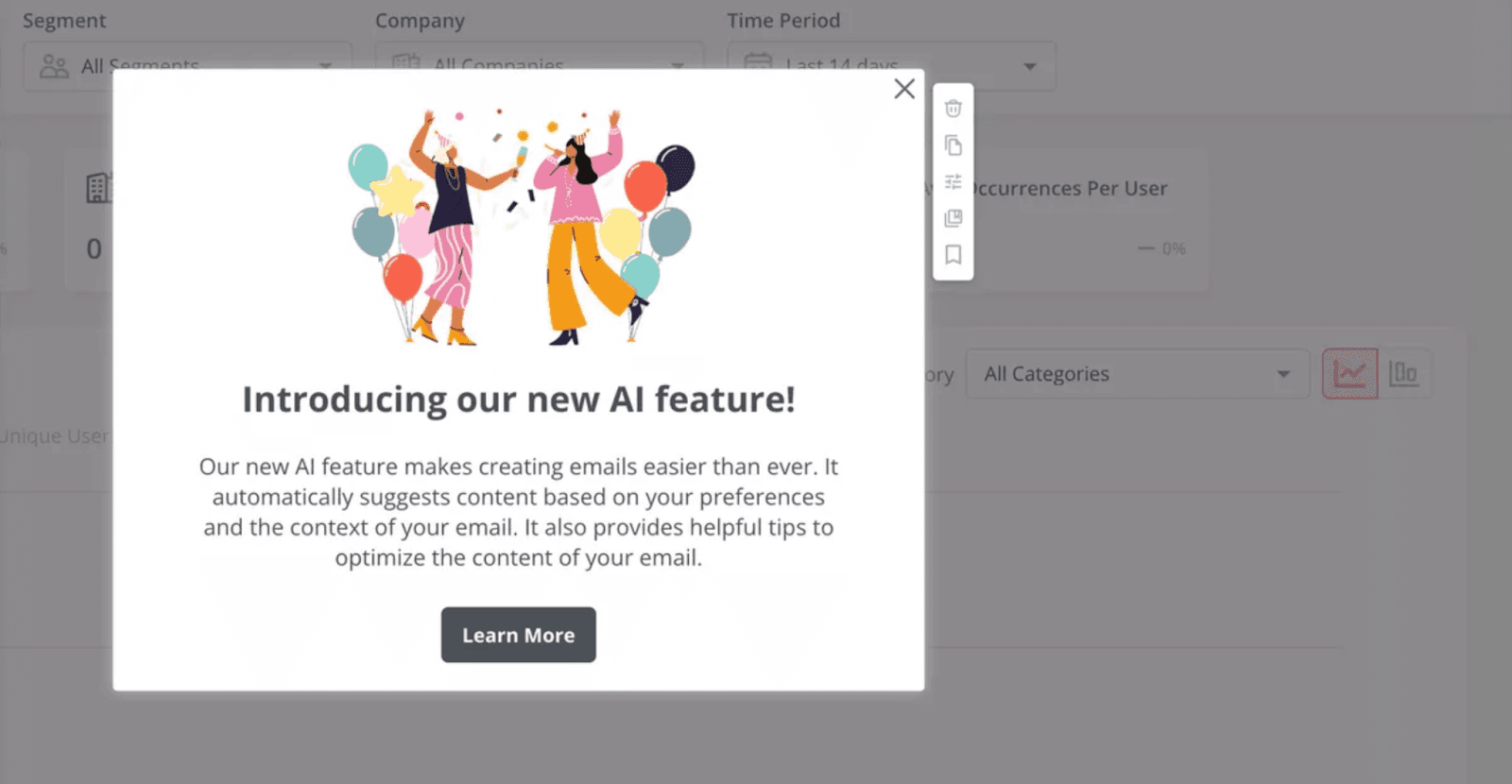
- Leverage modals strategically. Modals are pop-up messages that provide a strong call to action. They command attention because they typically require you to click on the window to close it or learn more. They can be used to share crucial information about updates, downtime, or navigation. Just don’t overuse them!
4. Provide Options for Personalized or Specialized Care
The channels and options you provide should correlate to the type of tech support your small business customers want. And that probably looks different across customer segments.
Many of your users will appreciate a hands-off approach. They want to report the bug or technical problem, and have everything resolved externally without follow-up.
Others want one-on-one support, ideally from a real-life human being. You may need to closely walk them through a process, feature, or technical issue. This kind of specialized support is often called hypercare.
It’s especially common during onboarding, which typically calls for a period of heightened support. At this stage, customers are learning to navigate your product for the first time.
A video call can be a particularly useful tool during this process. Screen share allows for a live product demo or walkthrough, while enabling an open question/answer forum face-to-face.
Hypercare is a key component of SaaS support. We recommend providing your customers with options for more personalized support, even if that means charging a small premium.
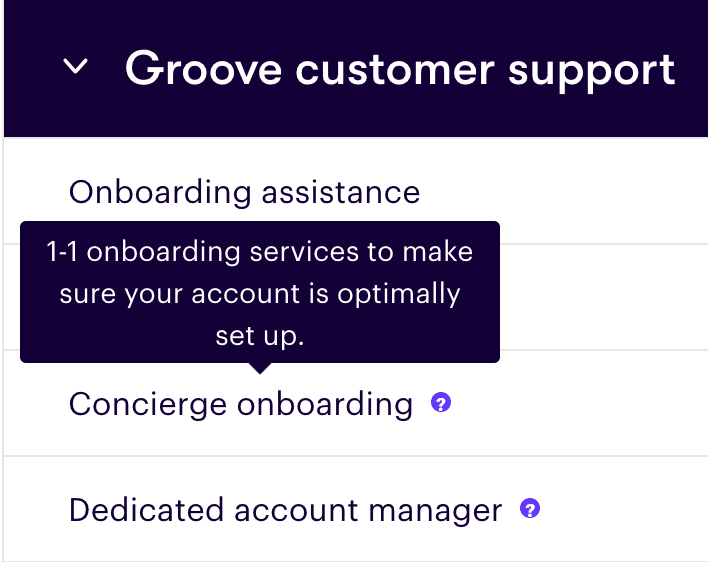
If your business is very small, you can probably manage one-on-one onboarding and tech support. But this extra level of support won’t be manageable long-term, unless you find a way to offset the costs involved. So we recommend reserving these incentives to a higher subscription tier.
Personalized support may include a dedicated account manager or white-glove onboarding. This is a great way to encourage customers who require a little extra help to stick around a lot longer – driving lifetime value.
5. Leverage Software Integration To Communicate Directly with Technical Departments
In my own experience working in a customer service department, communication with other internal departments was often a nightmare.
The responsibility was placed on customer service to provide “proof” that the issue was actually “real” and happening to our customers. The IT department required screenshots or recorded activity to validate claims.
We often had to jump off the help desk we were using to handle these discussions, since the communication tools weren’t integrated. And the switching was frequent, since we had to continually follow up with the IT department to check in on resolution status.
It wasn’t convenient, and it often meant that customers were left waiting for days.
In contrast, Groove integrates directly with tools like Jiraand Slack. That way, your team can report any technical issues directly to the right department.
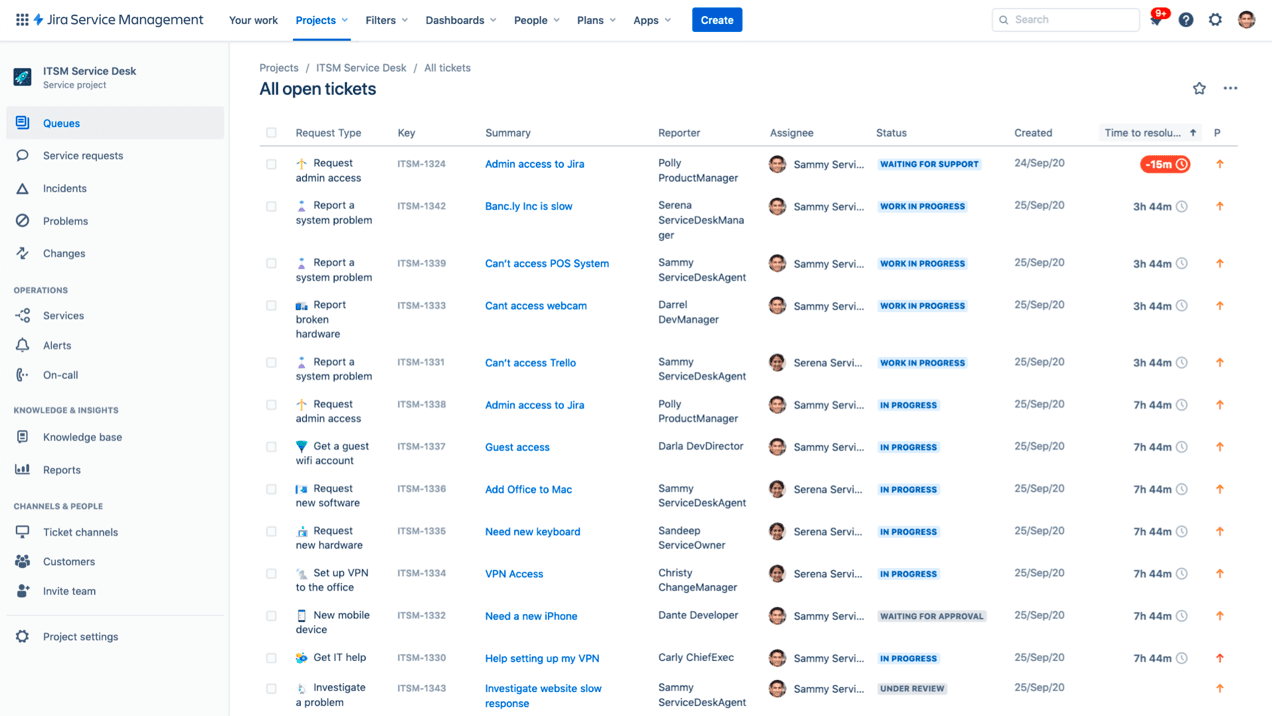
When you add Jira integration, you can register an ‘issue’ directly from a conversation within your Groove inbox.
Let’s say a customer reports a technical issue on your checkout page, and sends an email about it. You can create a new issue, or link that ticket to a pre-existing issue.
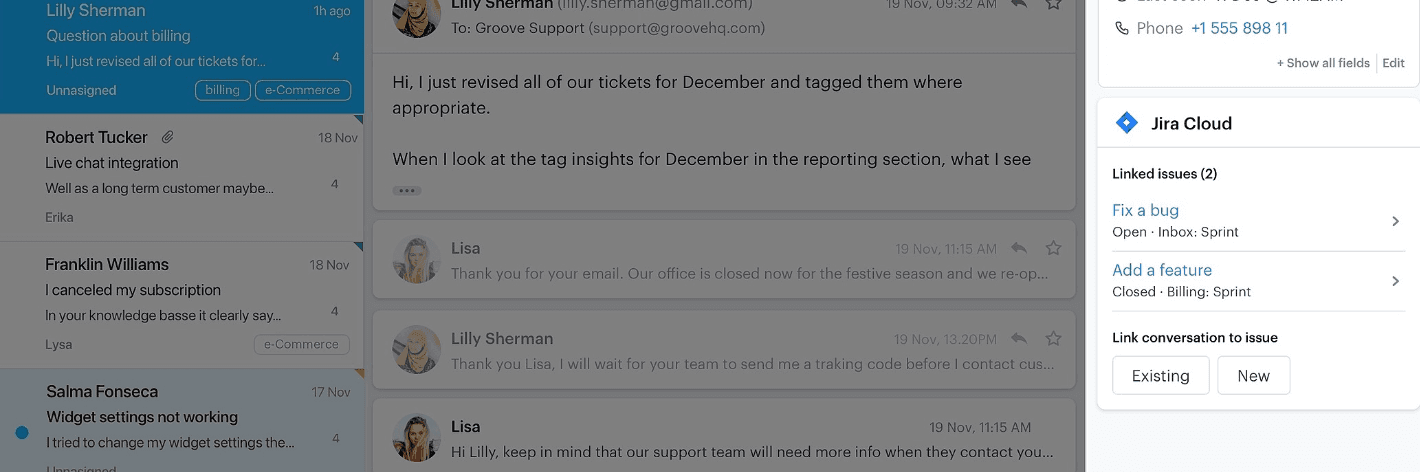
Then, once the issue is marked as resolved in Jira by your IT department, you’ll receive notification directly in Groove. You can update the customer right away – minimal fuss and no time wasted.
Similarly, you’ll be able to see all the updates on the issue status in Jiraas ‘actions’ under the conversation history (based on your settings). This allows for full visibility on resolution, and holds technical departments or developers accountable for follow-through.
6. Make Your Tech Support Easily Accessible Across Communication Channels
Omnichannel – it’s not just a trendy buzzword. When it comes to tech support for small business, your team should be readily accessible across all communication channels.
That might include
- Facebook Messenger and posts to your business’ wall
- Instagram DMs
- X (formally known as Twitter) via tweets
- TikTok
- Phone
- SMS
- Website – via live chat widget, chatbot, or AI assistant
- Review platforms – Trustpilot, Yotpo, etc
- In-app messaging
You can leverage Google Analytics 4 (GA4) and social media monitoring to make sure you’re targeting the right channels. Platforms like Brand24 help you determine where customers are most likely to reach out, and where they show the most dissatisfaction via sentiment analysis.
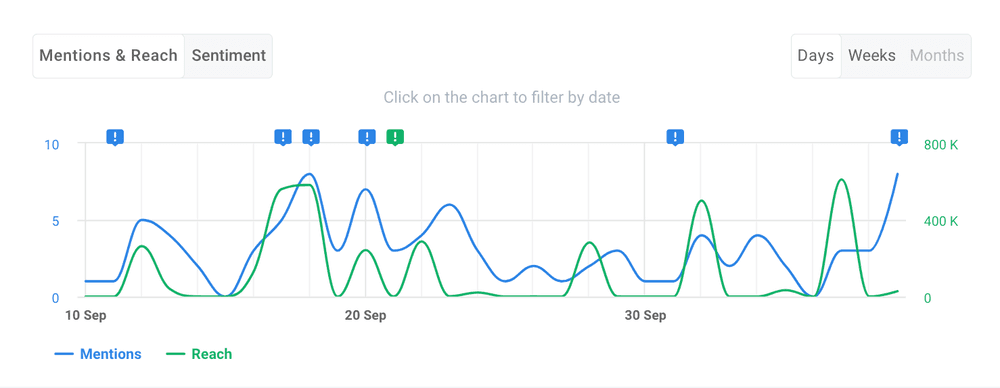
Technical problems are urgent for your customers, and especially frustrating. You’ll need to make yourself available to assist users anywhere they can find you online.
Are you able to meet them on social media, live chat, or your website to improve technical support delivery? Users will have an overall better experience if they can reach out via the mediums they find most comfortable.
This ties directly into accessibility, too. Customers who are frustrated, upset, or angry definitely don’t want to waste time trying to find your email contact (or jumping through other hoops to get help).
If your business actively promotes on Instagram, your customers expect to get replies to their DM requests.
If they provide you with information on Instagram, but follow up via email, they also expect you to access the prior conversation. They don’t want to repeat themselves.
Providing an Omnichannel Tech Support Experience
Your team would normally have to switch between socials and email to access that information. With Groove, on the other hand, context is no longer trapped within (or between) channels.
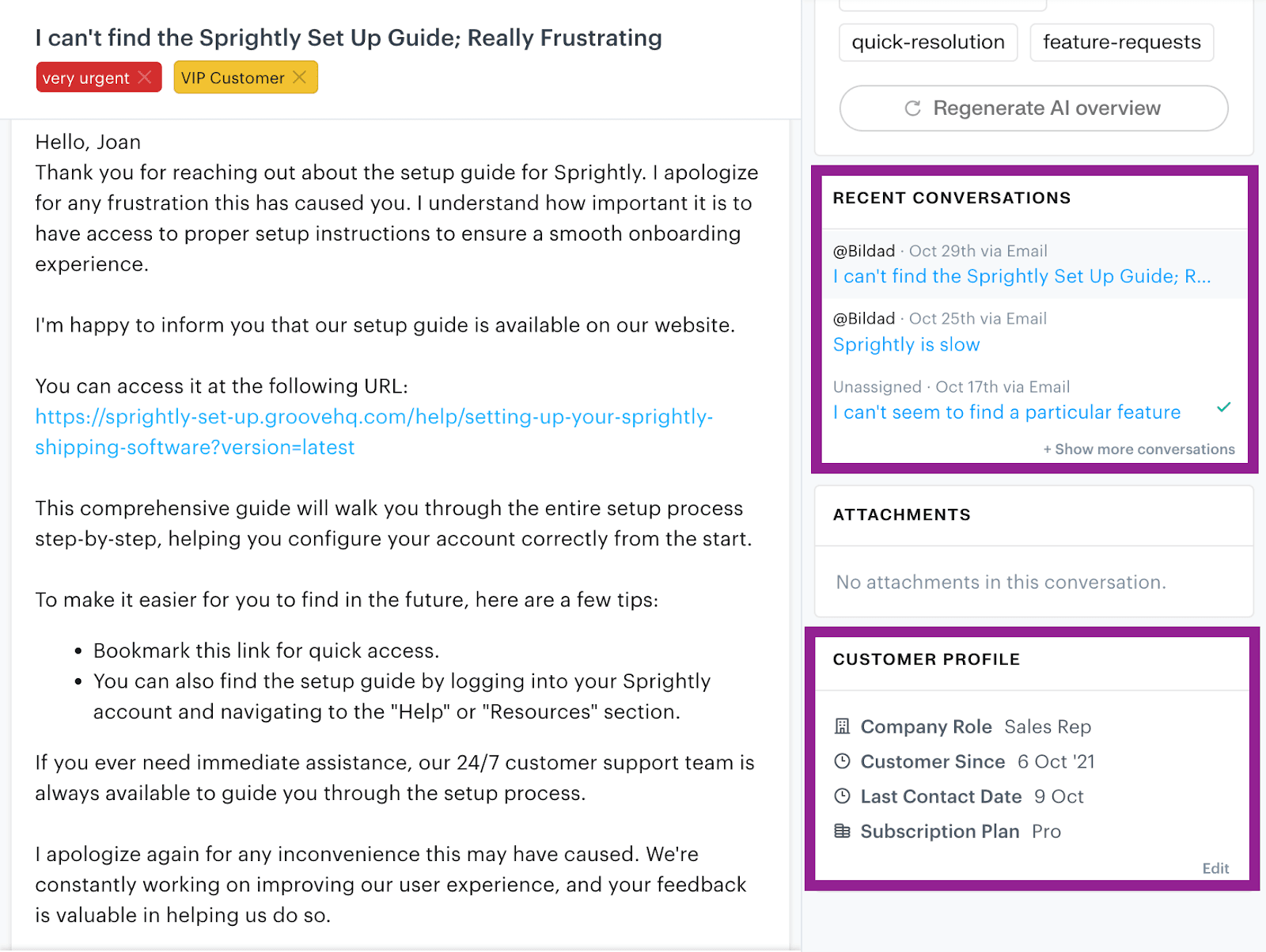
Groove provides your customers with an omnichannel experience via:
- A shared inbox. Instead of responding across disparate channels by jumping between apps, you can respond to all your social media requests in the same place you reply to emails.
- Accessible information. When technical support is required, minor details are often important. You don’t want to lose valuable information between channels. Groove provides contextual information about prior interactions, including conversation history and customizable profiles.
- Live chat widget. You can embed a live chat widget within your website or app. It can pull information from your self-service knowledge base (also created within Groove), and direct more complex inquiries to available agents for immediate support.
- Integrations. Groove integrates directly with third-party support tools like JustCall, allowing you to sync phone conversations to your help desk.
Deliver Proactive Technical Support With Groove!
Internal training is an especially important component of tech support for small businesses. But beyond learning about your product, your team needs the right tools to deliver on exceptional service.
While SaaS customers often expect 24/7 support, many businesses can’t afford to deliver it. Resources are limited, budgets are tight, and teams are small.
That’s why we built Groove to be affordable, intuitive, and streamlined. It gives you the tools you need to help customers with all kinds of problems, but doesn’t overcomplicate your team’s work or strain your wallet.
Rather than paying for a handful of expensive tools that operate independently, why not leverage one platform that can do it all?
Sign up for a free trial of Groove today (no credit card required) to leverage powerful self-service resources, automation, and live chat for instantaneous tech support!
5 Help Scout Alternatives: Why Growing Support Teams Switch to Groove
Groove Fixes What Teams Don't Like About Help Scout: Flat Pricing, Built-In AI, and Native SLA Management. See the Full Comparison.
How Helply's Hallucination-Proof AI Eliminates the #1 Fear of AI Customer Support
Customer Support Automation That Hits 65% AI Resolution, Guaranteed. Helply's Action-Based AI, Safe Escalations, and Optimization.
