
How To Ace Knowledge Base SEO (And Help Customers Find Your Articles)

As someone with a lot of experience in SEO, I understand those who hate it.
It can often seem at odds with good writing. It occasionally feels forced.
And there are plenty of businesses that artificially create content just for SEO purposes. Businesses invest thousands per month to optimize for it. But many don’t actually want to add value to the CX, and ‘keyword stuff’ in the hopes of better results in the SERPs.
If you’re reading this, you probably already have a knowledge base up and running, but customers are struggling to find it. You’ve had no difficulty creating the knowledge base and making it available on your website (perhaps thanks to integration with a handy help desk tool like Groove!).
Unfortunately, it isn’t appearing in relevant search results. You want to know what you’re doing wrong.
So let’s talk about how to use simple SEO tactics so the people who can benefit from your knowledge base are able to find it organically!
Step 1: Start with Relevant Keywords and Search Intent
Let’s start at the beginning. You have some articles posted to your website already, whether in the form of an FAQ, landing page, or full knowledge base. You don’t know where to go from there.
Maybe you’ve heard the phrase “content gap analysis” before. If not, there’s a great SEMrush article we’d recommend giving a look. Basically, it’s an audit where you assess your content to determine how you can improve it.
It’s used for any kind of “SEO content”, and isn’t exclusive to knowledge base SEO. However, in this context you can use it to:
- Determine where ‘gaps’ exist, and how you can fill them in with newly created content that better meets the needs of your audience.
- Assess target keywords and relevance of particular topics. Content should align with search intent to ensure better visibility. This helps readers find exactly what they’re looking for when they search for a topic related to your business.
- Keep your content up to date by identifying what information your audience is currently looking for. It can also reveal what content your competitors are currently publishing.
- Conduct research on your audience. You can determine what knowledge base articles your customers are looking for by directly asking them, or leveraging survey results via Groove.
- Identify opportunities for keyword ranking, including keywords in your SEO content that are underperforming. Looking at competitors is a great way to evaluate high-value keywords you aren’t ranking for.
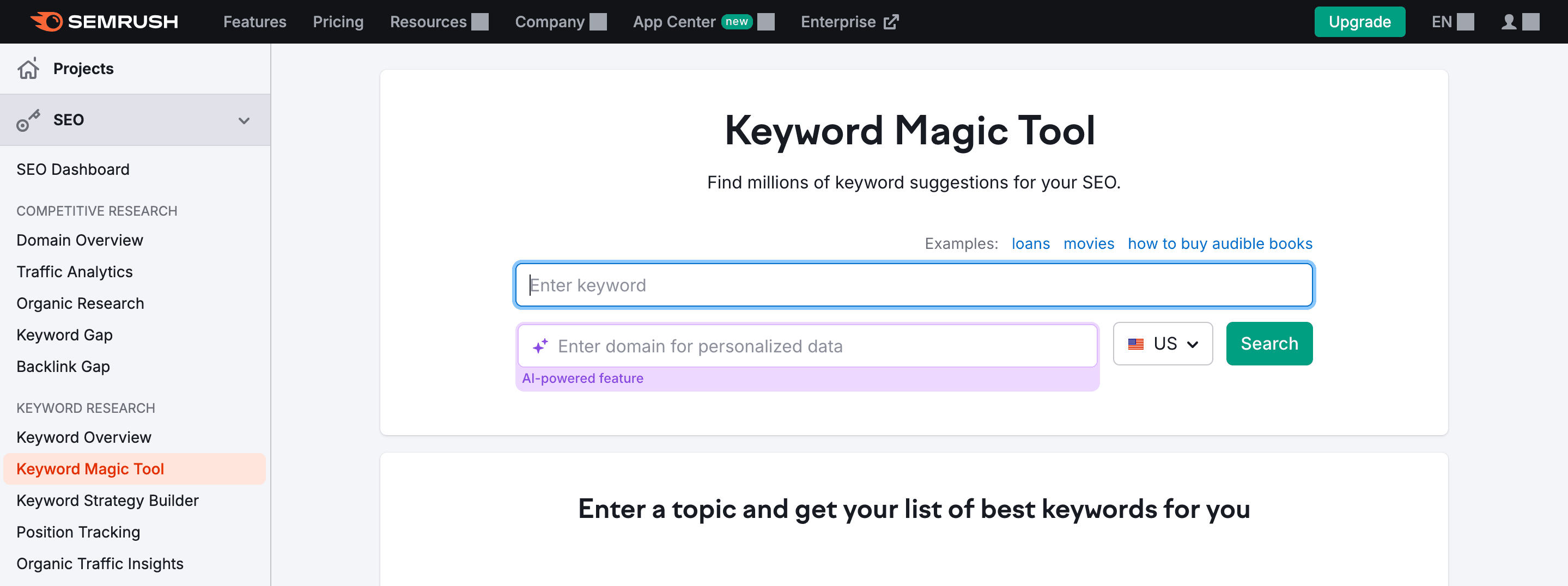
There are countless tools out there that can help with this process. SEMrush offers a number of fairly affordable tools (with some limited free options). If you’re on a tight budget, we’d recommend starting with a combination of Google’s Keyword Planner and customer surveys.
Step 2: Create Readable, Relevant Content That Incorporates Keywords Organically
Perhaps the most nebulous advice you’ll get about knowledge base SEO is to create “readable” and “relevant” content. What exactly does this mean for your business?
You can start by thinking of your knowledge base as an informative blog. While the structure will be geared toward actionable advice, you’ll still want to make strategic use of your keywords.
More specifically, optimizing text involves incorporating relevant/related terms and phrases based upon desired search intent:
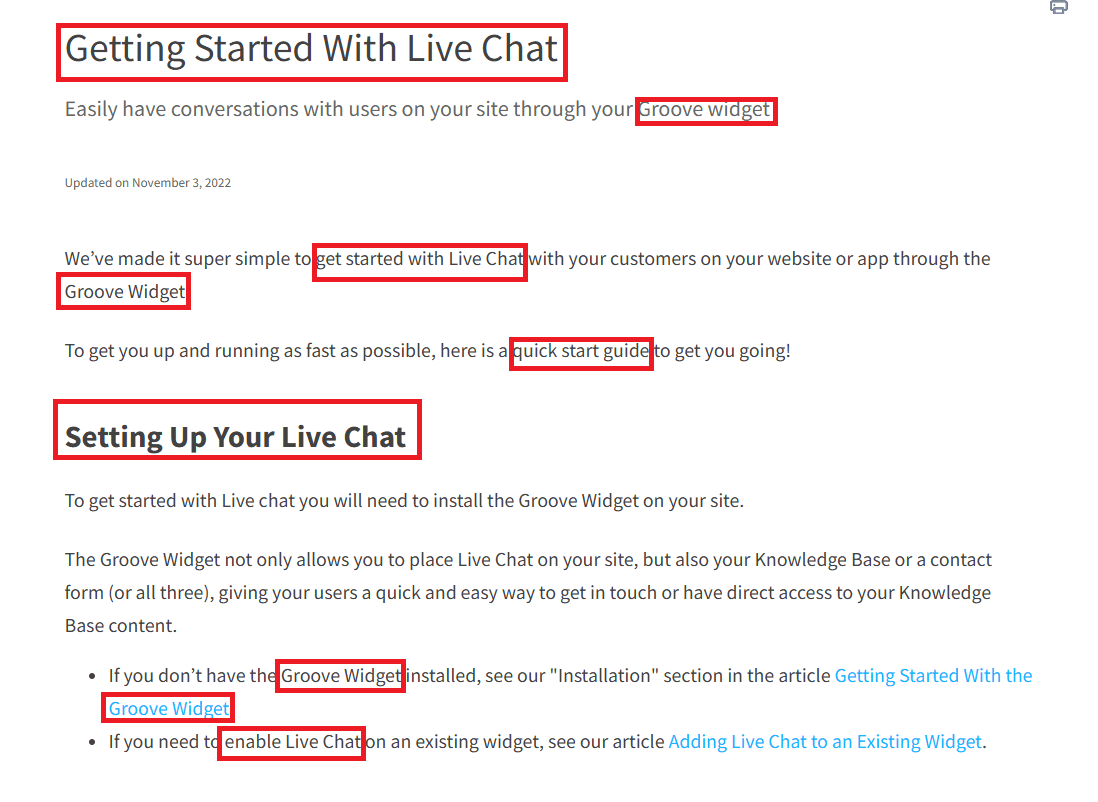
For example, if a reader is looking for articles on how to use our live chat widget, they may search for “Groove widget” or “how to use live chat”. These kinds of keywords have been incorporated into our knowledge base article on the topic, so that it appears high in the SERPs:
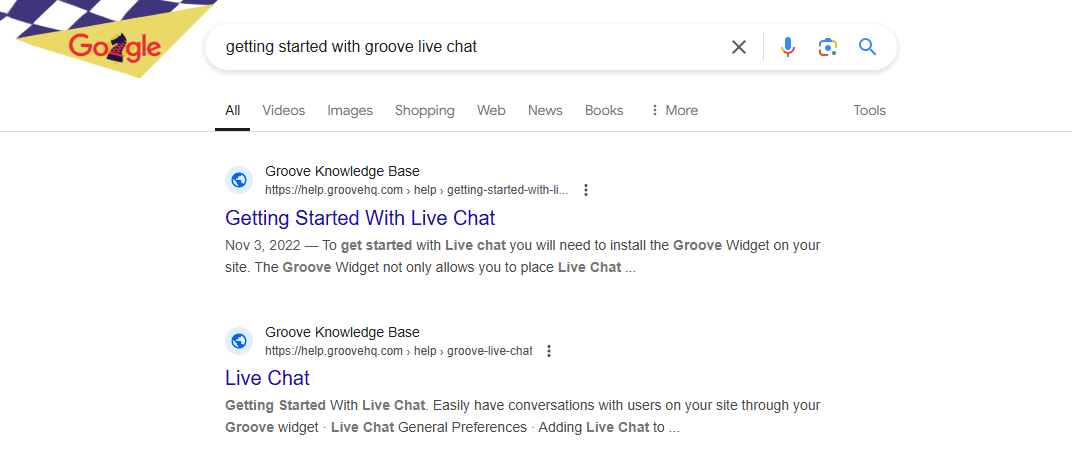
Just make sure to avoid ‘keyword stuffing’, or forcing in phrases where they don’t fit. That alienates readers, and is penalized by Google. Use keywords where they feel natural, and don’t interfere with the article’s flow.
Also it’s not just about keywords anymore. These days, SEO is more about creating valuable, actionable, and relevant content that really helps readers.
So here are a few best practices you can employ when writing knowledge base content:
- The writing should be clear, concise and easy to understand. While some products involve complex processes and instructions, your resources should still be easy to follow for an inexperienced user. Don’t presume prior knowledge, avoid jargon, keep sentences and paragraphs short, and use lists and media to break up walls of text.
- Each article should be focused on completing a task or solving a problem. While a normal SEO content strategy is built around generating clicks, in this case, readers have (probably) already purchased your product. They have a specific question related to its use. Create content that addresses those specific questions and answers them as clearly as possible.
Step 3: Optimize Your Metadata and Media
‘Metadata’ is information that guides search engines in understanding your content. What is it about? Who is it relevant to? How is it structured and interrelated with other resources?
Here are the primary metadata elements that matter for knowledge base SEO.
Meta Descriptions
A meta description provides a summary of the content in your article. In the SERPs, it’s the little description that appears directly underneath the title tag:
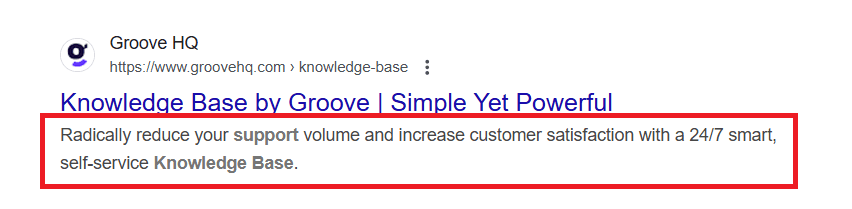
A quality meta description should encourage readers to click through, by summarizing the content and making it clear how they’ll benefit. Keep it actionable, and use active voice.
Character count should be kept under 155, or your description might be cut off. And don’t forget a clear call to action, along with the focus keyword for the article.
SEO Titles
The SEO title is the clickable heading that appears in the SERPs, directly above the meta description:
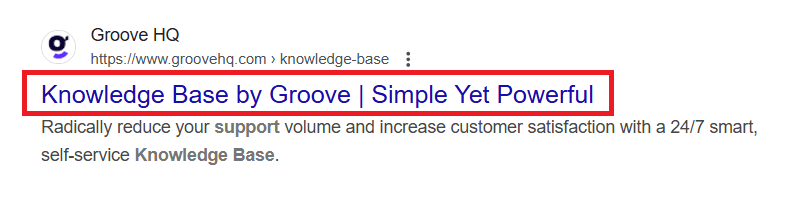
An optimized SEO title should contain between 50-60 characters. It doesn’t have to match the knowledge base article’s full title exactly. Often, it’s best to use a shorter, more concise variant.
Whatever you use, it should make the article’s content extremely clear. Incorporate your focus keyword, and try to make it clear what problem/question the article solves.
Header Tags
Header tags are often neglected, but are crucial for showing hierarchy and providing structure to your information. A good tag system improves your visibility in the SERPs, in addition to making the content more digestible.
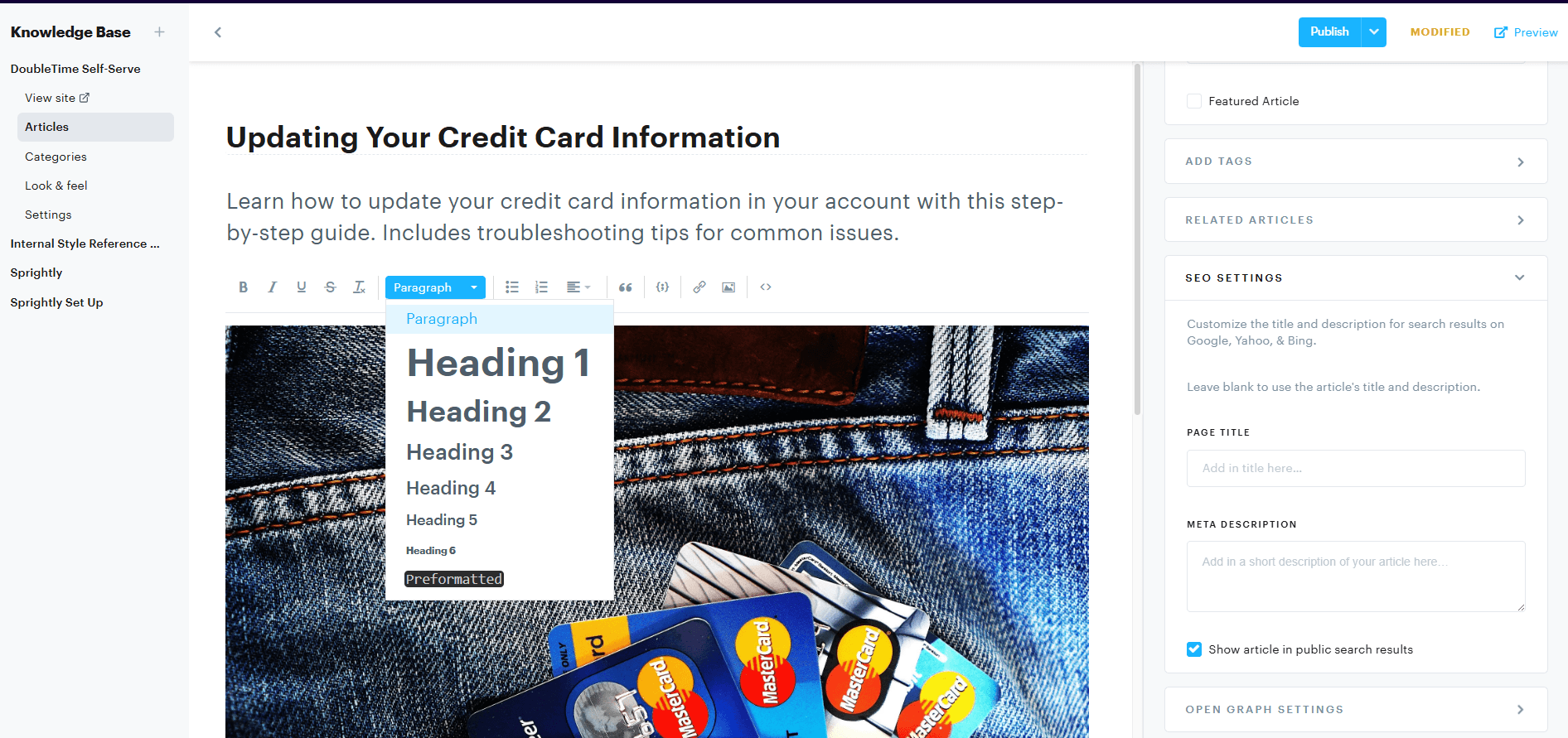
Header tags like H1s & H2s are usually just simple formatting options within tools like Groove and WordPress. An “H1” tag is used for the primary title, so it shouldn’t be used for anything else.
Within each article, primary sections should be given the “H2” tag, with nested “H3” and “H4” tags added as needed. A good rule of thumb is to use a new heading every 150 to 250 words.
Alt Text
Imagery (including screenshots, GIFs, etc.) makes content more digestible and user-friendly for most readers. Yet it also presents an accessibility challenge.
Alt text is a short snippet you can assign to each piece of media you include in your knowledge base articles. It has two purposes. Most importantly, it helps those using screen readers understand the images and other media they can’t see.
It also helps search engine bots ‘see’ your media. That way, they can use the information to improve their understanding of your content (and show it to more relevant searchers).
Alt text should describe the media as concisely as possible, without embellishment. Generally, it’s best to stick with a single sentence, such as “The back pocket of a pair of jeans, with four credit cards sticking out.”
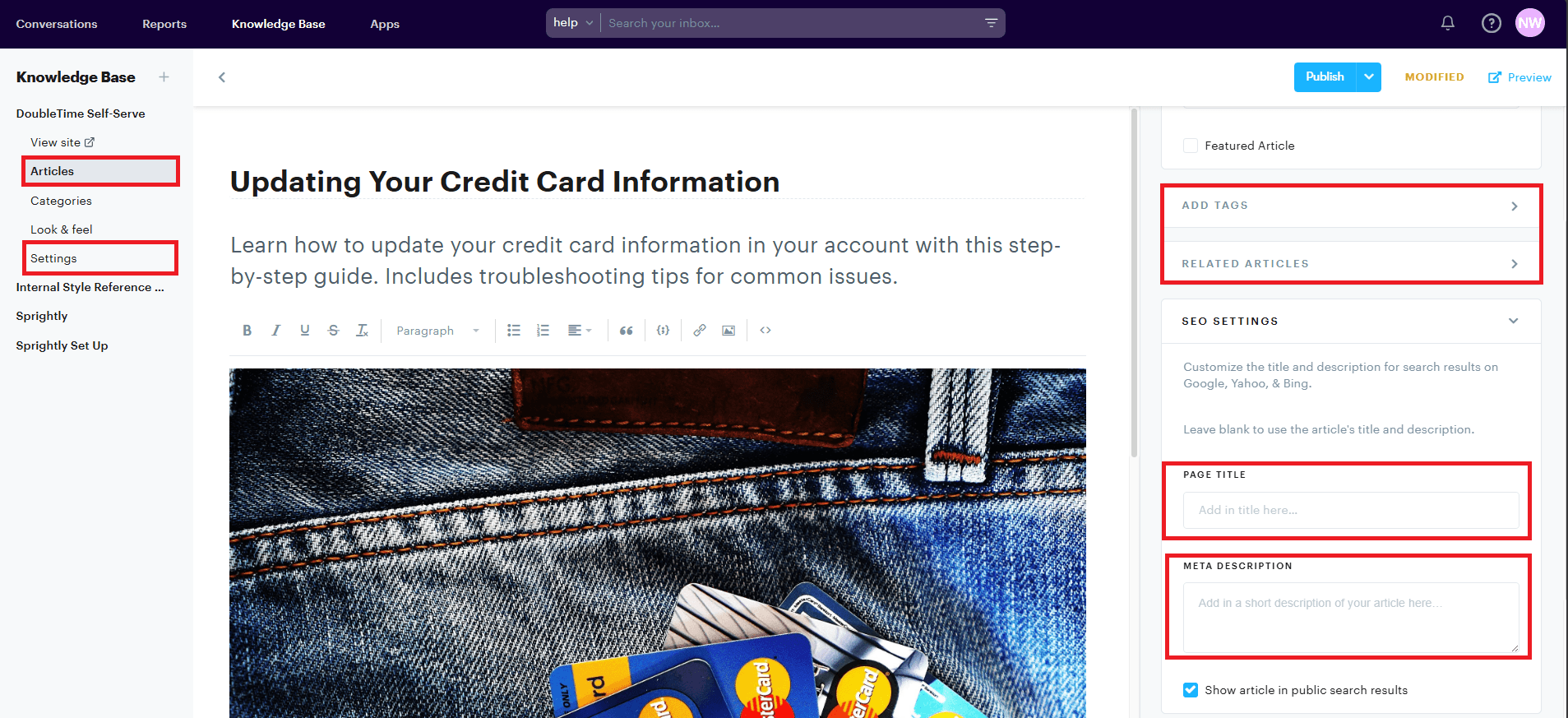
If you’re using a website builder or CMS like WordPress, you’ll need to input these manually. In Groove, you’ll be prompted to input your page titles and meta descriptions, while header tags and image alt text are automatically handled for you.
Step 4: Build Your Linking Strategy and Organize Your Articles
Why are internal links important for SEO?
- They improve the user experience during site navigation. Customers navigating your knowledge base will often want to look up related information, or rely on interconnected tutorials to piece everything together. Internal links guide them to relevant pages.
- They help Google understand the structure of your knowledge base (and how pages relate to one another). Google uses both internal and external links to assess how ‘authoritative’ your content is. Google follows links when it crawls a webpage, and relies on internal linking to identify related pages and find other content to explore.
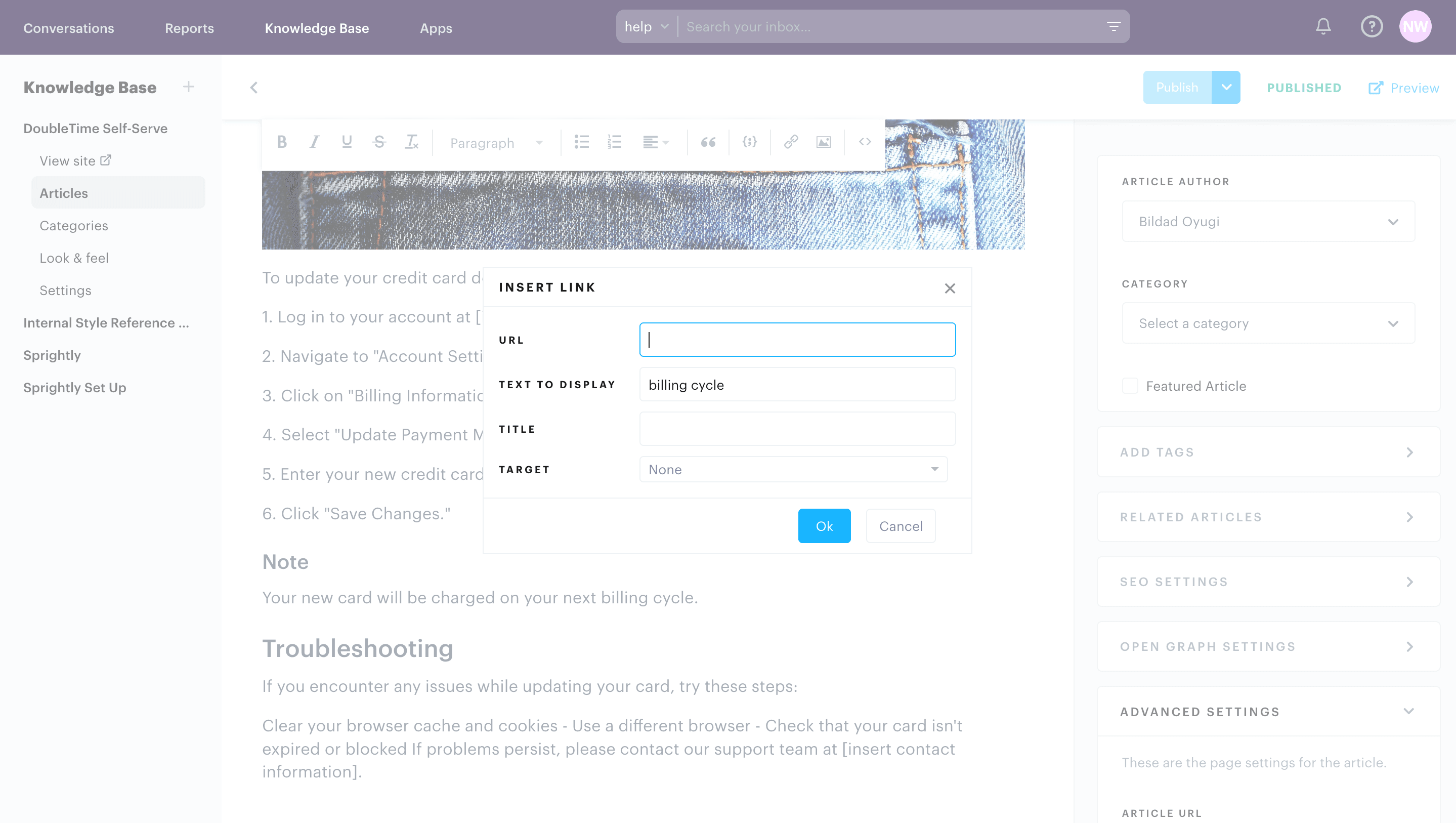
Why are external links important for SEO?
- They boost the reputation of your site, as long as they come from relevant, authoritative sources. These hyperlinks help both users and search engines understand the relevance and content of a webpage. There are a number of tools that can tell you how many external links point back toward your site, like SEMrush’s Backlink Analytics.
- They build relationships with other websites and webpages. Beyond providing additional value to readers, external links help your business gain more exposure. When your website and knowledge base are interconnected with other quality sites, Google is more likely to present them to relevant searchers.
There are a ton of great guides out there on building a comprehensive internal linking strategy. I would highly recommend additional research on the topic, since links offer an easy way to boost search visibility.
Also, keep in mind that the ‘anchor text‘ of a link also matters. It helps both human readers and search engine bots understand what’s being linked to, and why it’s relevant to the current article.
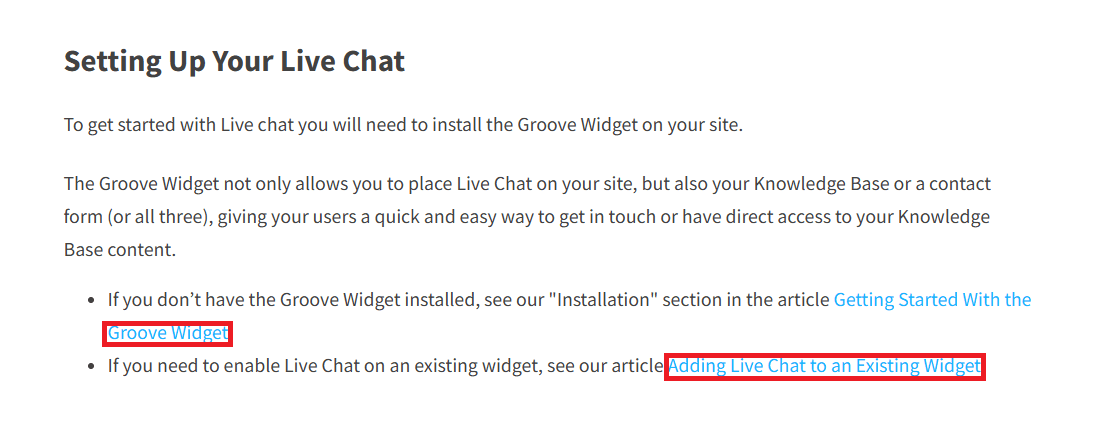
One great way to improve your internal and external linking strategy is to create authoritative ‘hubs’ or landing pages for your high-value keywords.
Link consistently to these pages where relevant. Not only does this encourage readers to explore related content, but it also demonstrates authority to Google.
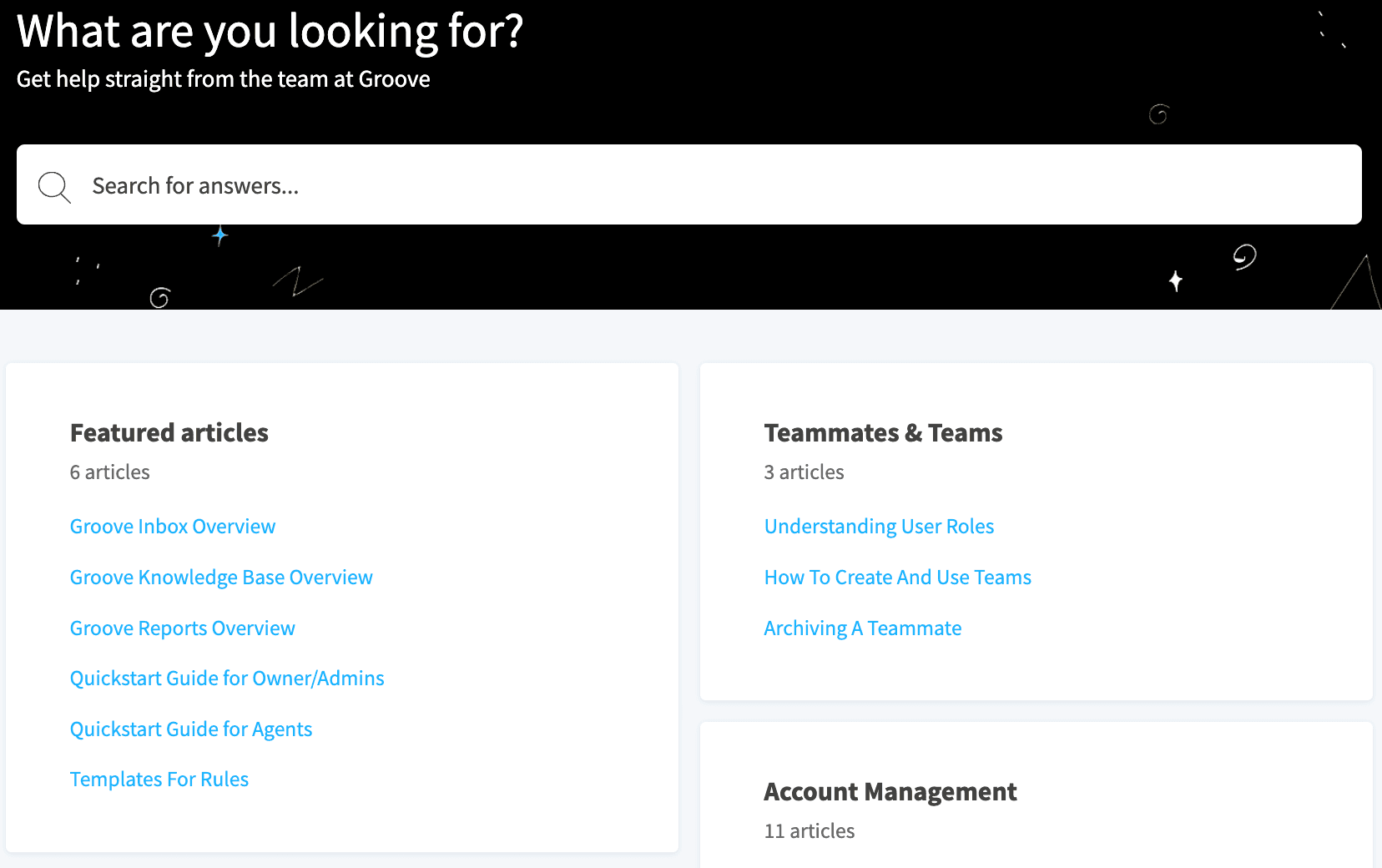
For example, if you’re trying to rank for a broad term like “B2B shipping”, you’ll probably want to link to a primary landing page that explains how your software enables B2B shipping. Ideally, potential customers would land on this page, and then sign up for a free trial.
Finally, don’t neglect the importance of structure. If you have more than a few knowledge base articles, make sure they’re clearly organized into logical (and easy to navigate) categories:
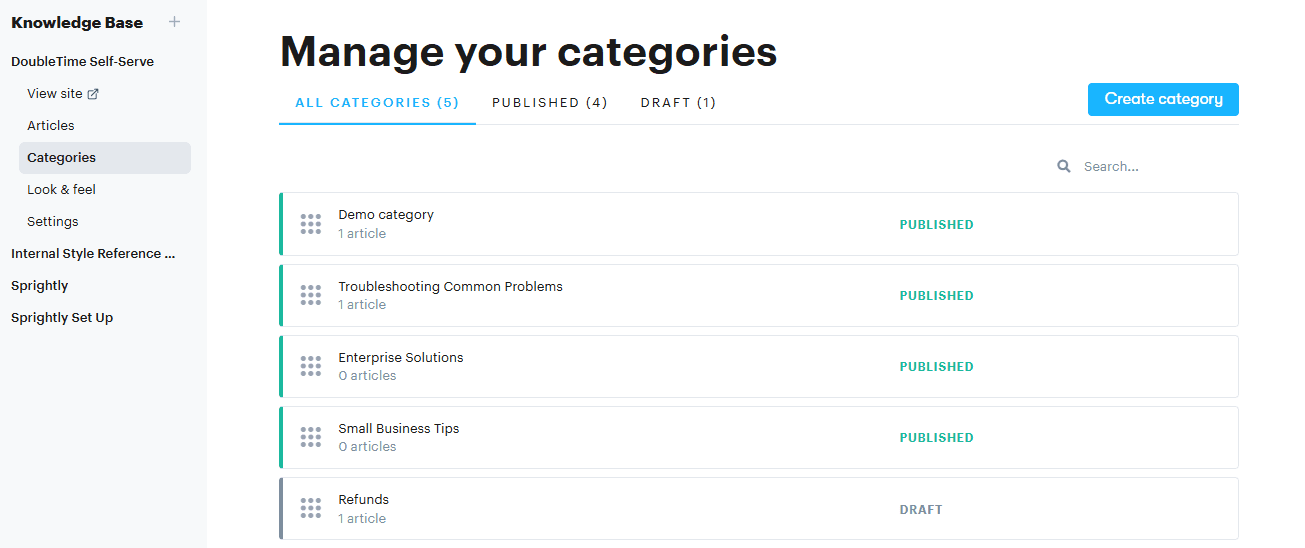
Once again, this improves understanding for readers and search engines alike. In Groove, you can create as many categories as you like in your knowledge base, and organize them into whatever hierarchy works for your business.
Build a High-Ranking Knowledge Base That Improves CX
If you’re interested in knowledge base SEO, chances are you’re a small business that actually wants customers to use your content. It was created to serve a functional purpose, guiding customers through product adoption, onboarding, and/or troubleshooting.
Customer support software like Groove is a key component for optimizing knowledge base SEO. Groove’s knowledge base can’t help you write great content. That’s up to you. But it does make the process of organization and optimization simple, even for those with little or no SEO experience.
You can quickly adjust SEO settings within Groove, improving search engine visibility. Key tasks like permalink and heading structures are automatically handled for you, leaving you free to focus on creating quality, useful articles.
Sign up for a completely free trial of Groove today, and see how a great knowledge base can elevate your CX and improve customer satisfaction!
