

Automate your support workflows with Groove
Automate your support workflows with Groove's intuitive automation tools. Set up rules, instant replies, and smart folders to keep your team efficient and your customers satisfied.













Cut down on manual work. Free your team to focus on real support.
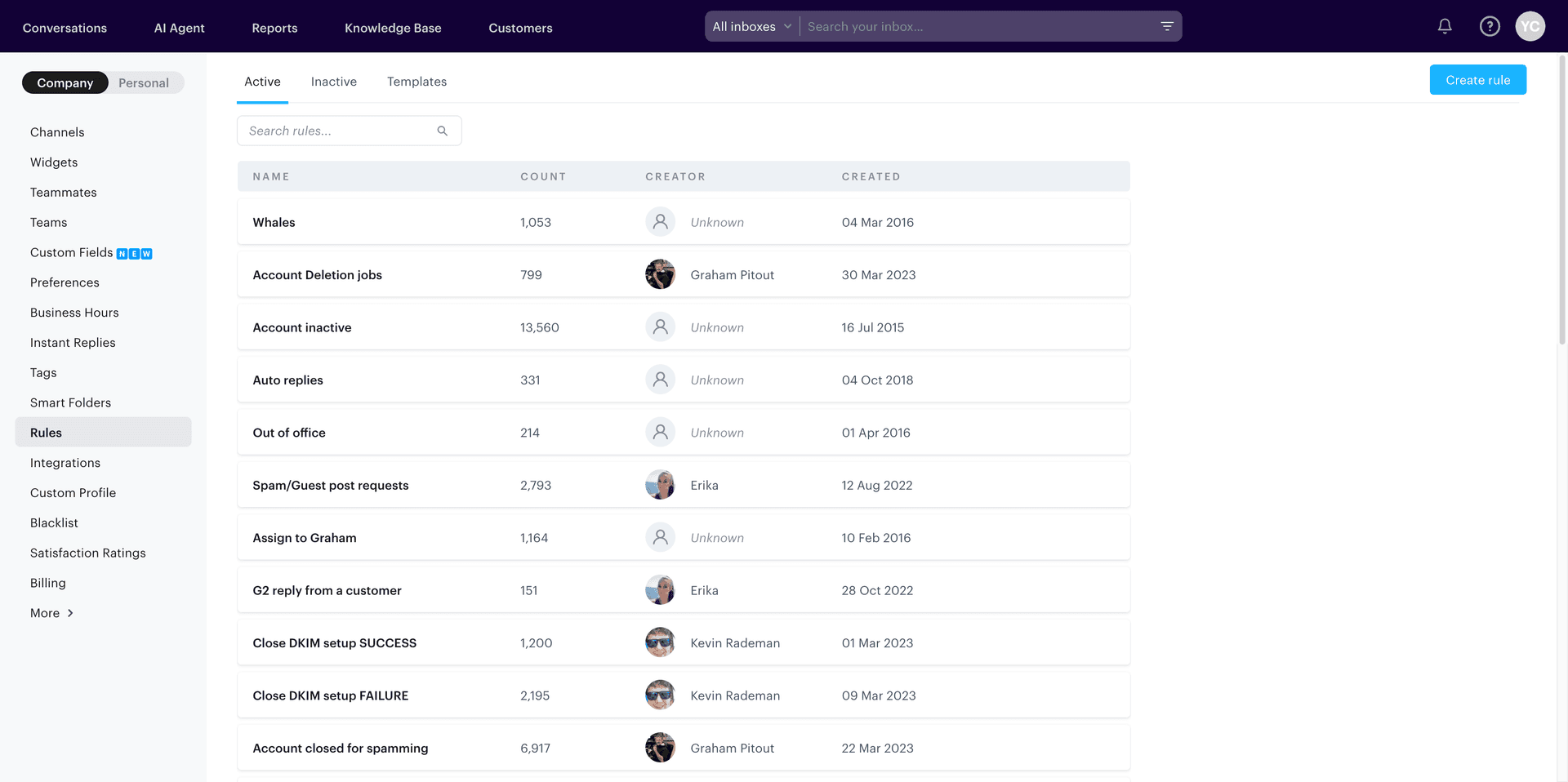
Auto-tag, sort, and assign tickets based on rules you control.
Handle more tickets in less time. Keep every reply fast and consistent.
Customize workflows with ease
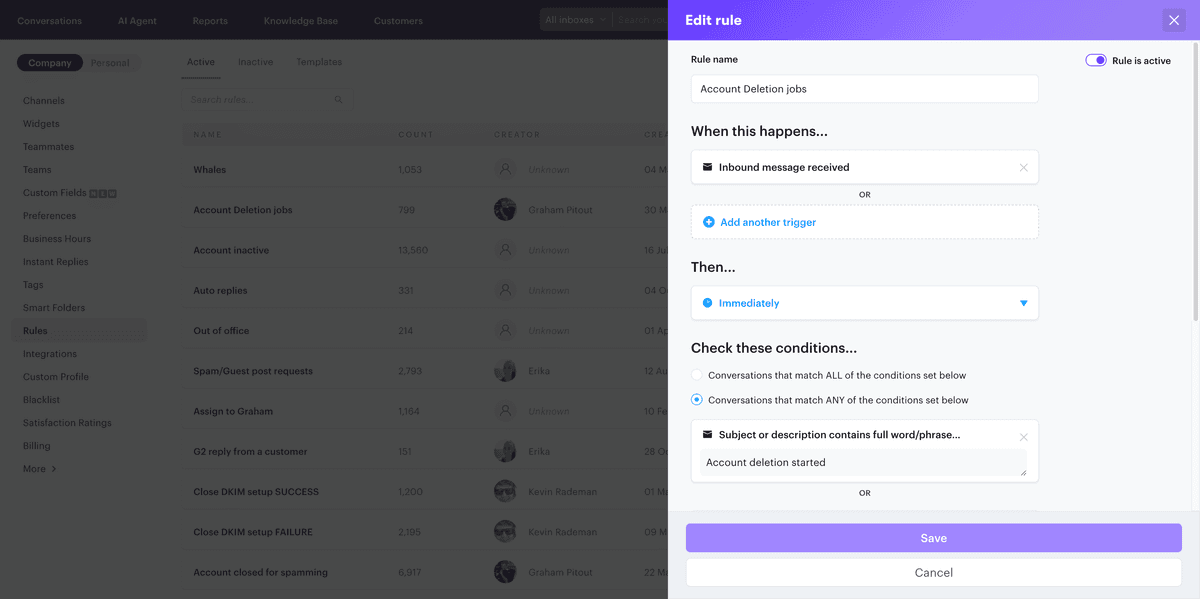
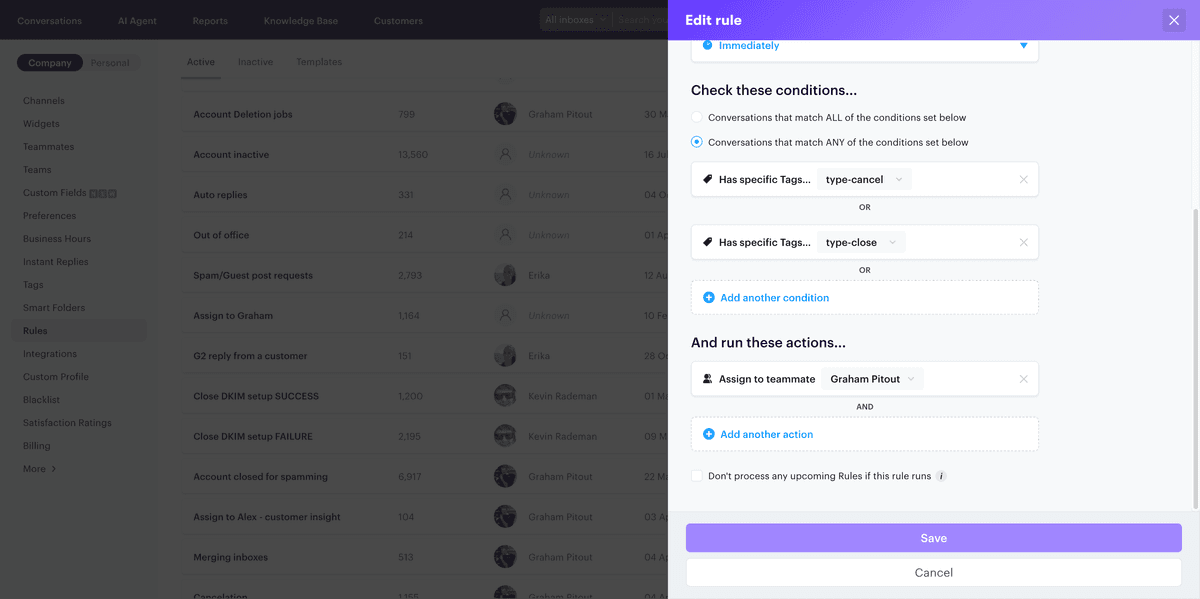
Create rules based on specific triggers and conditions to automate actions like assigning tickets, applying tags, or sending responses. Tailor your support processes to fit your team's needs.
- Trigger actions based on conversation events
- Set conditions for precise automation
- Automate assignments and tagging
- Streamline your support workflow
Respond faster with canned responses
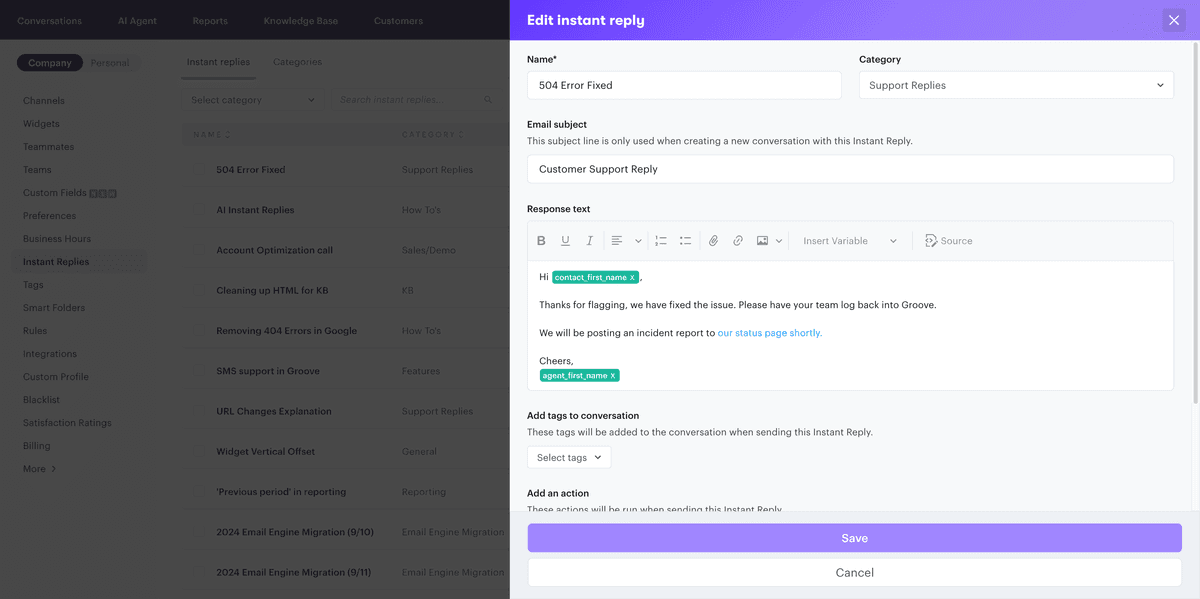
Save time by creating and using pre-written replies for common customer inquiries. Ensure consistent and accurate responses across your support team.
- Create and manage canned responses
- Insert replies with a single click
- Maintain consistency in communication
- Improve response times
Organize conversations intelligently
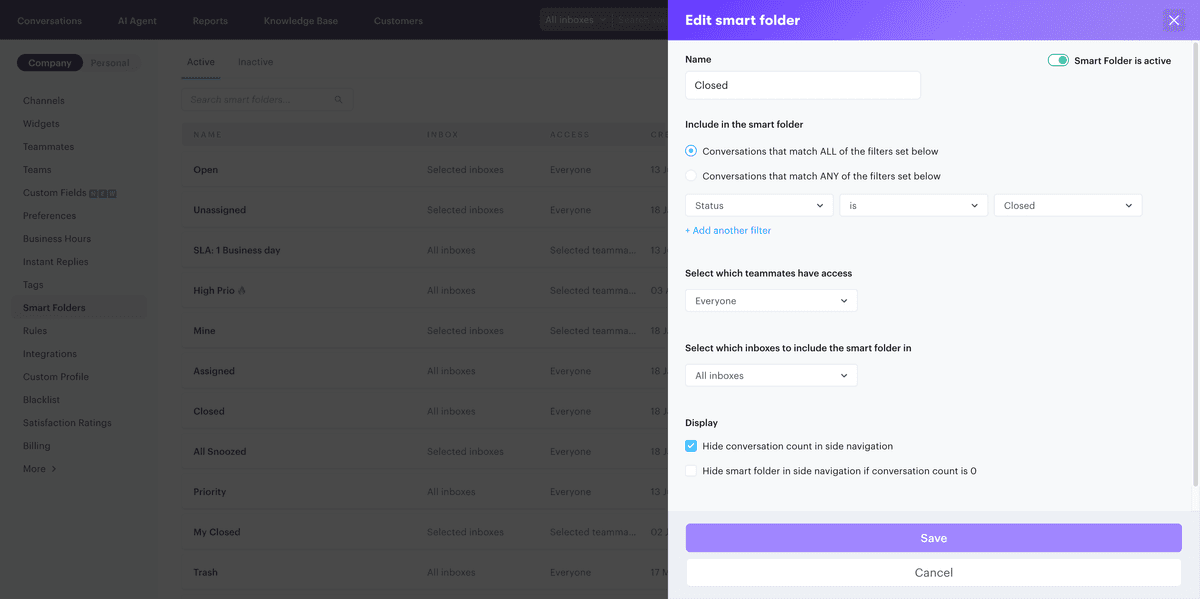
Use smart folders to automatically categorize and prioritize conversations based on specific criteria, helping your team stay organized and focused.
- Filter conversations by tags, status, or assignee
- Highlight high-priority tickets
- Customize views for different team roles
- Enhance team collaboration
Manage conversations with scheduled actions
Set up time-based rules to automate actions like sending follow-up emails or closing inactive tickets, ensuring timely customer engagement.
- Schedule actions after specific time intervals
- Automate follow-ups and reminders
- Maintain SLAs with timely responses
- Reduce manual workload
Prevent multiple agents from responding to the same ticket simultaneously.
Collaborate with team members using private notes within conversations.
Organize and categorize tickets with customizable tags.
Automatically assign tickets to the appropriate team members based on predefined criteria.
Temporarily close conversations and set reminders to follow up later.
Combine related tickets to maintain a clean and organized inbox.
Capture additional information by adding custom fields to tickets.
Integrate Groove with other tools and customize your support workflow.